DeepSeek OCR: Compressing Text Into Images So AI Can Remember More
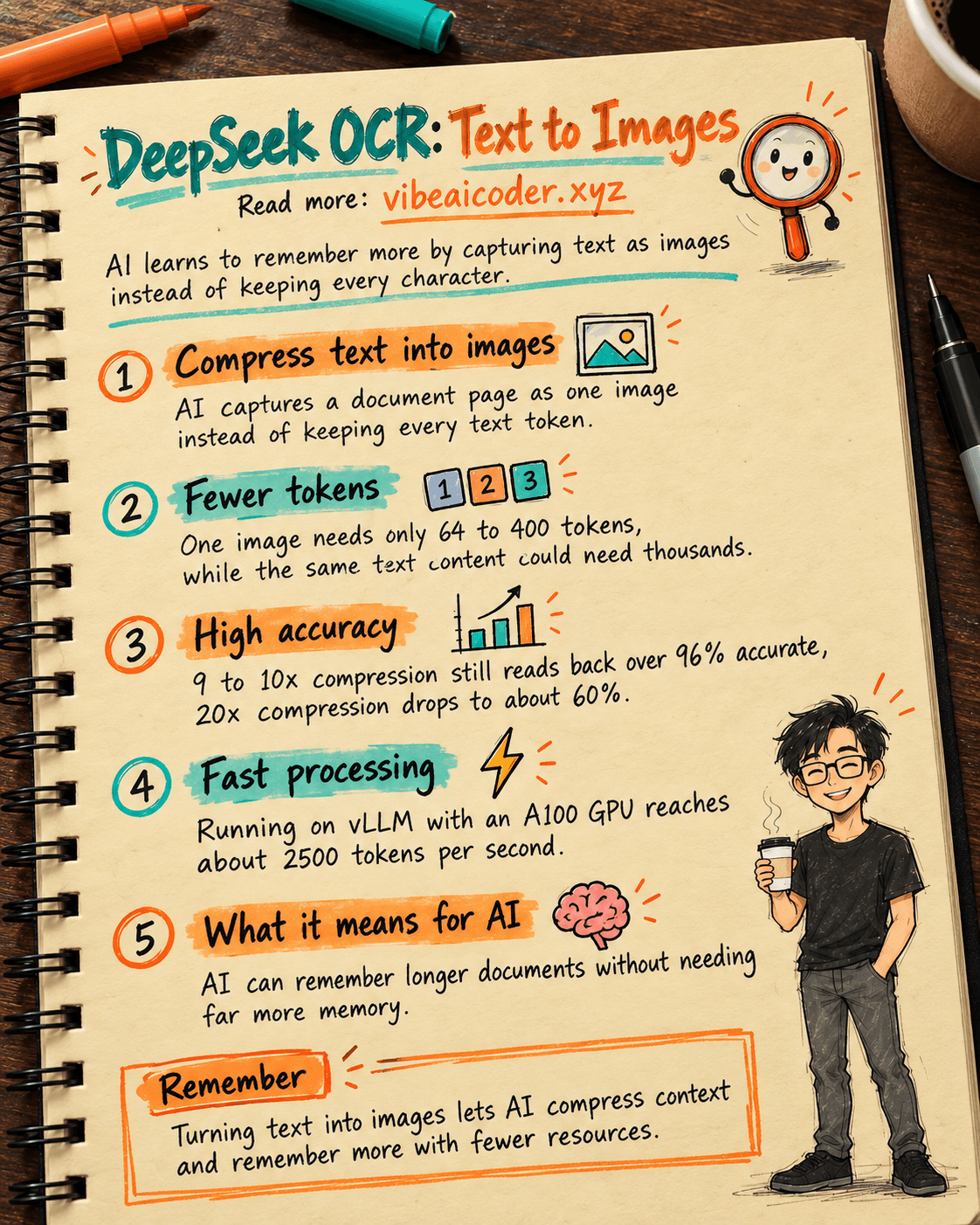
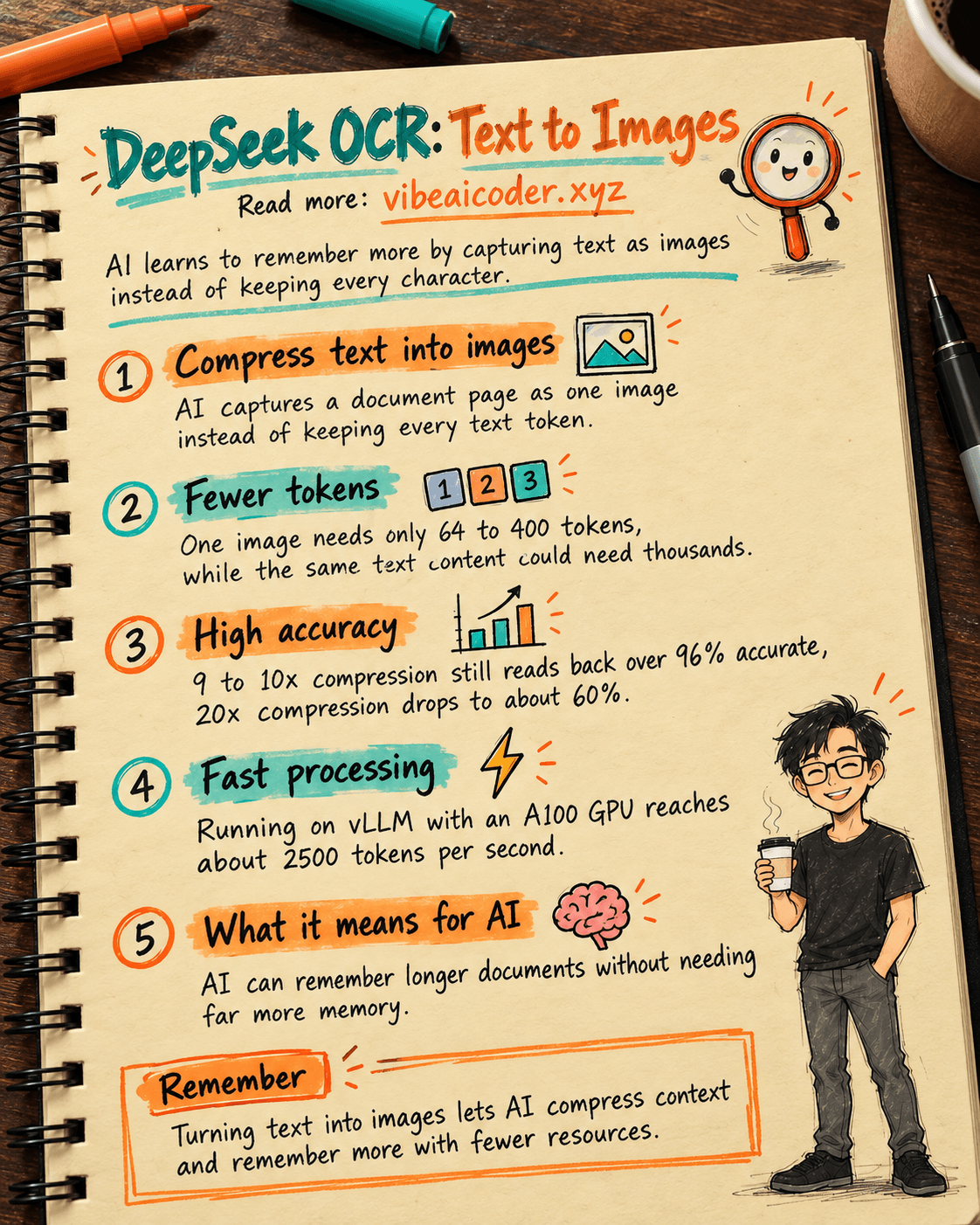
DeepSeek just announced a surprising way to tackle one of AI's biggest bottlenecks: turning text into images so a model can read it back, instead of keeping every character as text.
 What is happening
AI circles have been buzzing this week about a model with a deceptively plain name: DeepSeek OCR. It sounds like a simple tool for scanning text out of images, but what it actually tackles is much bigger: the memory problem of AI. The channel Two Minute Papers made a whole video explaining why this could be one of the most interesting ideas this year for large language models (LLMs), the kind of AI behind ChatGPT or Claude.
The problem DeepSeek is going after is familiar to anyone who has used AI for a while: the longer a conversation or document gets, the more resources the AI needs to keep track of everything from the start, and eventually it has to trim or forget earlier parts. That is the limit of the context window, the temporary memory an AI uses to follow a conversation or a document you feed it.
 Compressing text into images, a strange but sound idea
DeepSeek OCR's approach is unexpected: instead of keeping text as text, it captures that text as an image, then lets the AI read and understand the content from that image. It sounds backwards, since turning text into an image usually makes the data heavier. But for AI, it works differently.
When an AI processes text, every word or word-fragment has to be split into its own "token" for the model to compute with, so thousands of pages of a document create hundreds of thousands of tokens. When an AI processes an image, though, it only needs a fixed number of tokens to describe the whole picture, no matter how much text is inside it. DeepSeek OCR exploits exactly this gap: it uses a dedicated vision encoder (combining two compact image-recognition components) to "look at" a document page and compress it into very few tokens, before the language part of the model reads the content from there.
The model supports several levels of detail when "photographing" a document page, from just 64 tokens for a simple page up to 400 tokens for a page that needs more detail preserved, while the same amount of text kept as plain text could need thousands of tokens.
 The numbers behind it
According to figures DeepSeek published, when text is compressed into an image at roughly 9 to 10 times (meaning the original token count for the text is packed down to about a tenth), the model still reads the content back with over 96% accuracy. Push the compression further, to around 10 to 12 times, and accuracy still holds around 90%. Only at a very high compression ratio of about 20 times does accuracy drop to around 60%, meaning the AI starts misreading or missing parts of the content.
In plain terms: for long documents, an AI can "remember" a similar amount of content while using only a fraction of the memory it needed before, potentially up to around 20 times less, as long as you accept a bit of accuracy trade-off at the highest compression levels. The team also tested the model with the vLLM serving tool on an A100 GPU and reached a processing speed of around 2,500 tokens per second for PDF documents, a solid number for batch-processing many documents at once.
 Why this matters to you
If you have ever noticed an AI "forgetting" the start of a long conversation, or failing to fully summarize a document with too many pages, this is exactly the kind of limitation this approach is aimed at. As AI companies start applying this kind of image-based context compression, over time you could see:
- Feeding AI longer documents (contracts, reports, books) without worrying about content getting cut off midway.
- Keeping longer conversation history with an AI assistant without processing costs spiking.
- Getting faster responses, since the AI spends less effort "re-reading" everything that was already said.
This is also a good example of why understanding what AI is goes beyond just typing questions. Knowing the technical limits behind the scenes also helps you use AI more effectively, for example knowing when to split a document into smaller chunks instead of dumping it all in at once.
 Limitations to keep in mind
This is still a new model, mostly at the research and experimentation stage, and it is not necessarily built into the popular chatbots you use every day yet. The harder you compress data, the easier it is to lose small details, so for important documents like contracts or financial figures, you should still double-check things yourself rather than fully trusting what an AI read off a compressed image. You can also read more about how a chatbot's memory works to understand why AI sometimes remembers and sometimes forgets, and compare it with how AI learns to forget like humans do, which uses a completely different mechanism, trimming old memories instead of compressing images.
FAQ
Is DeepSeek OCR just a regular text-scanning tool? Not quite. It still reads text out of images like a normal OCR tool, but its main goal is using images as a way to compress context so AI can handle long documents more efficiently.
Why does "token" keep coming up? A token is the small unit an AI uses to "count" and process text, a single word can split into one or several tokens. The more tokens a model has to process, the more resources it burns and the sooner it hits memory limits.
Will this make AI cheaper to use? In theory, yes, since processing fewer tokens means less computation. But that depends a lot on when and how AI companies actually build this into real products.
Did DeepSeek invent this idea from scratch? The idea of compressing information through images to save memory is not entirely new in AI research, but DeepSeek is the team that publicly released the code and concrete numbers for this approach at the scale of a real working OCR model.
More articles

Gemini 4 Argon Reads a 500-Page Chemistry Patent in One Afternoon

Claude Opus 5.5 Codes a Real Money Trading Game in One Day

What Is a Token in AI? Why ChatGPT and Claude Charge by Tokens

What Is Chain of Thought? Why Asking AI to Think Step by Step Works Better

Claude Sonnet 5.5 vs GPT-6.1 Sol: Which AI Model Is Worth Using?

 Claude Opus 5.5 Launches: 30% Faster, 40% Cheaper, Blocks AI Brain Copying