What Is Temperature in AI? Why Changing One Number Changes the Answer
What Is Temperature in AI? Why Changing One Number Changes the Whole Answer
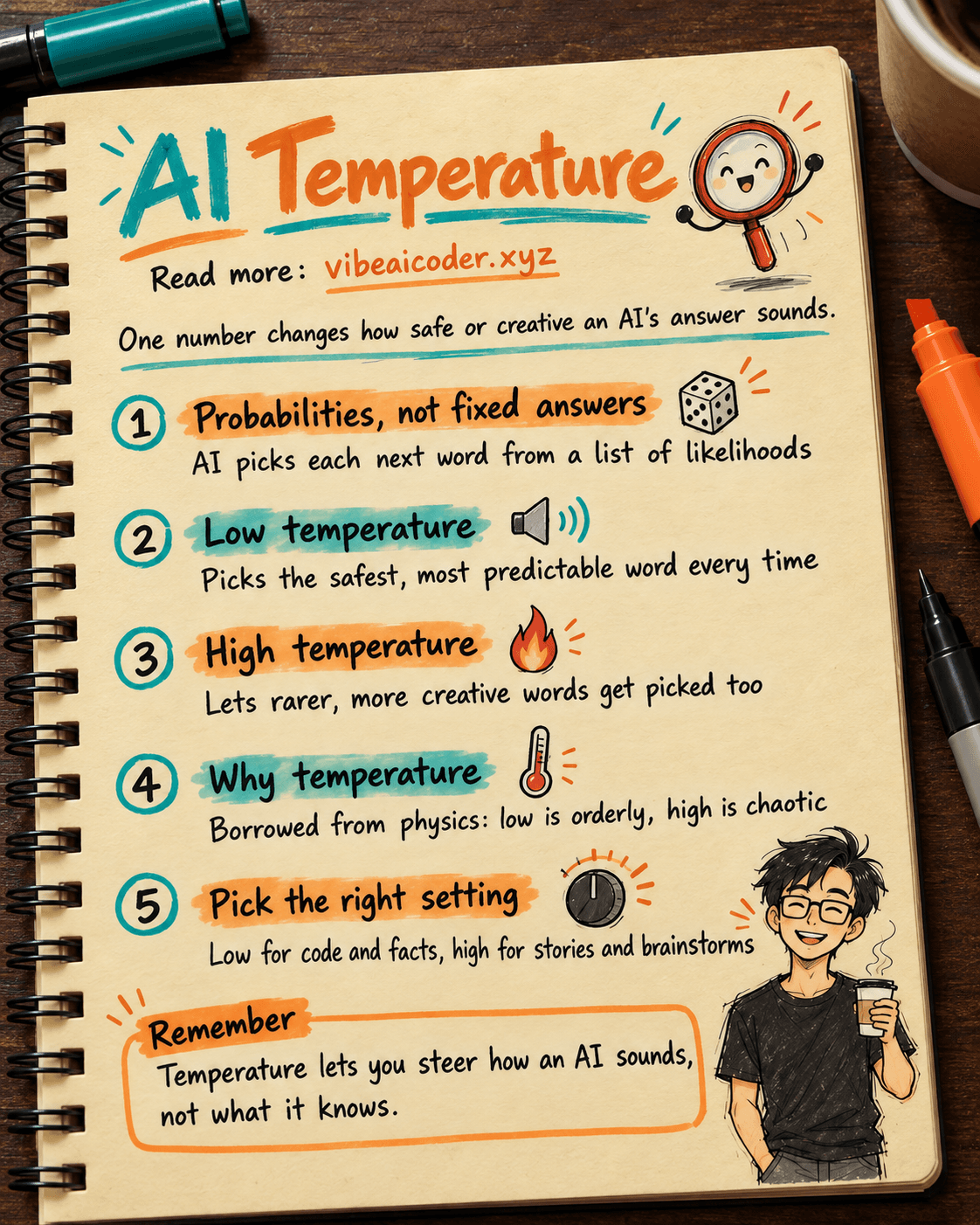
Temperature is a number (usually between 0 and 1, sometimes up to 2) tucked into the advanced settings of ChatGPT, Claude, and Gemini. It decides whether the AI answers in a safe, predictable way or a creative, surprising way. Low temperature means the AI always picks the "textbook correct" answer. High temperature means the AI dares to try more unusual, more colorful ways of phrasing things. Ask the exact same question and changing the temperature changes the entire tone of the response.
If you have ever seen a "Temperature" or "Creativity" slider while using an AI API, or heard someone say "turn the temperature down so it stops making things up," this article explains what that number actually does, no math required.
AI doesn't answer with one fixed response, it answers with probabilities
To understand temperature, you need to know one thing first: when AI writes a response, it does not look up a dictionary to find "the correct next word." Instead, at every single step, the AI calculates a list of words it could use next, along with a probability (likelihood) for each one.
For example, if you type "Today the weather is very...", the AI might calculate:
- "beautiful" (40% likelihood)
- "hot" (25% likelihood)
- "cold" (15% likelihood)
- "strange" (5% likelihood)
- dozens of other words with smaller probabilities
Temperature is the number that controls how the AI picks a word from that list of probabilities. It doesn't change what the AI "knows," it changes how the AI decides among the options available to it.
Low temperature: the AI picks the safest bet
When temperature is close to 0, the AI almost always picks the word with the highest probability in the list. In the example above, it would almost always choose "beautiful," since that word is clearly in the lead.
The result:
- Answers are stable and nearly identical if you ask the same question multiple times.
- Great for tasks that need accuracy and consistency: writing code, doing calculations, summarizing contracts, answering questions with a clear right or wrong answer.
- The downside: the writing can feel a bit dry, formulaic, and lacking personality, because the AI keeps avoiding less common choices even when they would still make sense.
This is why many tools quietly set a low temperature (0 to 0.3) when you ask AI to write code or pull numbers out of a table, even if you never notice it: developers want reliable output more than originality.
High temperature: the AI dares to pick less common words
As temperature climbs toward 1 (or higher on some models), the AI starts giving lower-probability words a better-than-usual chance of being picked. In the example above, it would occasionally choose "strange" instead of "beautiful," even though "beautiful" is still the most common choice.
The result:
- Answers become more varied, different every time you ask, rich in imagery and unexpected comparisons.
- Great for tasks that need creativity: writing stories, poetry, ad copy, brand name brainstorming, song lyrics.
- The downside: the higher the temperature, the more likely the AI is to pick a word that doesn't quite fit, making sentences clunky, or worse, inventing information that isn't true (one of the causes behind the AI hallucination phenomenon you may have run into before).
Think of temperature as a risk dial. Turn it low and the AI takes the safest path every time. Turn it high and the AI occasionally wanders down a road less traveled, which might turn out better, or might get it lost.
Why is it called "temperature"?
The name is borrowed from physics: in a physical system, the higher the temperature, the more chaotic and unpredictable the movement of molecules becomes. The lower the temperature, the more everything "freezes" into its most stable state. AI researchers use a similar mathematical formula to simulate the amount of "randomness" in word selection, so they kept the name temperature. You don't need to remember the formula, just remember this: a small number means order, a large number means controlled chaos.
What temperature should you use for each task
There is no single correct number, but here are reference ranges many people rely on, useful when you're working with an API or a tool that lets you adjust it manually (the web versions of ChatGPT and Claude usually set a balanced level by default and don't expose a direct slider):
- 0 to 0.3: writing code, summarizing documents, answering lookup questions, extracting data, translation that needs to be precise.
- 0.4 to 0.7: writing emails, blog posts, customer support replies, anywhere that needs to be both correct and a little natural.
- 0.8 to 1 (or higher): writing stories, poetry, slogans, product names, brainstorming novel ideas.
If you notice the AI's answers feel boring, every response sounding about the same, try raising the temperature if the tool allows it. If you notice the AI rambling or inventing wrong details, lower the temperature before you consider switching to a different model.
How is temperature different from writing a better prompt
Many people assume that writing a better prompt is all it takes to get a better answer, but prompt and temperature solve two different problems:
- Prompt determines whether the AI correctly understands what you want: the clearer the request, the less the AI has to guess.
- Temperature determines how the AI phrases that answer: confidently or imaginatively.
A good prompt paired with the right temperature gives the best results. A vague prompt can still produce an answer that misses the point even at low temperature, because the AI is "confidently" running with a misunderstanding.
Temperature has nothing to do with how much AI can remember
Another common mix-up: people think temperature affects how long or short a conversation the AI can remember. That's actually a different concept called the context window, the limit on how much text the AI can "see" at once. Temperature only affects how a word is chosen at each writing step, it has nothing to do with memory or the number of tokens the AI can process.
Practical uses for non-technical people
You don't need to be a programmer to put this knowledge to use:
- If you use a marketing content tool with a "Creativity" slider, that is just temperature renamed to be easier to understand.
- If you're building a customer support chatbot with an API, keep the temperature low so the bot doesn't "creatively" invent company policies that don't exist.
- If you're using AI to brainstorm 20 brand names, raise the temperature so you get genuinely different options instead of 20 names that all sound alike.
Understanding temperature correctly lets you steer the AI instead of being steered by whatever it outputs, which is especially useful once you start exploring AI agents or automating work with AI, since an agent runs the same steps over and over, and the wrong temperature can send an entire chain of actions off course.
FAQ
If temperature is 0, will the AI always give the exact same answer? Almost, but not 100% guaranteed. At temperature 0, the AI always picks the highest-probability word, so asking the same question twice usually produces very similar answers, though small differences can still appear due to how the system processes things in parallel.
I just use the regular web version of ChatGPT or Claude, can I adjust temperature? Usually not, because the web interface hides this setting to keep things simple for everyday users. Temperature mainly shows up when you use an API or a tool built on top of one (for example, content writing platforms or custom-built chatbots).
Is high temperature the main reason AI makes things up? It's one reason, but not the only one. AI can still invent information at low temperature if it simply doesn't know the correct answer. High temperature just increases the chance the AI picks a stranger, less-verified phrasing.
Is temperature the same as how "smart" the AI is? No. Temperature doesn't make the AI smarter or dumber, it only changes how the AI chooses among what it already knows. A weak model set to temperature 0 can still give wrong answers, because the problem lies in its knowledge, not in how it picks words.
Should you always leave temperature at the default? For everyday users, the default setting (usually somewhere around 0.7 to 1 depending on the platform) has already been tuned by developers to suit most daily tasks. You only need to adjust it manually when doing specialized work that needs either absolute precision or noticeably higher creativity than usual.
More articles

Gemini 4 Argon Reads a 500-Page Chemistry Patent in One Afternoon

Claude Opus 5.5 Codes a Real Money Trading Game in One Day

What Is a Token in AI? Why ChatGPT and Claude Charge by Tokens

What Is Chain of Thought? Why Asking AI to Think Step by Step Works Better

Claude Sonnet 5.5 vs GPT-6.1 Sol: Which AI Model Is Worth Using?

 Claude Opus 5.5 Launches: 30% Faster, 40% Cheaper, Blocks AI Brain Copying