OpenAI Agents API: A Workspace for AI Agents
You ask AI to prepare a report. It gives a convincing answer, but you still have to move between tools to read files, run calculations and revise the draft. OpenAI's Agents API gives app builders a way to assign an AI agent a task, follow its progress and continue work across turns.
OpenAI announced the Agents API as a public beta on September 10, 2026. It is a developer product, not a new button in ChatGPT.
 What does the Agents API do?
Imagine giving a coworker a separate computer and a specific set of tools. They inspect files, run a check and report back. If the job is unfinished, you return to the same workspace later.
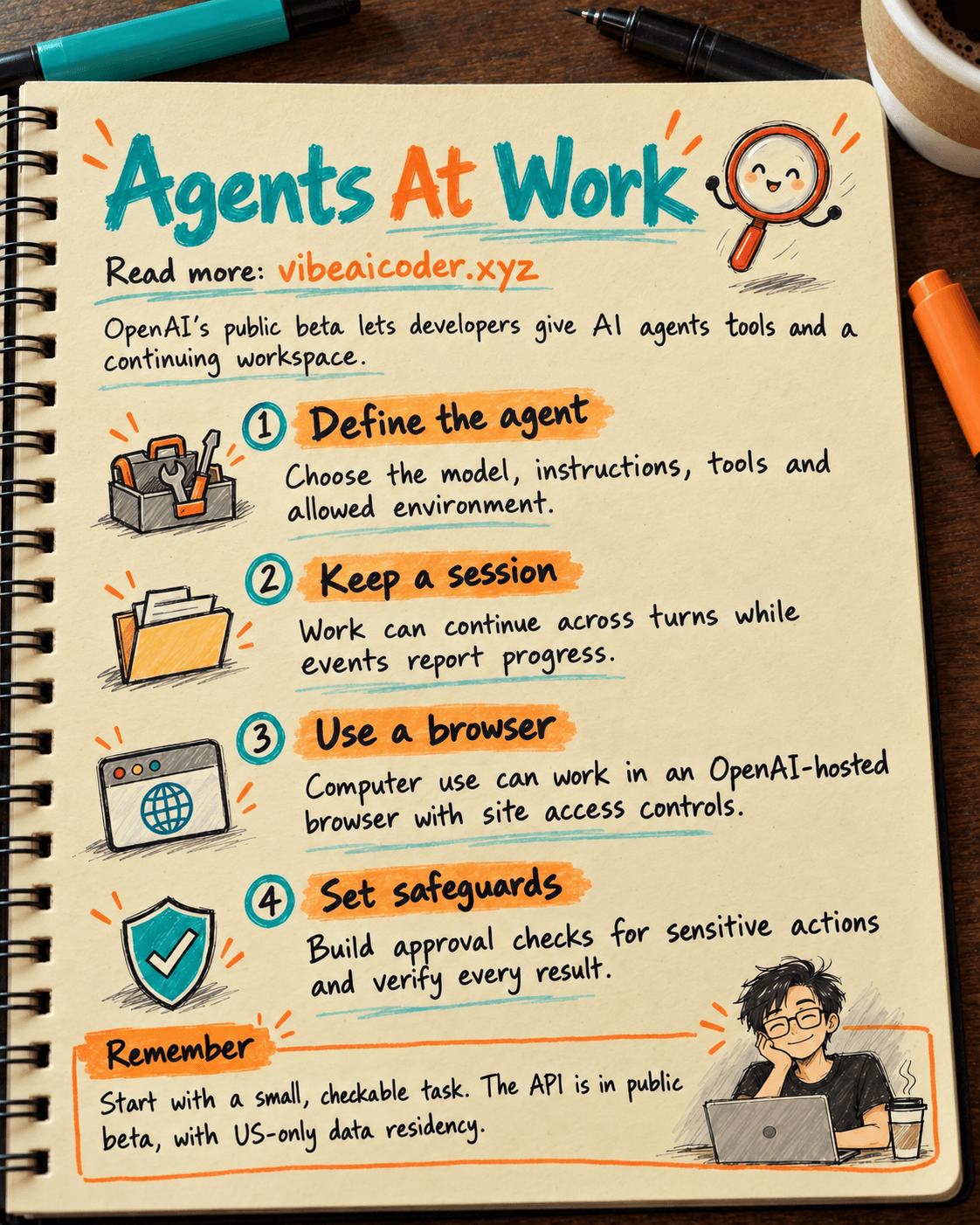
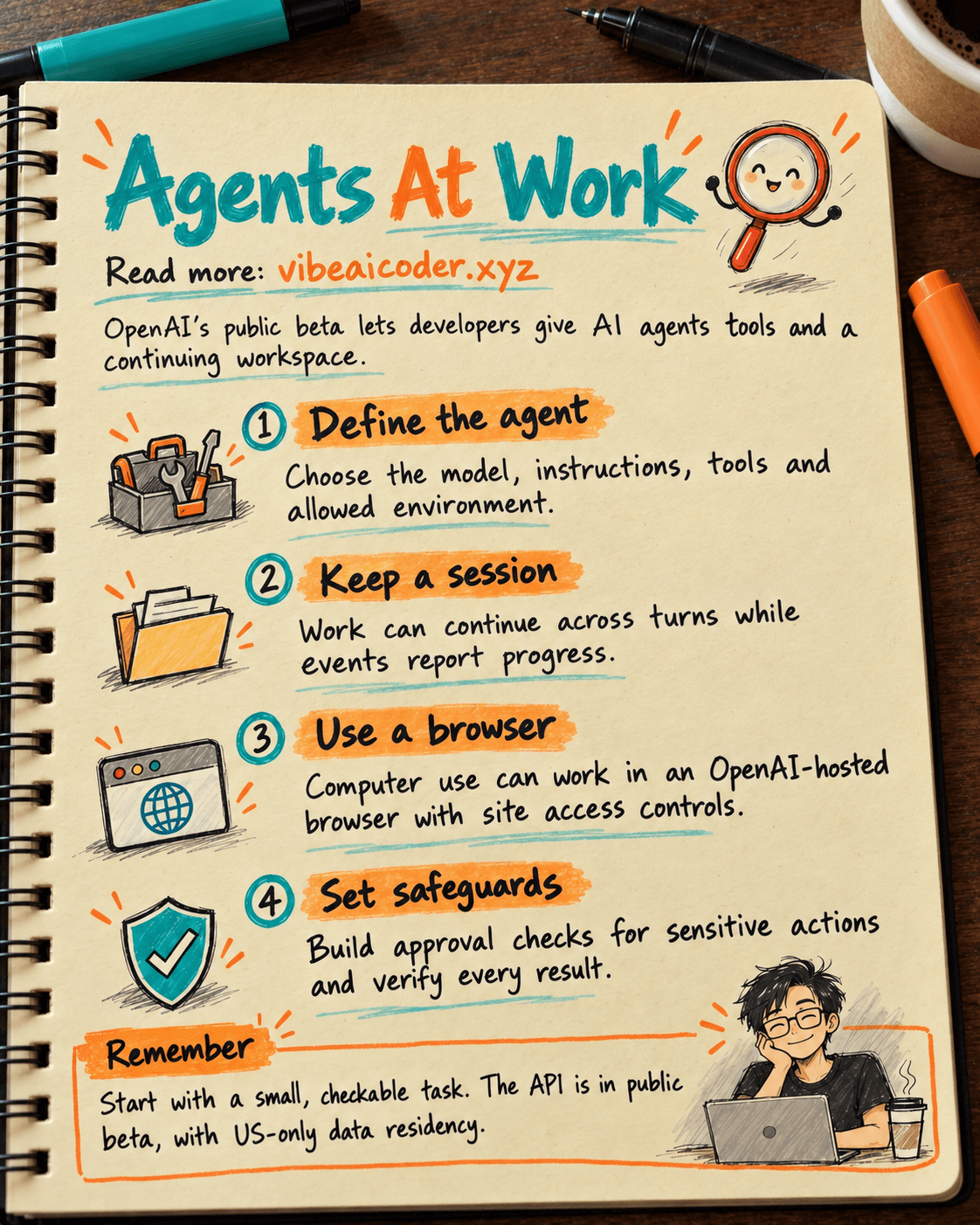
In the Agents API, an agent defines the model, instructions and tools. An environment is where it works, such as a computer hosted by OpenAI. A session carries work across turns. The app receives events to show progress or respond when the agent needs more input. OpenAI handles orchestration, condenses context during long tasks and restores sessions. App builders still choose the tools, environment and access rights.
New to the term? Our guide to AI agents versus chatbots explains it with everyday examples.
 A small example
OpenAI's quickstart creates a Python file called tree.py, runs it and returns a directory tree. You do not need Python knowledge to see the point: the result is made and checked in a working environment, instead of being only code suggested in a chat box.
The basic flow has four parts: create a session, send the task, watch events and collect the result. The app can send another request into that same session. A product team could replace the directory-tree example with data inspection or report generation.
An agent does not automatically get access to every system you use. The app must grant the right tools and design how actions requiring approval are handled. For more on supplying useful context, read our context engineering guide.
 A newer addition: browser work
On September 29, 2026, OpenAI added computer use to the Agents API. An agent can interact with an OpenAI-hosted browser to inspect websites or work through a user interface. The app must handle requests for access to each site and the login flow when an account is needed.
Allowing access to a site does not mean every important action receives a separate approval prompt. If your product needs confirmation before a purchase or deletion, you must build that safeguard. A read-only task with an easy-to-check result is a better first experiment.
 What do you need to try it?
You need an OpenAI Platform project and an app API key with the required agent-session and model permissions. OpenAI's guide names api.agents.read, api.agents.write and api.responses.write. Direct HTTP calls need the OpenAI-Beta: agents=v1 header; official SDKs add it for you.
There is no single fixed package price. Models, tools and OpenAI-hosted computers have separate charges. Watch usage before expanding the workflow.
There is also an important limit for sensitive data: the Agents API supports US data residency only and does not support Zero Data Retention, even when you bring your own computing environment. Check that requirement before testing with real data.
 When should you use it?
The API suits work with several steps, files or tools, progress monitoring and later continuation. Start with a task that has clear inputs and completion criteria: “Read these three data files, total each month, create a report file and explain how you checked the numbers.”
Spell out the data, output and verification in your instructions. Our prompt-writing guide is a good starting point. The Agents API gives an app a persistent workspace and a way to do longer tasks, but you still need to check its output before using it for real decisions.
Official sources
More articles

Claude Opus 5.5 Codes a Real Money Trading Game in One Day

What Is a Token in AI? Why ChatGPT and Claude Charge by Tokens

What Is Chain of Thought? Why Asking AI to Think Step by Step Works Better

Claude Sonnet 5.5 vs GPT-6.1 Sol: Which AI Model Is Worth Using?

 Claude Opus 5.5 Launches: 30% Faster, 40% Cheaper, Blocks AI Brain Copying
How to Manage Your Claude Token Usage Limits Effectively