What Is Context Caching? Why Reusing Context Makes AI Faster and Cheaper
 What Is Context Caching? Why Reusing Context Makes AI Faster and Cheaper
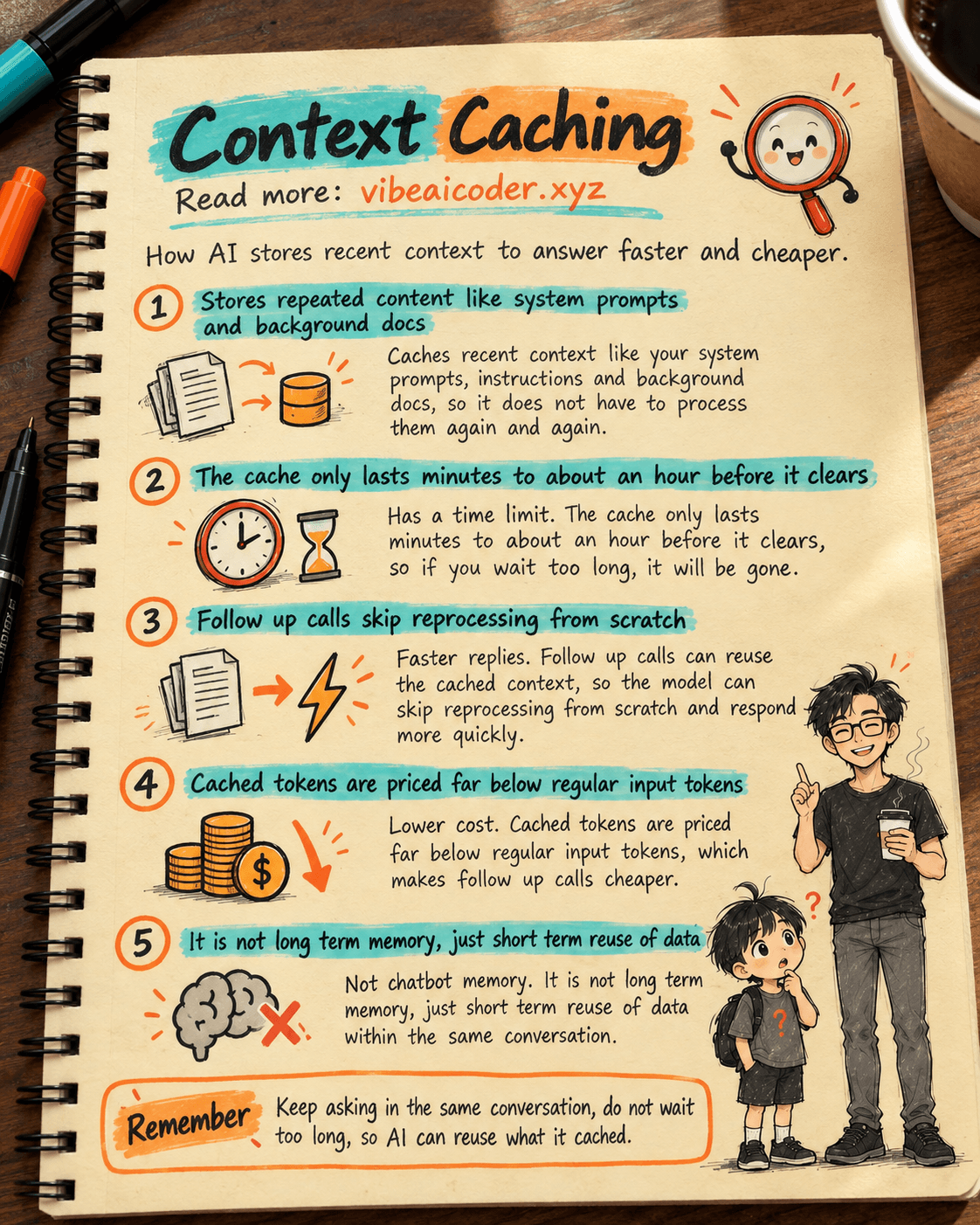
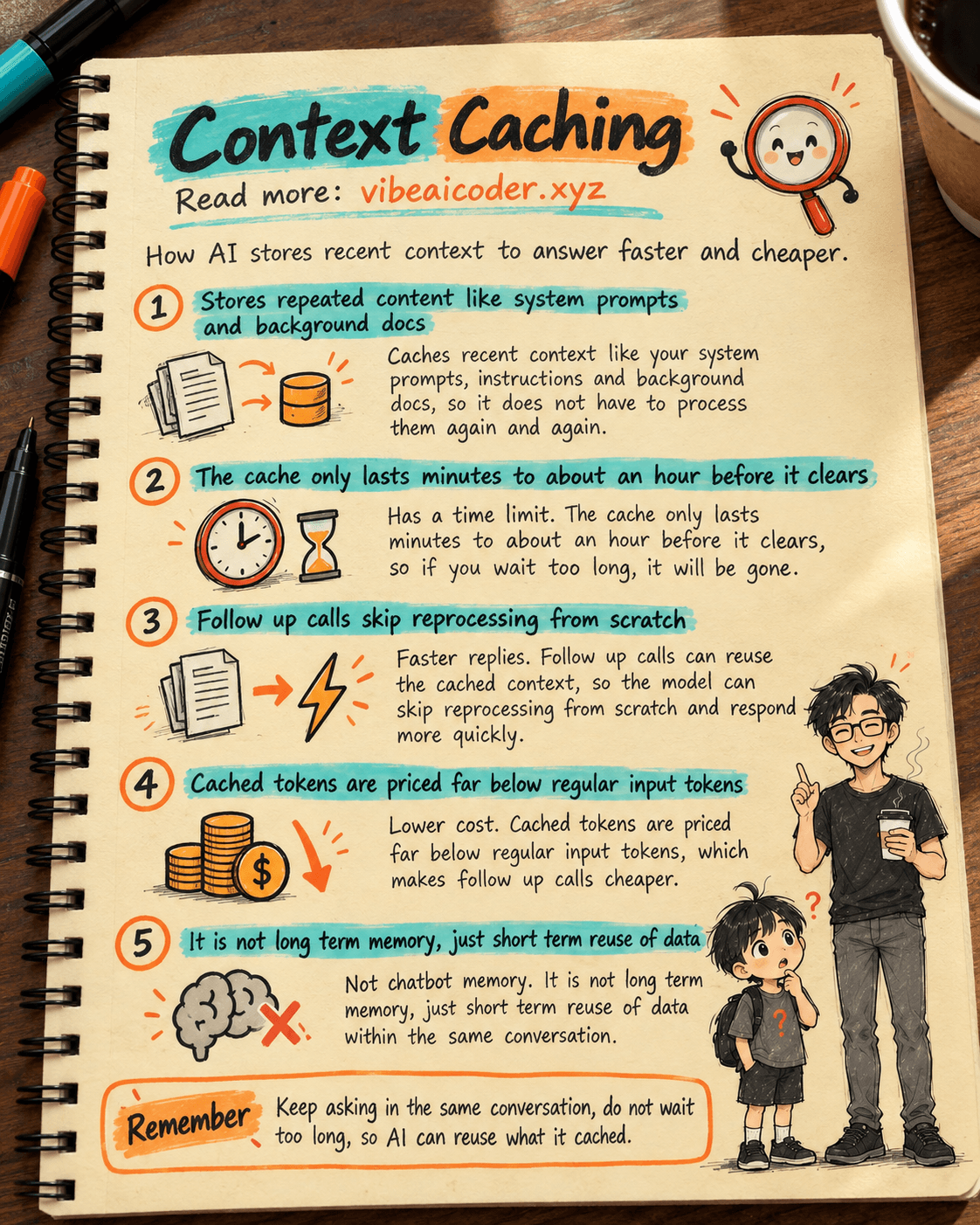
Context caching, also called prompt caching, is how an AI system temporarily stores content you already sent, so the next request does not have to process it all over again. The result: faster replies, and a noticeably lower cost for every call you make to the AI. This happens on the AI provider's side. Most everyday users never configure it themselves, they just notice the effect: smoother conversations, and AI apps that can afford to charge less.
 An Everyday Analogy
Imagine handing an assistant a fifty page file, then asking several different questions about it one after another. If the assistant had to reread all fifty pages from page one every single time, that would waste a lot of time, even though the file itself never changes. But if the assistant keeps that content in short term memory, as long as you keep asking follow up questions soon enough, they only need to listen to your new question and answer right away.
Context caching works the same way. The parts that repeat, like a system prompt, background documents, or earlier messages in the same conversation, get held in a temporary cache. The AI only has to process the new part you just added, instead of reprocessing the entire conversation from zero every time you type another message.
 How It Actually Works
- When you send a long conversation or document, the parts that rarely change (a system prompt, a background document, older chat history) get marked to be stored in a cache.
- On the very first call, the AI has nothing cached yet, so it processes everything as usual, and writes that content into the cache at the same time.
- On the next calls, if they happen within a short window, usually a few minutes, sometimes up to about an hour depending on the provider, the AI reads the cached content instead of reprocessing it from scratch.
- The system only carefully reads the new content you just added (a new question, a new message), then combines it with what is already cached to produce the answer.
- If you wait too long between messages, the cache expires and gets cleared. The next request after that has to be processed from the beginning again, as if it were a brand new conversation.
This is why many AI apps suggest continuing in the same conversation thread instead of starting a new chat every time. If you pause for too long and come back, the AI loses whatever it had cached and has to process everything again.
 What This Means for You
If you are just a regular user chatting with ChatGPT, Claude, or Gemini, context caching is why follow up answers in the same chat often arrive faster than the first one, especially when you paste in a long document and ask several questions about it. A practical tip: keep asking in the same conversation thread while you are still on the same topic or document, instead of opening a new chat for every question, so you actually benefit from what has already been cached.
If you build products on top of the Claude API, turning on caching for fixed content such as system prompts, background documents, or example prompts can cut the cost of that content by roughly ninety percent, and meaningfully cut response time too. That is also why every AI provider's pricing page lists a separate, much cheaper rate for cached tokens compared to regular input tokens. You can read more about how those rates are calculated in our article on how AI pricing works.
A few concrete situations benefit clearly from context caching:
- A tool that reads a long contract once, then lets a user ask many questions about that same contract.
- A coding assistant that reads the same large source file repeatedly within one working session.
- An AI agent that keeps calling outside tools (searching the web, running commands) over and over while keeping the same underlying task context.
In all three cases, the background content (the contract, the source file, the task context) stays the same between steps, so storing it once clearly saves both time and money.
 Common Misunderstandings
"Caching means the AI remembers forever." Not true. The cache only lasts a short while, typically a few minutes up to about an hour depending on the provider. Once that window closes, the data is cleared, and the next request has to be processed from scratch.
"Context caching is the same thing as a chatbot's memory." Not quite. Long term memory is a mechanism that lets an AI recall information across separate conversations, sometimes for days or indefinitely until you delete it. Context caching only reuses data within a very short window, mainly to save speed and cost, not to let the AI "know" you over the long term.
"Regular users need to turn this feature on themselves." No. This is a technical option that the team building the AI application configures when calling the AI system. If you are just using an app like ChatGPT or Claude, you do not need to do anything, the speed and cost benefits already show up automatically in your experience or in the app's pricing.
 FAQ
FAQ
Is context caching the same as a chatbot's memory? No. Chatbot memory recalls information across different conversations, while context caching only reuses content within a short window to avoid reprocessing identical material.
How long does the cache last? It depends on the provider. The most common window is a few minutes, and some providers offer an option to extend it to about an hour for a slightly higher storage cost.
Does caching lower answer quality? No. The cached content is exactly the same as the original content, the AI just skips reprocessing it from scratch, it does not drop any information.
Do I need to turn on caching when using a regular AI app? No. That is something the development team configures when calling the API. You just need to keep asking within the same conversation to likely already benefit from it.
Why is the very first reply sometimes slower than the ones after it? Because on that first call the AI has nothing in its cache yet, so it has to process everything. Follow up questions can reuse what was already cached, so they are usually faster, as long as you do not wait too long between messages. This idea is closely tied to how an AI manages how much content it can "see" at once, which we cover in our article on what a context window is.
More articles

Gemini 4 Argon Reads a 500-Page Chemistry Patent in One Afternoon

Claude Opus 5.5 Codes a Real Money Trading Game in One Day

What Is a Token in AI? Why ChatGPT and Claude Charge by Tokens

What Is Chain of Thought? Why Asking AI to Think Step by Step Works Better

Claude Sonnet 5.5 vs GPT-6.1 Sol: Which AI Model Is Worth Using?
 Claude Opus 5.5 Launches: 30% Faster, 40% Cheaper, Blocks AI Brain Copying