Use ChatGPT or Claude to Design a Customer Satisfaction Survey in 15 Minutes
 Use ChatGPT or Claude to Design a Customer Satisfaction Survey in 15 Minutes
You want to know what your customers really think about your product or service, but you are not sure which questions to ask, how many to include, or how to phrase them so people actually answer honestly. With ChatGPT or Claude, you can draft a full, professional satisfaction survey and paste it straight into Google Forms in about 15 minutes. All you need is a free ChatGPT or Claude account and a Google account to build the form.
 What you need
- ChatGPT (chatgpt.com) or Claude (claude.ai): a free account is enough for this task.
- Google Forms (forms.google.com): free, just needs a Google account, used to build the actual form and send the link to customers.
- A few details about your product or service: its name, the sales channel (an online marketplace, a Facebook page, a physical store), and the reason for this survey (a new product launch, a post-purchase check-in, a quarterly review).
- No design or coding knowledge required, just copy and paste.
 Step by step
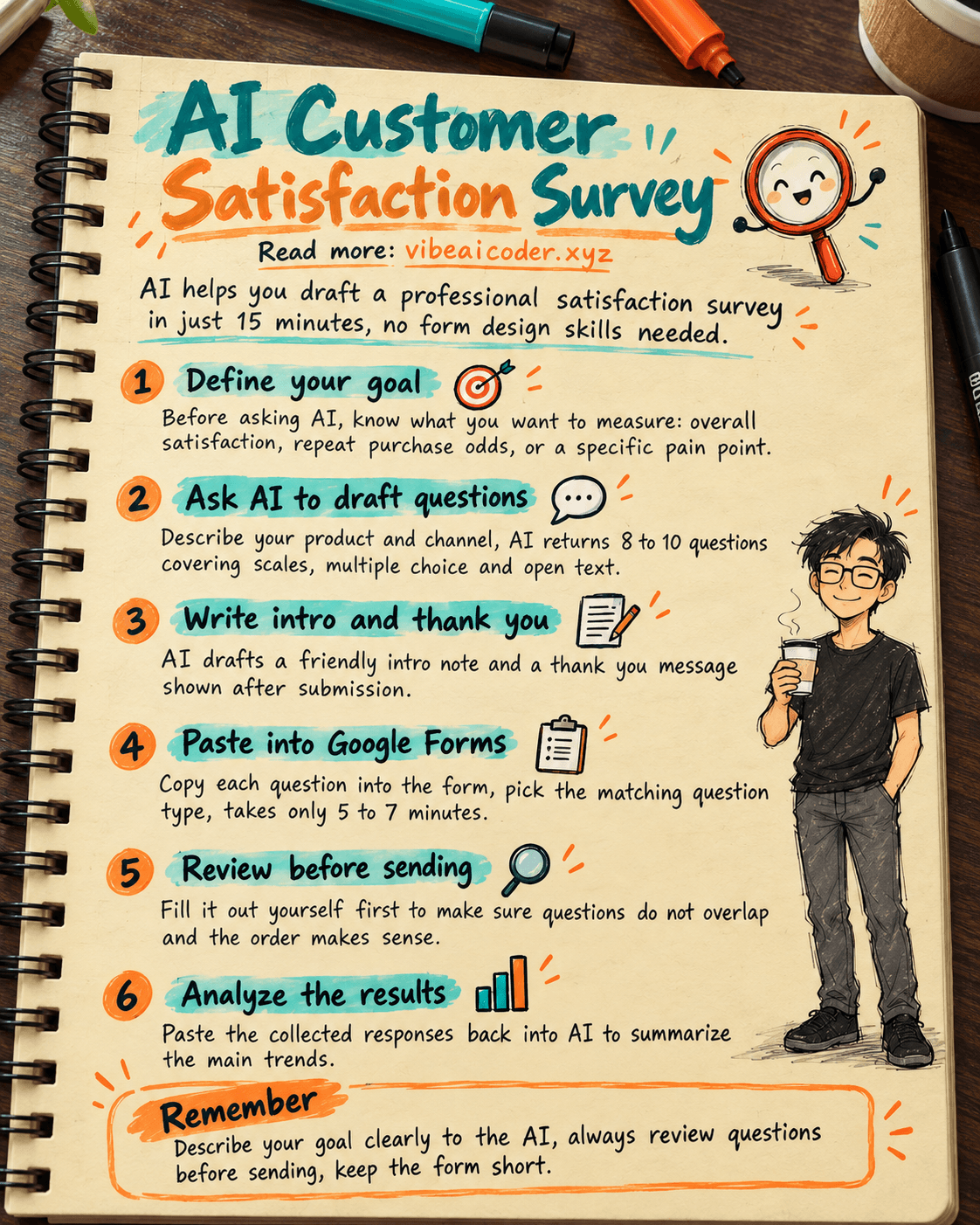
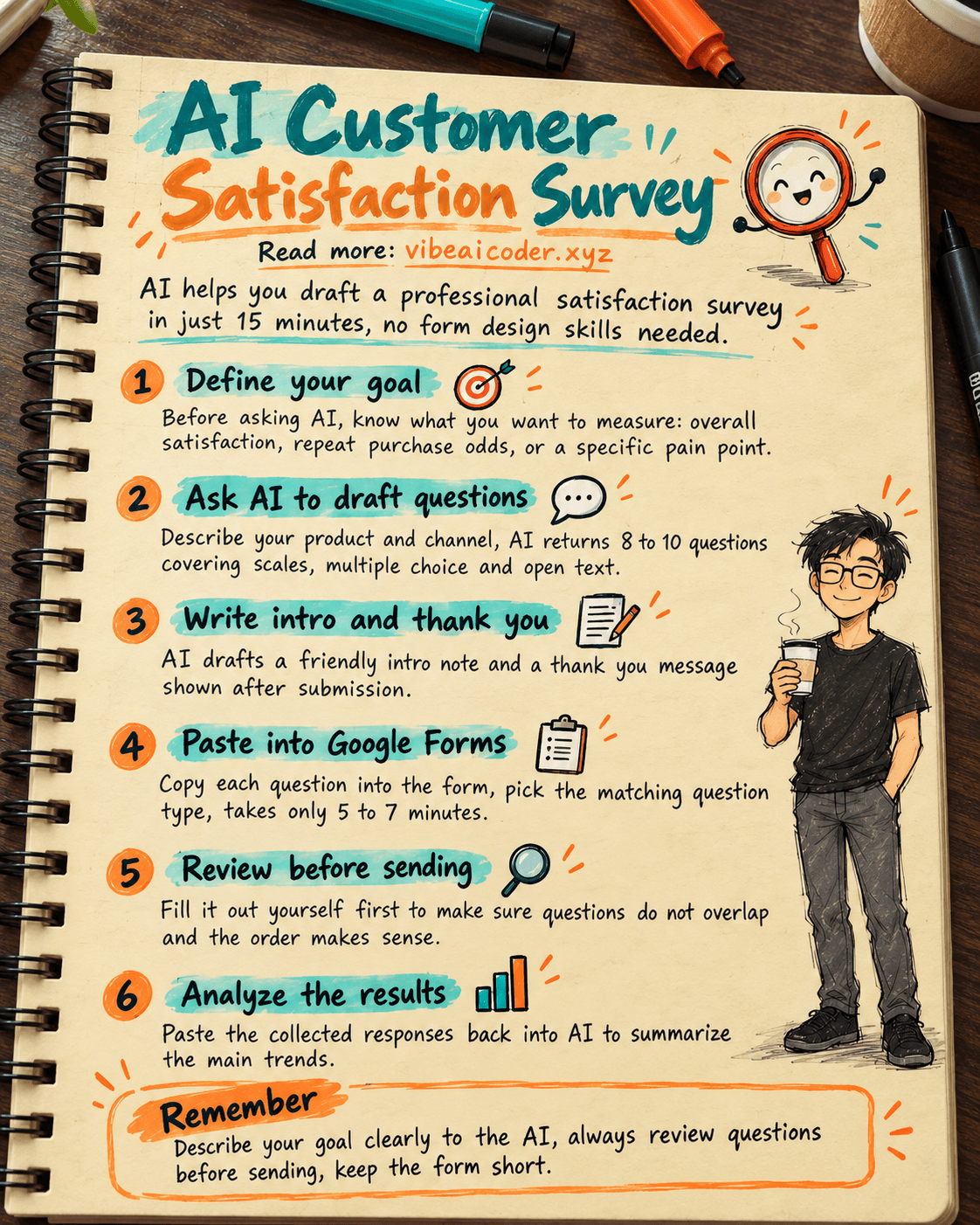
Step 1: Decide what you actually want to measure before asking the AI
Before opening ChatGPT or Claude, answer this for yourself: what do you want to measure? Overall satisfaction, how likely customers are to come back, or one specific pain point in the buying experience. The clearer your goal, the sharper the questions the AI produces.
Step 2: Ask the AI to draft the survey questions
Open ChatGPT or Claude and send this prompt (replace the bracketed parts with your own details):
I sell [product/service name] through [marketplace/Facebook page/physical store].
Draft a customer satisfaction survey for Google Forms with 8-10 questions. Requirements:
- 1 question on a 1-5 scale measuring overall satisfaction.
- 1 question on a 0-10 scale measuring how likely customers are to recommend me to friends.
- 3-4 multiple-choice questions on specific aspects (product quality, delivery time,
  staff attitude, pricing).
- 1-2 open-ended questions for free-form feedback.
- Keep every question short, plain, and jargon-free.
Present them as: number, question text, question type (scale/multiple-choice/open-ended),
and the answer options for multiple-choice questions.
Step 3: Ask the AI to write an intro note and a thank-you message
A good survey form needs a short intro at the top and a thank-you note at the end. Send this next:
Please write:
1. A short intro (2-3 sentences) for the top of the form, explaining why I am sending this
   survey and how long it takes, in a friendly, not overly formal tone.
2. A short thank-you message shown after the customer submits the form, optionally including
   a small incentive for their next purchase.
Step 4: Paste the questions into Google Forms
Open forms.google.com, create a new form, and paste the AI's intro into the form description. Then add each question: choose "Linear scale" for the scale questions, "Multiple choice" for the choice questions, and "Paragraph" for the open-ended ones. This takes about 5-7 minutes since you are only copying content the AI already wrote.
Step 5: Review it and test it yourself before sending
Before sending it to customers, use the preview button and fill it out yourself once to make sure no questions overlap, the order makes sense, and the form is not too long. Then grab the form link (or the QR code Google Forms generates) and share it over chat, order confirmations, or delivery notes.
 What the result looks like
For an online cosmetics shop, after sending the Step 2 prompt, ChatGPT returned 9 questions: one 1-5 scale question on overall satisfaction, one 0-10 scale question on referral likelihood, four multiple-choice questions on product quality, delivery time, packaging, and staff attitude, plus two open-ended questions for extra feedback. The whole process, from opening ChatGPT to having a finished form link ready to send, took about 15 minutes, with most of that time spent manually pasting questions into Google Forms.
 Tips for better results
- Keep the form short, no more than 10 questions. Longer forms get more abandoned halfway through.
- Always include at least one open-ended question. It is usually where you get the most unexpected, useful feedback that multiple-choice questions miss.
- Send the survey at the right moment, a few days after delivery while the experience is still fresh, rather than at a random, unrelated time.
- Once you collect a few dozen responses, you can paste the exported results back into ChatGPT or Claude and ask it to summarize the main trends, the same way you would when analyzing customer feedback with Claude.
 Limits to keep in mind
- The AI drafts questions based only on what you describe, and it does not know your industry as deeply as you do, so always read through and edit before sending, never use the output as is.
- Surveys only capture the opinions of customers willing to spend time answering, usually the very satisfied or very unsatisfied ones, so results may not represent your full customer base.
- Avoid asking for sensitive personal information (ID numbers, detailed home addresses) in a survey unless it is truly necessary, to reduce the risk of exposing customer data.
- For major business decisions (switching suppliers, discontinuing a product), combine survey results with real sales data rather than relying on a few dozen responses alone.
 FAQ
FAQ
Do I need design or coding skills? No. You just copy the questions the AI drafted and paste them into Google Forms, every step is point and type.
Should I send the survey to every customer or just some? If you have few customers, send it to everyone. If your customer base is large, sample a portion, for example sending it to 1 out of every 5 orders, so you do not overwhelm people with surveys.
Should I offer a discount or gift to boost response rates? You can. A small incentive like a discount code for the next purchase usually raises response rates, just state the terms clearly to avoid confusion.
Is the free plan of ChatGPT or Claude enough? Yes, it is enough for drafting a survey like this one. The free tier of either tool handles this type of prompt well.
How do I know if my survey is actually working? Track the response rate (people who actually submitted versus people you sent it to) and compare the average satisfaction score across survey rounds to see whether things are trending up or down.
If you already use AI to reply to customer messages, this survey approach lets you ask proactively instead of only reacting when customers complain. Once you have results, feed them into Claude to analyze customer feedback and find what to improve, or combine them with analyzing sales data with Claude for a fuller picture of your customers. If this is your first time hearing about Claude, start with what is Claude AI.
#AI #ChatGPT #Claude #SmallBusiness #CustomerService #CustomerSurvey
More articles

Gemini 4 Argon Reads a 500-Page Chemistry Patent in One Afternoon

Claude Opus 5.5 Codes a Real Money Trading Game in One Day

What Is a Token in AI? Why ChatGPT and Claude Charge by Tokens

What Is Chain of Thought? Why Asking AI to Think Step by Step Works Better

Claude Sonnet 5.5 vs GPT-6.1 Sol: Which AI Model Is Worth Using?

 Claude Opus 5.5 Launches: 30% Faster, 40% Cheaper, Blocks AI Brain Copying