
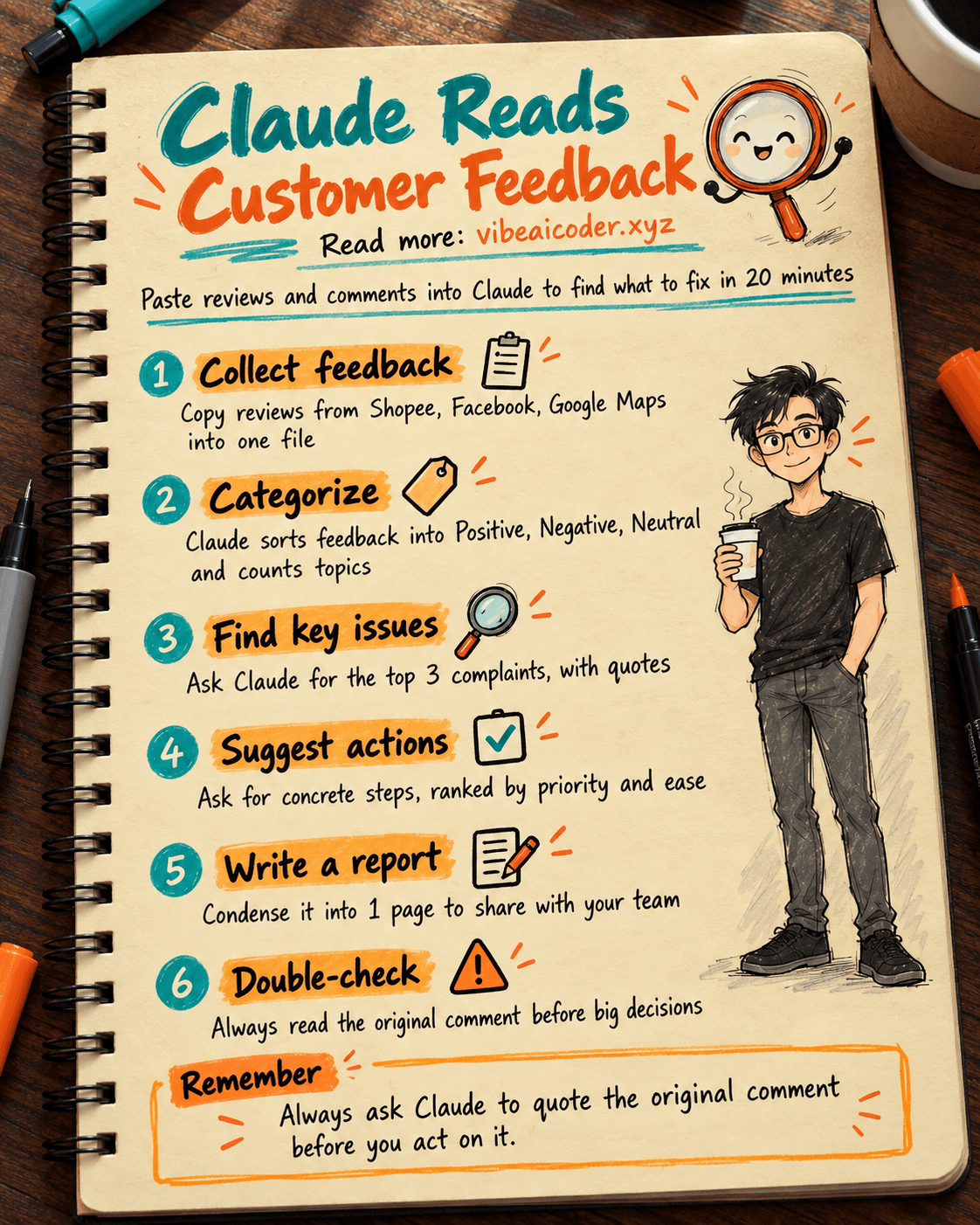
Use Claude to Analyze Customer Feedback and Find What to Improve in 20 Minutes
 Use Claude to Analyze Customer Feedback and Find What to Improve in 20 Minutes
You probably have dozens, maybe hundreds, of comments and reviews scattered across Shopee, TikTok Shop, your Facebook page, and Google Maps that you have never fully read. With Claude, you can paste or upload all of it at once and get back a summary of the issues customers mention most often, plus a prioritized list of what to fix first, in about 20 minutes. All you need is a Claude account (the free plan works fine) and a file with your collected customer feedback.
 What you need
- Claude (claude.ai): create a free account if you do not have one yet. The free plan is enough for this guide; if you have more than a few hundred reviews, the Pro plan lets you paste a larger amount of text in one go.
- A file with your customer feedback: gather product reviews (Shopee, TikTok Shop, Lazada), comments under your Facebook posts, complaint messages, or Google Maps reviews. This can be an Excel file, a Google Doc, or simply a .txt file with everything copied in.
- No coding or spreadsheet formulas needed, just copying and pasting.
 Step by step
Step 1: Collect all feedback in one place
Open the product page or post, select all the reviews and comments, and paste them into a Word document, Google Doc, or Excel sheet (one piece of feedback per line). The more feedback you gather, the more accurate the analysis, but even a few dozen entries are enough to reveal a pattern.
Step 2: Upload the file to Claude and ask it to categorize
Open claude.ai, click the attachment icon to upload your file (or paste the text directly into the chat if it is short), then send this prompt:
Here is all the customer reviews and comments about my product [product name].
Read them carefully and sort each piece of feedback into one of 3 groups:
Positive, Negative, Neutral suggestion. For each group, list the recurring
topics (for example: slow shipping, bad packaging, quality not as described,
price too high). Count how many times each topic appears.
Present the result as an easy-to-read table.
Step 3: Ask Claude to point out the most serious issues
Once you have the categorized table, dig deeper into the most worrying problems:
Among the "Negative" topics above, which 3 issues do customers mention most
often and seem to affect whether they buy again? For each issue, quote 2 to 3
representative comments so I can clearly understand what customers are
struggling with.
Quoting the original comments lets you trust the result instead of just accepting a vague conclusion, because you can read the customer's own words and verify them yourself.
Step 4: Ask for concrete actions
Knowing the problems is not enough, you need specific things to do. Send this next:
Based on the 3 issues above, suggest concrete actions I can take this week to
improve, ranked by priority (the action affecting the most customers and
easiest to do should come first). Keep each action to no more than 2 sentences.
Step 5: Save it as a short report to share with your team
If you have staff or suppliers who need to see this, ask Claude to condense it:
Rewrite the entire analysis above into a short 1-page report, including:
Overview of the situation, the 3 main issues with numbers, and the list of
actions to take in priority order. Write in clear language that is easy for
non-technical people to understand.
Copy the result into Google Docs or send it directly through your team chat.
 Sample result
For a home goods shop with 80 reviews on Shopee, Claude returned a table showing 35% of feedback praised product quality, but 22% complained about dented packaging during shipping and 15% mentioned deliveries taking more than 5 days. The action plan suggested switching to thicker cardboard boxes for fragile items and proactively messaging customers with an estimated delivery time right after they order. The whole process, from pasting the file to getting the report, took about 15 minutes.
 Tips for better results
- Combine feedback from multiple channels (Shopee, Facebook, Google Maps) into one analysis to see the full picture, instead of analyzing each channel separately.
- If you sell multiple products, separate feedback by [product name] so issues with one item do not get mixed up with another.
- Repeat this every month and compare with the previous run to see whether old issues have decreased and whether new ones have appeared.
- When Claude quotes a comment, always open the original post to read the full context before making any major change.
 Limitations to know
- Claude only analyzes what you give it; if you have too little feedback (under 20 entries), the result can be skewed and not represent most of your customers.
- Before uploading customer feedback, remove sensitive personal details like phone numbers and home addresses to avoid exposing data unnecessarily.
- Percentages and counts are estimates based on how Claude reads the text, not a substitute for dedicated statistical tools if you need exact figures for financial reports.
- Decisions with a big cost impact (changing suppliers, changing your packaging process) should still be reviewed by someone experienced before you act on them.
 FAQ
FAQ
Do I need to know how to code or use Excel well? No. You just need to copy your customer feedback into any file (Word, Docs, or Excel all work) and upload or paste it into Claude.
Is the free Claude plan enough? Yes, for a few dozen to a few hundred pieces of feedback per session. If you have thousands of reviews and want to analyze them all at once, the Pro plan allows pasting a larger amount of text.
Does Claude automatically pull reviews from Shopee or Facebook? No, Claude cannot go into these platforms to fetch data on its own. You need to copy the feedback out yourself before giving it to Claude to analyze.
How do I know Claude's suggestions are trustworthy? Always ask Claude to quote the original comment for each conclusion, then read it yourself to verify before acting, instead of following it blindly.
Can this work for services, not just physical products? Yes. The same approach works for feedback about delivery service, customer support, or booking experience, just swap in the relevant feedback content.
#AI #Claude #CustomerFeedback #SmallBusiness #FeedbackAnalysis
More articles

AI Training vs Inference: What Is the Difference?

Gemini 4 Argon Reads a 500-Page Chemistry Patent in One Afternoon

Claude Opus 5.5 Codes a Real Money Trading Game in One Day

What Is a Token in AI? Why ChatGPT and Claude Charge by Tokens

What Is Chain of Thought? Why Asking AI to Think Step by Step Works Better

Claude Sonnet 5.5 vs GPT-6.1 Sol: Which AI Model Is Worth Using?