What Is Claude AI? A Beginner's Guide to Using Claude (2026)
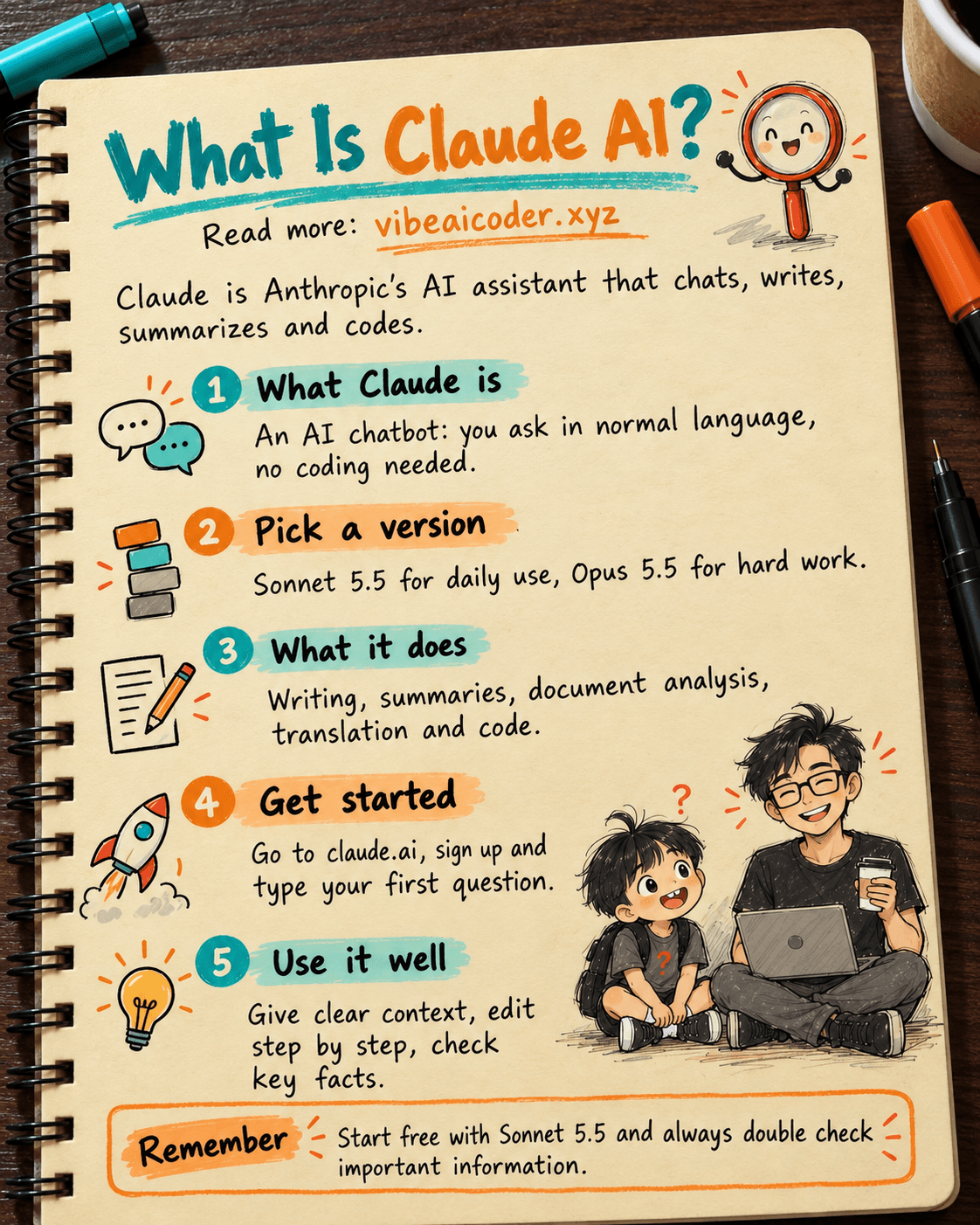
Claude is an AI assistant made by Anthropic, a US company. It helps you chat, write, summarize documents, analyze data and write code, in English and many other languages. You just type your question as if you were sending a message, and Claude answers, explains or does the task for you. This guide explains what Claude AI is in the simplest way, the versions available today, how to get started and tips to use Claude well from day one.
 What is Claude?
Put simply, Claude is an AI chatbot (a computer program that can read and write like a person). You ask in normal language, and Claude answers in normal language. No coding and no complicated setup needed.
Behind Claude is a large language model (an LLM, meaning an AI "brain" trained on huge amounts of text so it can understand and produce writing). Thanks to that, Claude can:
- Understand long questions with several parts, even when you have not phrased them clearly.
- Read a long document you upload, then summarize it or answer questions about it.
- Rewrite text in the tone you want: formal, friendly or short and to the point.
- Write and fix code for people who build software.
What many people like about Claude is its careful, well organized answers, and that it usually says so when it is not sure instead of making something up. That does not mean Claude is never wrong. You should still double check important information.
You can find Claude in many places: the claude.ai website, apps for phones and computers, the coding tool Claude Code, and inside other companies' products through the API (a connection point that lets other software use Claude).
 Who is Anthropic?
Anthropic is an American AI company based in San Francisco, founded in 2021. Its founders, including siblings Dario Amodei and Daniela Amodei, worked at OpenAI (the company behind ChatGPT) before leaving to start their own company.
Anthropic is known for putting a strong focus on AI safety: how to make AI useful while keeping it honest and harmless. They also often talk publicly about Claude's own weaknesses. For example, Anthropic admitted that Claude tended to agree with users even when the users were wrong in about 9% of conversations where people asked for advice, and then retrained it to reduce this. You can read the details in Claude flatters you 9% of the time: Anthropic admitted it and fixed it (in Vietnamese).
 Claude versions available today
Claude is not a single model but a family of versions. Each one is strong at a different kind of work, with different speed and price. The current lineup:
- Claude Opus 5.5: the most capable model, for hard work like complex analysis, large programming projects and building "agents" (AI that carries out many steps in a row). According to Anthropic, Opus 5.5 is about 40% cheaper and produces text about 30% faster than Opus 5, and it can read extremely long content. See Claude Opus 5.5 launches: 30% faster, 40% cheaper (in Vietnamese).
- Claude Sonnet 5.5: the balance of speed, quality and price. It suits most daily work, from writing articles to regular programming. Sonnet 5.5 is about 30% faster than Sonnet 5 and closes much of the gap with Opus. Details in Claude Sonnet 5.5 launches: faster, cheaper and as secure as Opus (in Vietnamese).
- Claude Fable 5.1: a version built for long, heavy programming projects, such as changes that run across an entire large codebase. What makes it special is that Fable 5.1 writes its own tests to check its own work. It costs more, so it is only worth it for truly big jobs. See What is Claude Fable 5.1 and how it differs from Sonnet 5 and Opus 5 (in Vietnamese).
- Claude Haiku 4.5: the smallest, fastest and cheapest version. Good for simple tasks that need an instant answer: sorting messages, answering short questions, handling large volumes.
Which one should you pick? An easy rule:
- Just starting out, everyday use: pick Sonnet 5.5. It is good enough for almost everything.
- Hard work that needs deep thinking, where mistakes are costly: switch to Opus 5.5.
- Very large coding projects that run for days: consider Fable 5.1.
- Simple tasks that need to be fast and cheap: use Haiku 4.5.
If you use Claude through the API or Claude Code, there is also an "effort" setting (how carefully Claude thinks). Turning it all the way up is not always better, since it can be both slower and more expensive. Read How to set effort in Claude Opus 5 the right way (in Vietnamese) before you touch this setting.
 What can Claude do?
Here are common things people ask Claude to help with:
Writing. Emails, social media posts, video scripts, product descriptions, cover letters. You give the main points, Claude turns them into a finished piece, and you ask for edits until you are happy.
Summarizing. Send a long article, meeting notes or a report dozens of pages long, and ask Claude to boil it down to a few bullet points. It saves a lot of reading time.
Analyzing documents. Upload a PDF, a contract or a spreadsheet, then ask: "Which clauses work against me?" or "Which month had the biggest drop in revenue?". Claude reads it and points out what matters. For important documents like contracts, treat this as a draft that you still check yourself.
Learning and explanations. Ask Claude to explain a hard concept "for an eighth grader", or to make practice questions for you.
Translating and rewriting. Translate between languages while keeping the tone natural instead of translating word for word.
Coding with Claude Code. This is one of Claude's biggest strengths. Claude Code is a tool that lets Claude work directly in your project folder: reading code, editing files, running commands and finding bugs. Many people who are not programmers still use it to build websites and small tools in a "vibe coding" style (you describe what you want in words and let AI write the code). Two things worth knowing when you use Claude Code:
- The CLAUDE.md file works like an onboarding guide for a new employee. It helps Claude remember your project's rules every time you start a session. See CLAUDE.md: the guide file that helps Claude remember everything from the start of a session (in Vietnamese).
- MCP is a connection standard that lets Claude use other tools such as Google Drive, Notion or databases. See What is MCP: how Claude connects to every tool you use (in Vietnamese).
 How to get started with Claude
Getting started with Claude takes only a few minutes:
- Go to claude.ai in a browser on your computer or phone.
- Sign up with your email or Google account.
- Type your first question in the chat box, for example: "Help me write a warm birthday message for my mom, under 100 words."
Besides the website, Claude has phone apps (iPhone and Android) and desktop apps. Your account is shared across them, so a conversation you start on your computer can continue on your phone.
Free or paid? Claude has a free plan so you can try the basic features, but it limits how many messages you can send in a given period. Paid plans let you use it more, access more powerful models and get advanced features like Claude Code. Businesses have separate team plans. Prices and features can change, so check claude.ai directly before upgrading.
Advice for beginners: use the free plan for a few weeks first. Once you keep hitting the limit, or you need Claude Code, that is the time to upgrade.
 Quick comparison with ChatGPT and Gemini
All three are leading AI assistants, and all three are very good. The differences are mostly in their strengths:
- Claude: strong at clear writing, reading long documents and programming. Usually careful and quick to admit when it does not know. Its coding ecosystem (Claude Code, MCP) is very mature. The downside is fewer multimedia features such as making images or videos.
- ChatGPT (by OpenAI): the most versatile, with built-in image generation, voice and many extras, and a huge user base.
- Gemini (by Google): tightly connected to the Google ecosystem such as Gmail, Docs, Sheets and Android. Very handy if you work mostly with Google tools.
In short: if you need images, video and a bit of everything, ChatGPT is convenient. If you live in Google Workspace, Gemini fits well. If you need good writing, document analysis and serious coding, Claude is well worth trying. See a deeper comparison in ChatGPT vs Gemini vs Claude: which one should you choose for vibe coding (in Vietnamese).
 Tips for using Claude well
1. Give clear context. Instead of "write an ad", try: "I sell sandwiches near an office district, my customers are office workers, write a 150-word Facebook post in a cheerful tone." The clearer you are, the closer the result.
2. Give Claude a role. Starting with "You are an English teacher" or "You are an experienced accountant" helps the answer use the right tone and expertise.
3. Share an example. Have a piece of writing you like? Paste it in and say "write in this style".
4. Edit step by step. Don't expect a perfect result in one go. Reply with things like "cut it in half", "remove the second paragraph" or "add a real-life example".
5. Ask Claude to push back. Ask "What are the weak points of this plan?" instead of "Is this plan good?". The second question makes it easier for AI to just praise you.
6. Check important information. Numbers, laws, health and finance: always compare with official sources. Claude is an assistant, not someone who takes responsibility for you.
7. Use Projects for repeated work. On claude.ai, the Projects feature lets you save documents and fixed instructions, so you don't have to explain everything from scratch each time.
8. Don't paste sensitive information. Avoid sending passwords, bank card numbers or other people's personal data to any chatbot.
 Frequently asked questions
What is Claude AI? Claude is an AI assistant developed by Anthropic, a US company. You talk to Claude in normal language to get help with writing, summarizing, analyzing documents, learning and coding.
Does Claude work in languages other than English? Yes. Claude understands and writes many languages quite naturally, including Chinese, Japanese and Vietnamese. You can ask entirely in your own language.
Is Claude free? There is a free plan with a message limit. To use it more, use more powerful models or use Claude Code, you need a paid plan. Check claude.ai for the latest prices.
How is Claude different from ChatGPT? Claude is strong at clear writing, reading long documents and programming, and it tends to be more careful when it is not sure. ChatGPT is more versatile, with image generation, voice and many built-in extras.
Which Claude version should beginners use? Start with Sonnet 5.5, since it balances quality, speed and price. Switch to Opus 5.5 only for truly hard work, and use Haiku 4.5 for simple tasks that need to be fast.
#Claude #ClaudeAI #Anthropic #AI #AIForBeginners #VibeAICoder
More articles

AI Training vs Inference: What Is the Difference?

Gemini 4 Argon Reads a 500-Page Chemistry Patent in One Afternoon

Claude Opus 5.5 Codes a Real Money Trading Game in One Day

What Is a Token in AI? Why ChatGPT and Claude Charge by Tokens

What Is Chain of Thought? Why Asking AI to Think Step by Step Works Better

Claude Sonnet 5.5 vs GPT-6.1 Sol: Which AI Model Is Worth Using?