Workflow vs AI Agent: What's the Difference and When a Simple Script Is Enough
 Workflow vs AI agent: what's the difference, and when is a simple script enough?
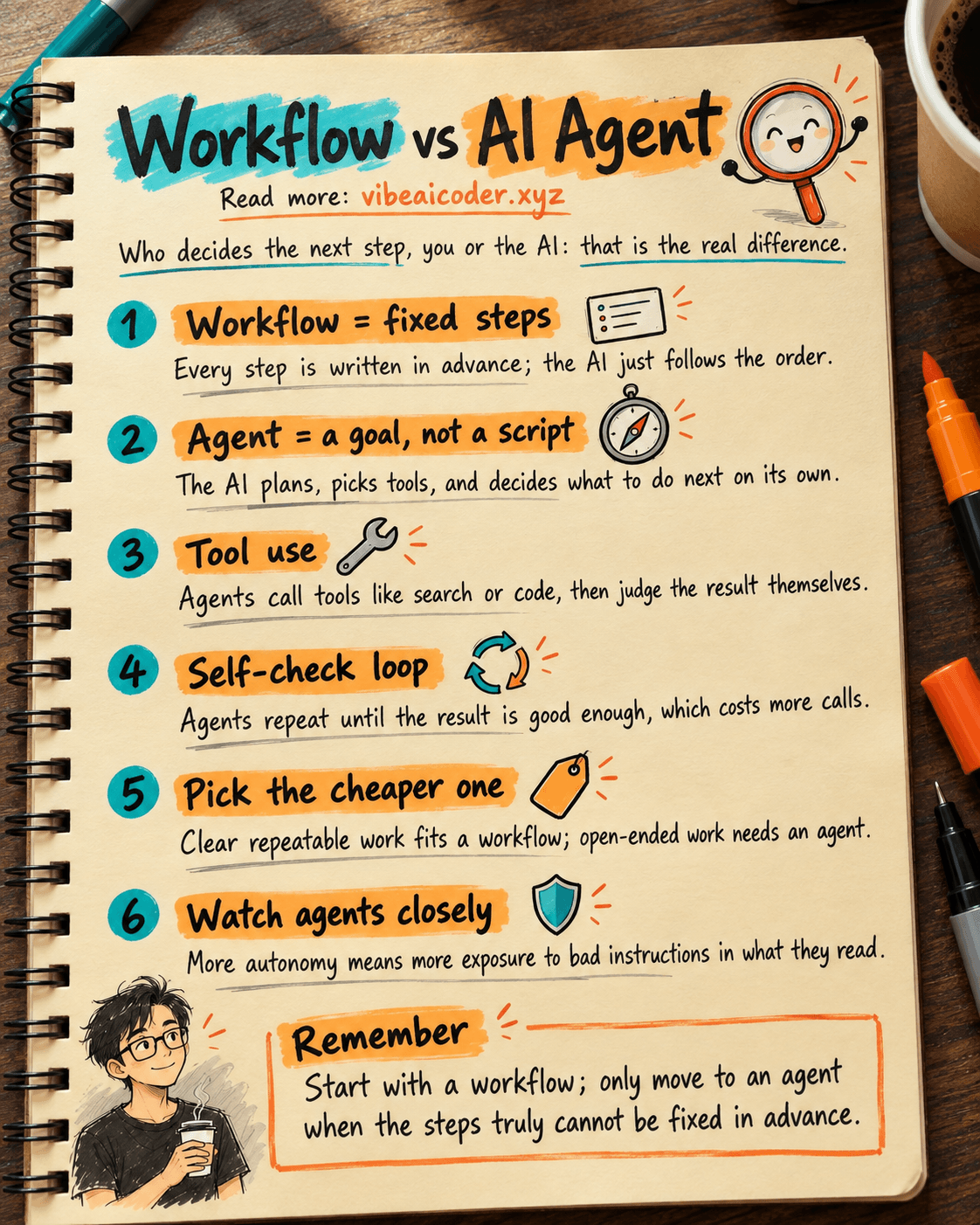
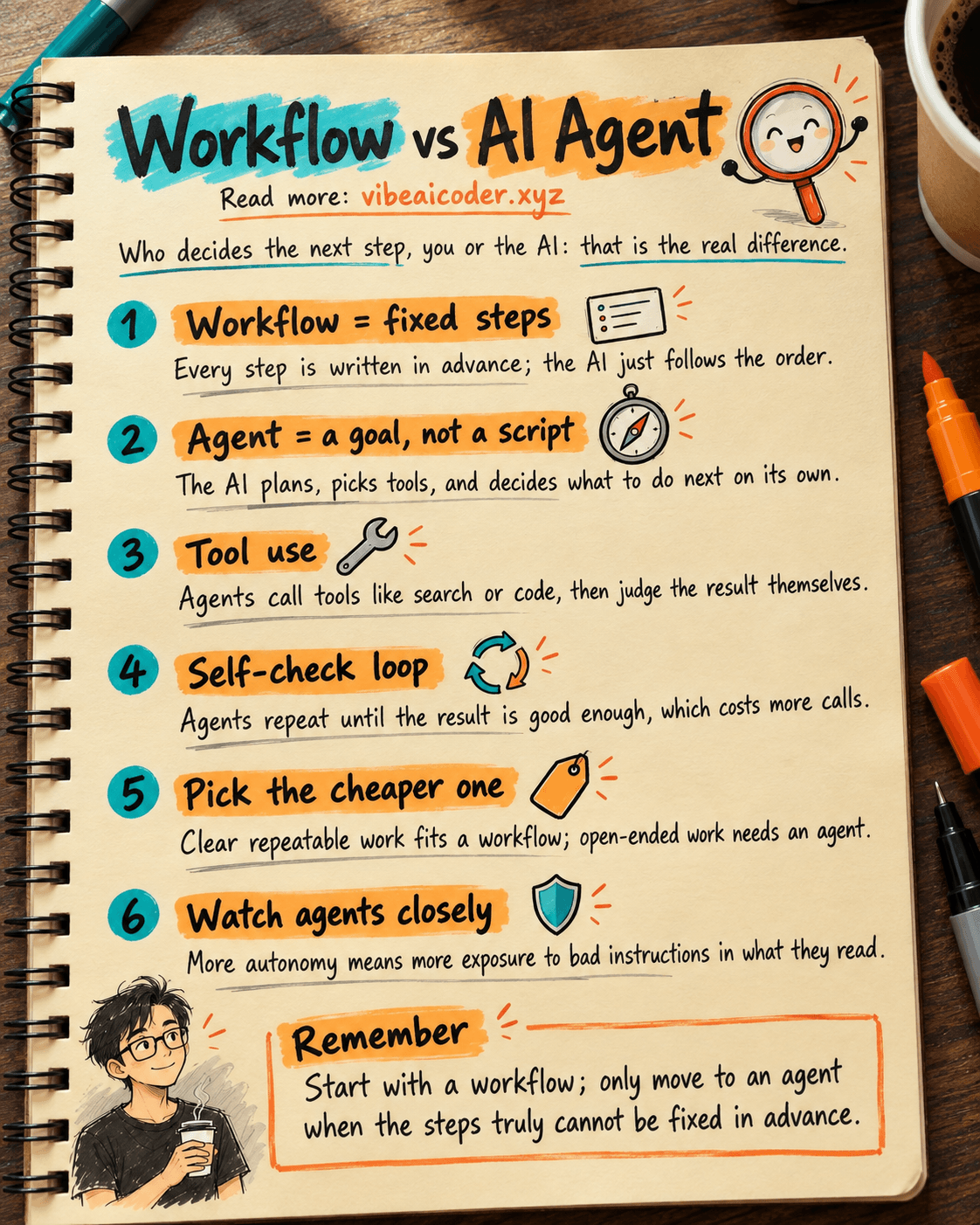
A workflow is when you write out every step in advance and the AI just follows them in order. An AI agent is when you hand over a goal and let the AI decide what to do next on its own. They sound similar because both are "automatic," but the real difference is who is in the driver's seat, you or the AI. Getting this right helps you pick a cheaper, faster, and less error prone tool for each specific job.
 A quick everyday example
Imagine you hire someone to do two different jobs.
The first job is making a cup of coffee following a recipe you already wrote out: 18g of coffee, medium grind, water at 92 degrees, wait 30 seconds, then pour. The person just has to follow the steps correctly, no judgment calls needed. This is a workflow: a fixed chain of steps, one after another, always following a path you laid out ahead of time.
The second job is "figure out dinner for the family tonight." You don't say what to cook, where to shop, or how long to cook it. The person has to check what's in the fridge, decide what to make, go buy anything missing, and adjust the seasoning if it turns out too salty. This is an agent: given a goal, it plans on its own, checks its own results, and adjusts as needed, without following any fixed script.
AI works the same way. An AI workflow is when a developer writes the steps ahead of time: step 1 calls the AI to summarize an email, step 2 calls the AI to classify it, step 3 routes it to the right person. An AI agent is when you simply say "handle this complaint for me," and the AI decides on its own which order to look up, what to ask the customer, and which tool to call first.
How it actually works
According to how Anthropic (the company behind Claude) describes it in their technical documentation, the difference comes down to who controls the flow of execution.
- Workflow: the path is written in code ahead of time. The developer decides the order of steps, and the AI is only called at specific points to do one small task, like "summarize this paragraph" or "classify this email into a category." The AI has no authority to change the order of steps.
- Agent: the AI decides the next step itself. After receiving a goal, the AI plans on its own, picks which tools it needs (searching the web, reading a file, running a command), checks the results, and then decides whether another step is needed. This is the tool use capability that lets an AI agent actually do the work instead of just producing text.
- Workflows follow a handful of familiar patterns. For example: chaining (one step finishes before the next runs), routing (different requests branch into different handling paths), or running several small tasks in parallel and merging the results. All of these are mapped out in advance, the AI just "fills in the blanks."
- Agents run a self checking loop. After finishing a step, an agent asks itself "is this result good enough, does anything need fixing," then repeats until the task is done or it hits its limit. This is why an agent can take longer and make more AI calls than a workflow doing the same job.
- The line isn't always clean. Many real systems are hybrids: a fixed workflow that, at one particular step, hands a complex sub task to a small agent, then takes the result back and continues down its fixed path.
 What this means for you
Knowing this difference keeps you from paying for "intelligence" the job doesn't actually need.
- Repetitive work with a clear process: pick a workflow. Say you get order emails every day and need to pull out the customer's name, product, and quantity, then put them into a spreadsheet. This is always the same kind of task, so a fixed workflow (receive the email, call the AI to extract the info, write it to the sheet) will be faster, cheaper, and more consistent than handing it to an agent that has to figure things out on its own.
- Open ended work where you can't predict the number of steps: pick an agent. Say "research 5 competitors selling the same product and summarize each one's strengths and weaknesses." The number of steps needed depends on what turns up along the way, so you can't write a fixed script for it, you need an agent that decides what to look up next. Tools like Claude Code work this way: you give it a coding goal, and it reads files, runs tests, and fixes bugs on its own until the job is done.
- When experimenting, start with a workflow before jumping to an agent. If a task can be broken into clear steps, a simple workflow usually covers 80% of what you need at a much lower cost than an agent running multiple loops. Only upgrade to an agent once you genuinely need that flexibility.
- If you don't want to write the workflow in code yourself, you can describe the process in plain language and have Claude Code write it for you, the same approach covered in skip n8n: describe your process in words and let Claude Code build your own automation.
 Common misunderstandings
- "An agent is always better than a workflow because it's smarter." Not true. Agents use more AI calls, run slower, and can go off track without supervision, since every self made decision carries some chance of error, and an early mistake can snowball into later ones. For tasks where the steps are already well understood, a workflow is still the more reliable and cheaper choice.
- "Any time AI calls a tool, that makes it an agent." Not necessarily. A workflow can also call a tool at a specific step, as long as the developer still decides the order of steps rather than the AI choosing it. What actually separates the two is "who picks the next step," not "whether a tool gets used."
- "An agent is just as safe as a workflow since it's the same AI company." Because an agent decides its actions based on whatever it reads (emails, web pages, files), it's more exposed to manipulation than a fixed workflow, for example through the kind of attack described in what is prompt injection. The more autonomy an agent has, the more closely it needs to be supervised before it's allowed to take consequential actions like sending money or deleting data.
FAQ
Is a workflow the same thing as regular automation tools like Zapier or n8n? Pretty close. Traditional automation also runs through fixed steps, the difference is that the processing step is usually a simple rule (if A, then B). An AI powered workflow replaces one or more of those steps with an AI call to handle the part that needs natural language understanding, like reading an email instead of just filtering by keyword.
Does an AI agent always need more AI calls than a workflow? Usually yes, because an agent has to "think" at every step: what to do next, whether the result is good enough. Each round of "thinking" is an extra AI call that costs time and money, so agents make the most sense for work where that extra cost is worth the flexibility.
How do I know if my task should be a workflow or an agent? Try writing out the steps on paper first. If you can write a fixed list where every step looks the same each time, that's a sign you should use a workflow. If the number and content of the steps depend on "it varies case by case," that's when you need an agent.
Is Claude Code a workflow or an agent? Claude Code works as an agent: you give it a goal (say, "fix this bug for me"), and it reads the code, decides which files to change, runs tests, and repeats until the job is done, the same way AI agents work in general, rather than following a fixed script.
Can you combine both in the same system? Yes, and in practice most reliable systems do exactly that. A fixed workflow handles the repetitive, predictable work, and at the step that needs flexibility, it hands off to a small agent, then takes the result back so the workflow can continue down its planned path.
More articles
AI Training vs Inference: What Is the Difference?

Gemini 4 Argon Reads a 500-Page Chemistry Patent in One Afternoon

Claude Opus 5.5 Codes a Real Money Trading Game in One Day

What Is a Token in AI? Why ChatGPT and Claude Charge by Tokens

What Is Chain of Thought? Why Asking AI to Think Step by Step Works Better

Claude Sonnet 5.5 vs GPT-6.1 Sol: Which AI Model Is Worth Using?