Virtual Try-On in ChatGPT: A Practical Guide
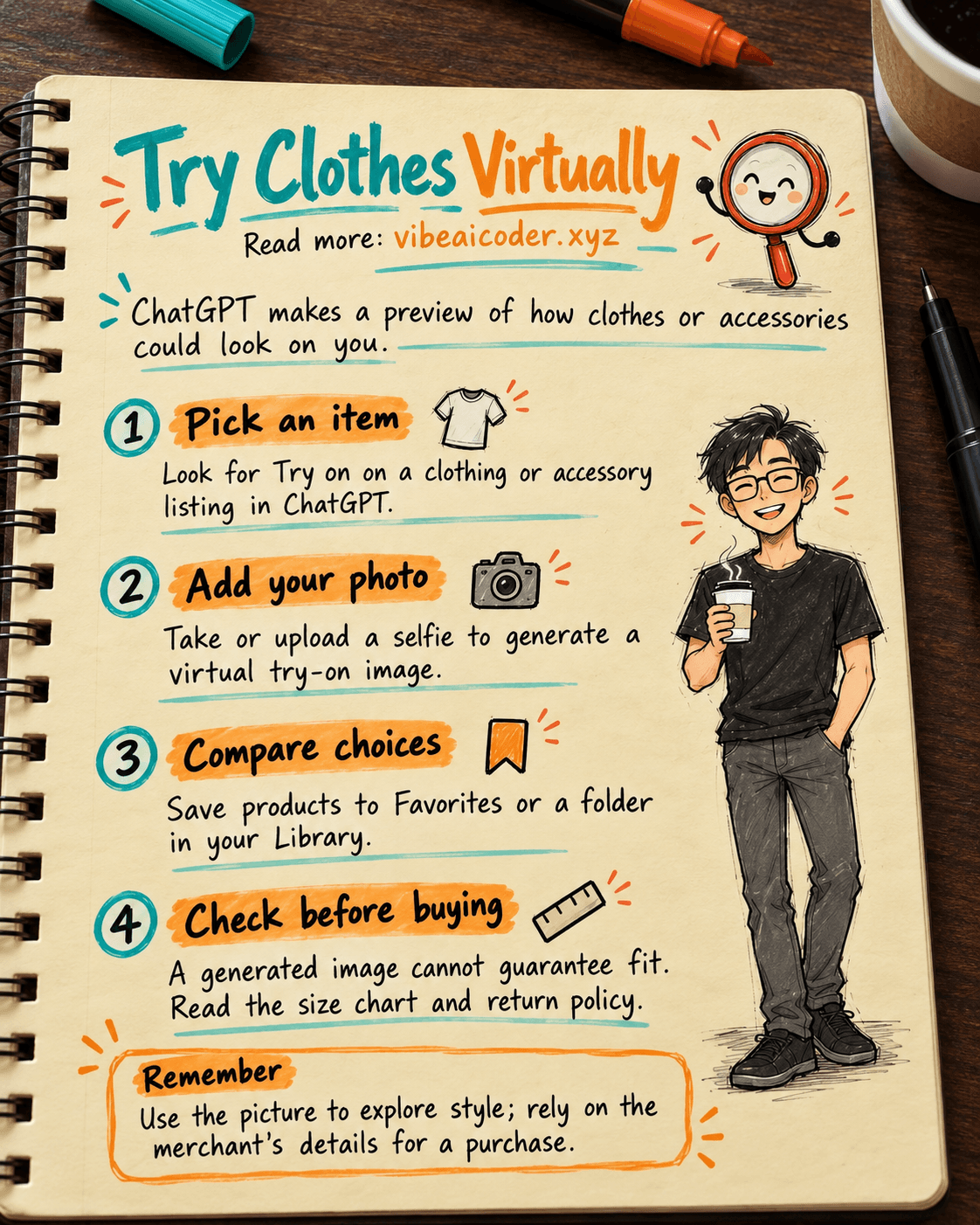
You find a shirt in ChatGPT and wonder how it might look on you. In its October 1, 2026 update, OpenAI added a Try on button to clothing and accessory listings. Select it, take or upload a selfie, and ChatGPT Images creates a virtual try-on picture.
The picture can help you imagine a style before buying. It does not prove that an item will fit.
👀 Where does Try on appear?
When you ask ChatGPT to find a product, it may show listings with pictures, details and links to merchants. A suitable clothing or accessory listing can include Try on. OpenAI's shopping help describes the experience on web and mobile, but does not list specific countries or plans for this feature. If the button is missing from a particular product, that alone does not mean your account is broken.
You can also upload a picture of clothing or an accessory in a conversation and ask ChatGPT to show how it could look on you. If you are new to the technology, start with our plain-English introduction to AI.
 Try an item in three steps
- Search for clothing or an accessory in ChatGPT and choose a listing with Try on.
- Take a selfie or upload one as prompted. A clear photo with even lighting makes comparison easier.
- Review the generated image. Bookmark the item in Favorites, or create a Library folder to keep several choices together.
If you already have a product photo, try this request in a conversation:
Use the shirt photo I uploaded to illustrate how it could look on the person in this selfie. Keep the face and background as close to the original as possible. Treat this as a style preview, not a prediction of fit or size.
The goal is a useful comparison image, not a real photograph of that product on your body. If the color or shape is wrong, describe exactly what needs changing. Our guide to writing effective prompts offers more ways to give precise instructions.
 What happens to your selfie?
OpenAI says your reference photo is saved for future try-ons, so you do not have to upload it every time. To change or remove it, go to Settings → Personalization → Reference photos, choose the photo, then select Change photo or the delete icon.
It is worth knowing this before you try the feature, especially if you use the same account on several devices. Choose a photo you are comfortable saving and review the setting afterward. Do not upload someone else's photo without their permission.
🛍️ Compare two items more fairly
Imagine choosing between a blue shirt and a cream jacket. Generate a try-on for each with the same reference photo, then save both products in one Library folder. Compare the colors and overall look for the occasion you have in mind. Reusing the same photo makes the comparison more consistent.
Then visit the merchant's page to check measurements, fabric, price, shipping and returns. ChatGPT does not show every available product, and listing prices can lag behind a merchant's updates. Our article on shopping in ChatGPT through Shopify explains more about how products may appear in ChatGPT.
 Three things a try-on image cannot tell you
Your actual size. An AI image may look as if an item fits even when the real size would be too tight or loose. Measure yourself and read the merchant's size chart.
How the fabric feels. Drape, stretch and comfort cannot be confirmed from a generated picture. Check the material description and customer feedback.
The exact color. Lighting and screens can make colors look different. OpenAI also warns that try-on images may not show the product or your appearance exactly.
Think of Try on as a quick space to explore styles. For a purchase, return to the merchant's specifications and policies.
 FAQ
FAQ
Do I need a new selfie every time? No. You can reuse a saved reference photo, then replace or delete it in Settings.
Can I use it on a computer? OpenAI says the shopping experience is available on web and mobile. The Try on button also depends on a suitable product listing.
Will the image guarantee the right size? No. Check the merchant's measurements, product details and return policy.
Official sources
More articles

Gemini 4 Argon Reads a 500-Page Chemistry Patent in One Afternoon

Claude Opus 5.5 Codes a Real Money Trading Game in One Day

What Is a Token in AI? Why ChatGPT and Claude Charge by Tokens

What Is Chain of Thought? Why Asking AI to Think Step by Step Works Better

Claude Sonnet 5.5 vs GPT-6.1 Sol: Which AI Model Is Worth Using?

 Claude Opus 5.5 Launches: 30% Faster, 40% Cheaper, Blocks AI Brain Copying