Share Codex Skills Across a Team With Clear Triggers and Access
Your team has a skill for checking weekly reports, but only its author can see it. Copies made by teammates gradually behave differently. Codex can load a skill from a repository for the whole team if you place it correctly, describe when it should run, and test it on a teammate's machine. Allow about an hour. You need the repo, a working skill, a reviewer, and someone to test it.
 Prepare
Tools: local Codex, the team's Git repository, and OpenAI's Build skills guide. This guide assumes the skill already has a SKILL.md. If it does not, first read our guide to creating a Codex skill for a specific workflow. The task here is distribution and governance, not rewriting the workflow.
People: the skill owner, a repository reviewer, a test user, and an admin if plugins, MCP, or company permissions are involved. Assign an owner for each release.
Inputs: the skill directory and two test requests, one that should activate the skill and one that should not. Do not commit credentials or customer data.
 Step by step
1. Choose the sharing scope before moving files
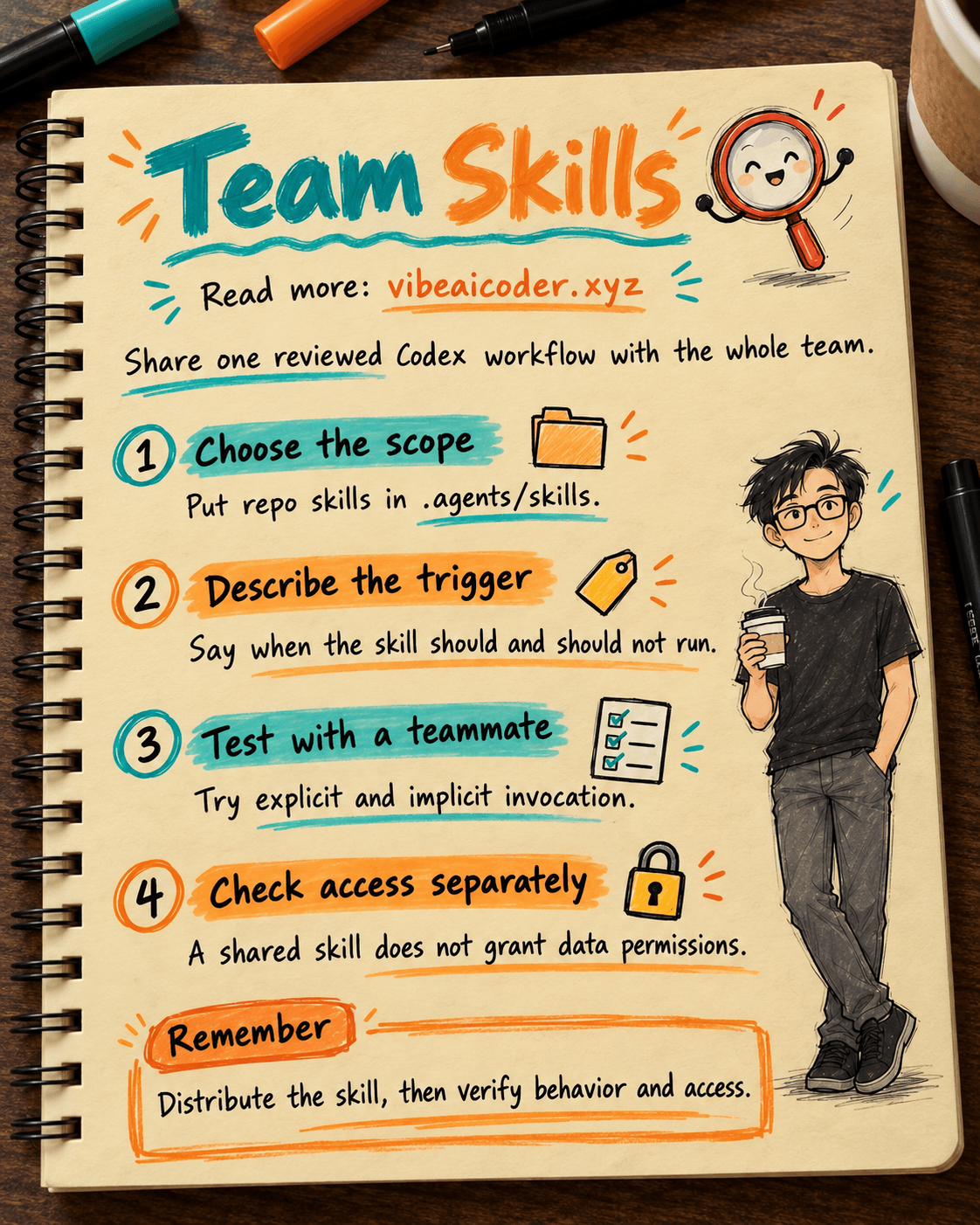
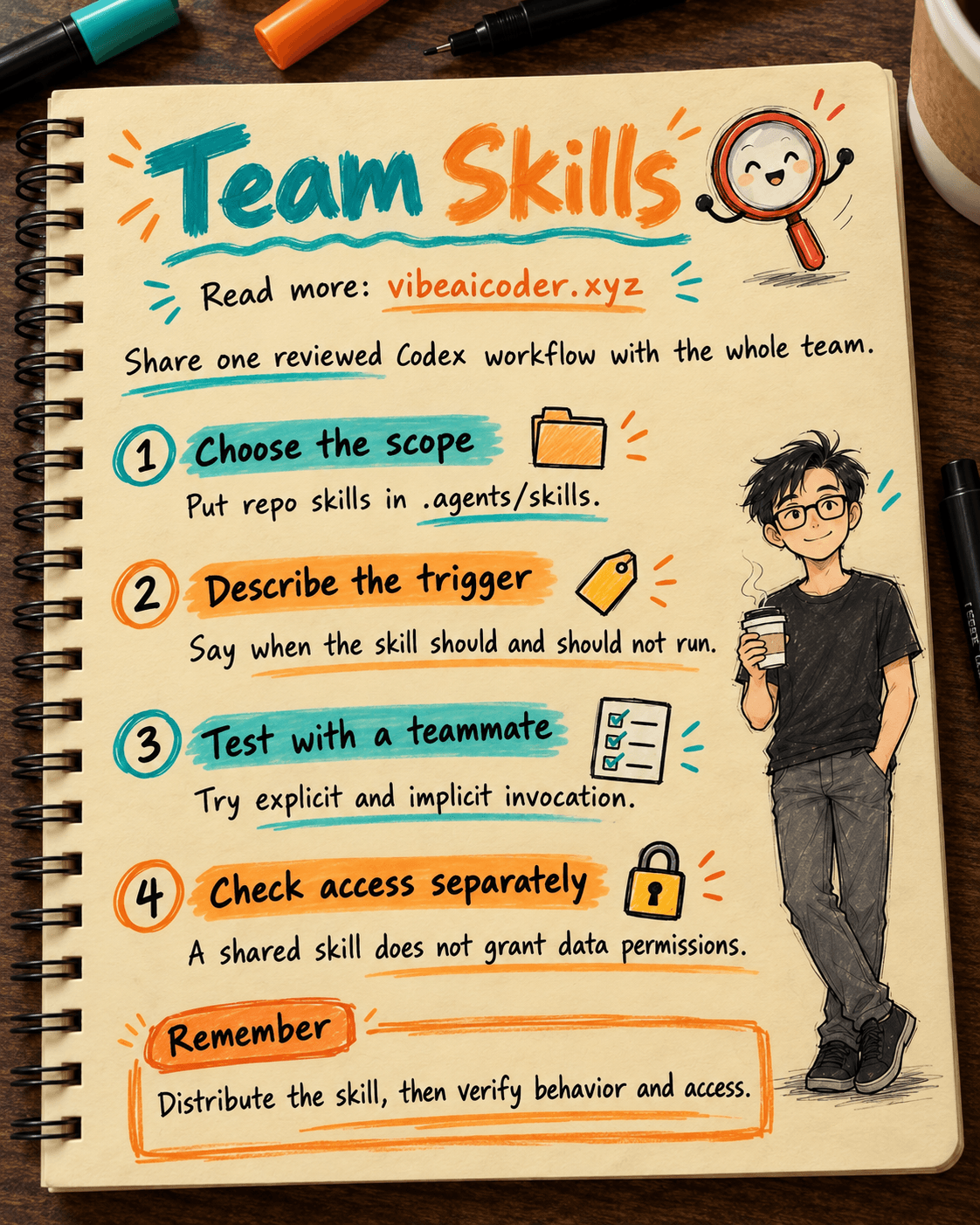
Does the team need the skill in one repo, several repos, or multiple products? According to OpenAI Learn, Codex loads skills from repository, user, administrator, and bundled system locations. For a small team in one repo, start with .agents/skills in that repo so changes can be reviewed through Git.
Put the skill at the repo root if everyone needs it. If it serves only one area, put it under that area's parent directory. Codex scans .agents/skills from the current working directory up to the repo root. Test from the directory where your teammate actually works.
~/.agents/skills is personal and does not travel to teammates through Git. /etc/codex/skills belongs to managed environments. For distribution across repos or alongside connections, OpenAI recommends plugins, a separate installation path.
2. Check metadata so Codex finds the right skill
In SKILL.md, name and description are required. The description affects implicit invocation: Codex sees names and descriptions first, then reads full instructions after choosing a skill. The initial list may shorten descriptions, so put the job and its boundaries first.
A report-checking skill should run when someone needs to verify figures and sources, not for every office task. Example metadata:
---
name: weekly-status-check
description: Verify dates, owners, figures, and source links in a weekly status report. Use for report review; do not use for drafting emails or publishing updates.
---
If the team wants explicit invocation only, optional agents/openai.yaml metadata can set this policy. OpenAI says allow_implicit_invocation defaults to true; false prevents implicit selection while preserving explicit $skill invocation in Codex.
interface:
  display_name: "Weekly Status Check"
  short_description: "Review figures and sources before sharing a weekly report"
policy:
  allow_implicit_invocation: false
This optional metadata is not a data permission. The same file can declare an MCP tool dependency, but that declaration does not sign in an external account.
3. Add the skill directory to the repo and review it
Place the directory at .agents/skills/weekly-status-check/. Review SKILL.md, references, scripts, and assets. A script may do more than its short description suggests, so inspect its effects before sharing.
The pull request should say who will use the skill, when it should appear, and what the tests returned. This is a suggested team process, not a mandatory Codex installation step. Keep broad team rules in AGENTS.md; keep steps for one job in the skill.
4. Test on a teammate's machine, not just the author's
Have a teammate pull the repo, open Codex from the intended working directory, and inspect the skill list. In the CLI or IDE extension, use /skills or type $ to mention a skill. In supported ChatGPT surfaces, select a skill with @. If a newly changed skill does not appear, restart Codex as OpenAI suggests.
Run two cases: a weekly report request should select the skill, and an email-writing request should not. Then invoke $weekly-status-check explicitly and check whether Codex can read its steps, references, and tools. If implicit matching is wrong, revise the description and retest. Codex does not merge skills with the same name. Both may appear in the selector, so check personal and repo copies for collisions.
If a test edits files or uses the network, check Codex permissions separately. A skill's instructions do not expand its runtime permissions. See our guide to scoping safe Codex edits when designing a test that avoids production data.
5. Decide when to move to a plugin or another control path
A repo skill works well when everyone pulls the same repo and starts Codex in the right place. For several repos, MCP connections, or installable resources, a plugin may be a better distribution path. OpenAI's Skill controls distinguish repository skills, ChatGPT workspace skills, and plugin-bundled skills. Moving files between them does not transfer ownership, role assignments, installation state, or connection permissions.
Plugin users can work in ChatGPT Chat and Work on web, desktop, and mobile, in Codex within the desktop app, and through the Codex CLI plugin browser. OpenAI says plugins are not available in the IDE extension. Standalone skill folders work in the desktop app, Codex CLI, and IDE extension. Choose based on where teammates actually work, then test on that surface.
If a plugin connects to an external system, the admin must manage plugin and connection access separately. Installing a plugin does not grant access to a connector or MCP server. "Shared skill" does not mean "everyone can read the same company data." The source system still controls its own accounts and resources.
6. Schedule a review after distribution
Record the owner, repo or plugin version, the two test requests, and the next review date. When the workflow changes, edit one authoritative copy and have a teammate rerun the tests. If the skill is no longer useful or safe, remove it through a reviewed repo change. An individual can also disable a local skill with [[skills.config]] in ~/.codex/config.toml and restart Codex. That personal setting is not a company-wide kill switch.
 Sample result
A four-person team adds weekly-status-check to .agents/skills at the repo root. The owner narrows its description, and the reviewer examines SKILL.md and references. A teammate opens Codex in the repo, sees the skill, invokes $weekly-status-check with a sample report, and gets a list of dates, figures, and sources to confirm. The skill does not activate for an email request. This is an acceptance example, not a run on your repository.
When a second team needs the workflow in another repo, the lead considers a plugin. Before moving, they document supported surfaces, required MCP tools, and who may use the connections. Copying a skill directory into a plugin does not carry over data access.
 Tips for a better rollout
- One skill, one clear job. Narrow names and descriptions make correct invocation easier. Keep broad team rules elsewhere.
- Test implicit and explicit invocation. Appearing in a list does not prove a skill activates correctly from a natural request.
- Use Git as a change control point. Review references and scripts along with
SKILL.md, and save test requests in the pull request or team documentation. - Record the starting directory. A directory-scoped skill may be absent if a teammate starts Codex outside that branch of the repo.
- Separate skill distribution from data permission. Test MCP and source-account access with allowed users and, where appropriate, with users who should be denied.
 Limits to know
Metadata is not a security boundary. allow_implicit_invocation: false changes how the skill is selected; users can still invoke it explicitly. File, network, plugin, and external data permissions need their own controls.
The skill list may be shortened. With many skills installed, Codex can shorten descriptions or omit some initial entries with a warning. That does not mean the full SKILL.md is truncated when chosen. Keep descriptions concise and try explicit invocation when needed.
Skill folders and plugins have different reach. A repo folder does not automatically work in ChatGPT web or mobile. Plugins have supported surfaces and do not appear in the IDE extension. Check the product and permissions before rolling out across a company.
 Frequently asked questions
Does putting a skill in ~/.agents/skills share it with teammates? No. That is a personal location. For a team sharing one repo, use .agents/skills in the repo and distribute the repo change.
The skill is in the repo but absent from Codex. What should we check? Confirm Codex is open in the intended repo and branch, check the skill structure, then restart Codex if the change has not been detected.
Does Codex merge two skills with the same name? No. Both may appear in the selector. Rename or remove the old copy to avoid choosing the wrong one.
Does disabling implicit invocation prevent anyone from running the skill? No. allow_implicit_invocation: false still allows explicit $skill invocation in Codex.
Does installing a plugin grant MCP and company-data access? No. The plugin, connection, and source account have separate controls. An admin must configure and test each layer.
Official OpenAI Learn sources: Build skills, Skill controls, and CLI customization, accessed October 5, 2026.
More articles

Gemini 4 Argon Reads a 500-Page Chemistry Patent in One Afternoon

Claude Opus 5.5 Codes a Real Money Trading Game in One Day

What Is a Token in AI? Why ChatGPT and Claude Charge by Tokens

What Is Chain of Thought? Why Asking AI to Think Step by Step Works Better

Claude Sonnet 5.5 vs GPT-6.1 Sol: Which AI Model Is Worth Using?

 Claude Opus 5.5 Launches: 30% Faster, 40% Cheaper, Blocks AI Brain Copying