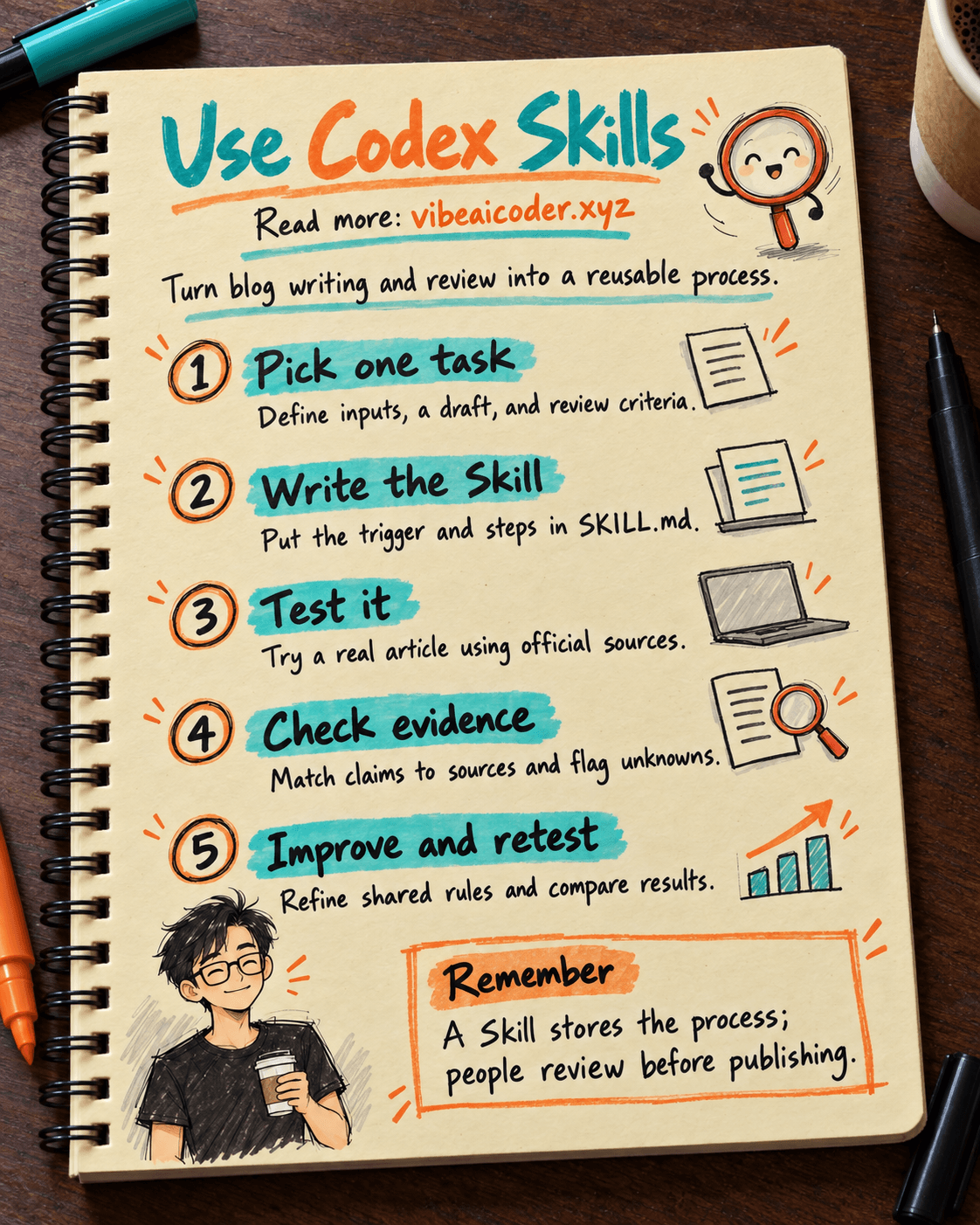
Use Codex Skills to Reuse a Blog Writing and Review Process
You write an article with AI every week, but each time you have to repeat your preferred voice, how to verify sources, and what to check before publishing. Codex Skills lets you package those recurring instructions into a reusable process. In about 20 minutes, you will create a small Skill for drafting and reviewing a blog post, then try it with a sample topic. You need a working folder and a Codex session that can read it.
A Skill helps Codex remember the process; you still review the final result.
 Preparation
You need OpenAI Codex, a project or test folder, and an older article whose quality you trust. If you do not have an older article, just write down three things: who the readers are, the voice you want, and the criteria for checking the article before publication. This guide uses an introduction to AI for beginners, but you can use a product introduction, a how-to guide, or an internal newsletter instead.
See how to write a prompt with clear goals and outputs and what vibe coding is if you are just getting started.
 Step by step
1. Choose one specific recurring task
Do not start with a Skill called "make all content." Choose a task with recognizable inputs and results: draft a blog post from supplied sources, then report what a person needs to check. The inputs are the topic, audience, source links, and target length. The outputs are a draft, a list of sources used, and statements that need verification.
Write your initial request for yourself before creating the file:
Goal: Write a blog post about [topic] for [audience].
Inputs: [source links], [product notes], [sample article].
Output: A draft with an introduction, sections, and a conclusion.
Check: Identify statements without sources; do not guess features, prices, or launch dates.
Information about AI products changes quickly. The process should identify where to verify facts and must not turn guesses into assertions.
2. Create the Skill folder
In OpenAI's example, a Skill has its own folder and a SKILL.md file containing its name, description, and instructions. In a test project, you can place it at .codex/skills/blog-review/SKILL.md. If you want to use it across projects on your computer, OpenAI's documentation also gives ~/.codex/skills/ as an example location. Choose a location that fits the scope in which you want to share it. Before using a Skill someone else sends you, read its files and any accompanying programs.
Create a file with the following sample content. The description says when Codex should use the Skill, while the body says what to do:
---
name: blog-review
description: Draft and review blog posts when the user provides a topic, audience, and reference sources.
---

When asked to draft or review a blog post:
1. Confirm the topic, audience, goal, and permitted sources.
2. Read the sources before writing. If a source is missing or cannot be opened, state what is missing.
3. Write an introduction that answers the main question right away; organize the body around readers' questions.
4. Flag claims about prices, dates, features, and availability that need verification.
5. Return the draft and a final checklist. Do not publish the post yourself.
The name blog-review is only an example. Do not add executable code or access keys when the process only needs written instructions.
3. Invoke the Skill with a real request
OpenAI recommends testing a Skill by naming it directly. Open Codex in the folder containing the Skill and give it a short assignment:
Use $blog-review to draft a post about [topic] for [readers].
Use only these sources: [link 1], [link 2].
Make it about [word count] words long. Do not publish it yet.
For the first test, choose a topic you know well so that you can spot misused sources and skipped steps. If Codex does not recognize the Skill, check the file location, the SKILL.md name, the description, and permission to read the folder. How you invoke a Skill can vary between Codex environments.
4. Read the output like an editor
Do not just ask whether the post "sounds good." Check it against each original goal. Does the introduction address the problem? Is every specific claim supported by a source? Does any passage repeat an idea? Does the post distinguish hypothetical examples from real facts? Does the verification list identify the exact statements that still lack evidence?
To make the review easier, ask Codex to add a short table after the post:
After the draft, list:
1. Three important claims and their corresponding sources.
2. Information that could not be verified.
3. Two points an editor must decide before publication.
This table only assists you. Open the original sources and check them directly. For OpenAI products, prioritize official documentation and state the release status if the source provides it.
5. Revise the process after one test
If Codex writes an introduction that is too long, change the Skill to say "an introduction of no more than three sentences." If it gives a price without a verification date, add "every price needs a source and an access date." If it inserts promotional language, add a requirement to avoid a sales tone. Change the rule, then retry the same assignment to see clearly what changed.
Keep recurring rules in the Skill and one-off requirements in the prompt. For example, "always verify sources" belongs in the Skill; "explain it to eighth-grade students" belongs to the current article.
6. Check whether the Skill is invoked at the right time
One successful run is not enough. Try three more requests: one that names $blog-review, one that only says "help me review a blog post," and an unrelated one such as "fix a CSS bug" where this Skill should not be involved. According to OpenAI's testing guidance, the name and description are important signals Codex uses to decide whether to use a Skill. If the Skill activates too broadly, make the description more specific; if it fails to activate when needed, state the use case more clearly.
Save those three assignments so you can rerun them after each Skill revision.
 Sample result
Suppose you provide two official documentation pages about an AI tool and request a post for beginners. After using the Skill, the expected result is more than a draft. It also includes a review section like this:
Draft: What the tool helps readers do, how to get started, and the limitations they should know.
Sources used: Two documentation pages supplied by the user.
Needs verification: Supported countries and account types.
Editor's decision: Is a screenshot of the actual steps needed?
Status: Draft, not published.
If the sources do not mention pricing, write "pricing not verified" instead of guessing.
 Tips for better results
Write the description around the use case. "Draft and review blog posts when reference sources are available" is more useful than "help write well." Codex needs to know when to open that process.
Keep SKILL.md concise. If you have a long criteria table, article templates, or approved examples, put them in the Skill's reference folder and say when to read them. OpenAI's documentation allows a Skill to include references/, assets/, and scripts/, but add them only when they genuinely help the task.
Separate higher-risk actions. Drafting, verifying sources, and publishing publicly are different steps. The sample Skill stops at a draft. When you actually need a publication process, specify access permissions and a confirmation step rather than letting a general instruction make the decision.
Evaluate with real assignments. Choose an easy article, one with missing sources, and an out-of-scope request. See whether Codex says "I don't know yet" at the right time. The article how an AI agent differs from a chatbot explains why an assistant that performs multiple steps still needs limits.
 Limitations to know
A Skill is a set of reusable instructions, not a guarantee that every sentence is correct. It can make the process more consistent, but faulty sources, vague prompts, or weak sample articles can still produce poor drafts. Content creators must check product names, timing, prices, image usage rights, and claims that could affect readers' decisions.
Do not put passwords, API keys, or private documents in a Skill you plan to share. If a Skill comes with executable programs, review them as you would the code of any other tool before allowing their use. OpenAI's documentation also notes that Skills can affect how an agent uses tools, so review their origin and permissions carefully.
When you move on to code review, image design, or managing a publication schedule, create a separate process with appropriate inputs and completion criteria.
 Frequently asked questions
What is a Codex Skill? It is a folder containing a SKILL.md file and, when needed, supporting documents or tools that let Codex reuse a process.
Do I need to write code to create a Skill? No. The drafting and review example in this guide uses only written instructions in SKILL.md.
Will a Skill publish an article automatically? The sample Skill here does not. It instructs Codex to stop at a draft. Publishing requires a separate process and appropriate permissions.
Why use a Skill if I already have a prompt? A prompt states the requirements for the current task. A Skill retains recurring steps and criteria across tasks, so you do not have to rewrite the entire process each time.
How can I tell whether a Skill works? Run the same few representative assignments before and after a revision. Compare whether it is invoked at the right time, the completeness of the post, source citations, and the errors caught.
🔎 Official sources
More articles

Gemini 4 Argon Reads a 500-Page Chemistry Patent in One Afternoon

Claude Opus 5.5 Codes a Real Money Trading Game in One Day

What Is a Token in AI? Why ChatGPT and Claude Charge by Tokens

What Is Chain of Thought? Why Asking AI to Think Step by Step Works Better

Claude Sonnet 5.5 vs GPT-6.1 Sol: Which AI Model Is Worth Using?

 Claude Opus 5.5 Launches: 30% Faster, 40% Cheaper, Blocks AI Brain Copying