Run Codex Safely with Team Permissions and Approvals
In about 30 minutes, a team lead can set up a Codex trial and check where it may edit, when approval is required, and whether commands can reach the network. You need a test repository, someone responsible for technical policy, and Codex CLI on a representative team member's computer. The result is a record of allowed and blocked actions, not a promise that one switch removes every risk.
This guide covers Codex running locally through the CLI, desktop app, or IDE extension. If you are making your first CLI edit, start with how to make and verify a small change in an unfamiliar repository. Here we focus on operating boundaries for a team.
 Before you begin
Create a test repository without real credentials or customer data. Pick one file that Codex may edit, one file outside the repository, one allowed domain, and one domain that should be blocked.
Read OpenAI's Agent approvals & security and Auto-review guides. Team working rules, such as "run tests before opening a pull request," can go in AGENTS.md for Codex. But project instructions do not create an operating system boundary. File, network, and approval permissions need separate configuration and testing.
Agree on who may change the policy and when to review it after an upgrade.
 Step by step
Step 1: Choose a mode for the actual task
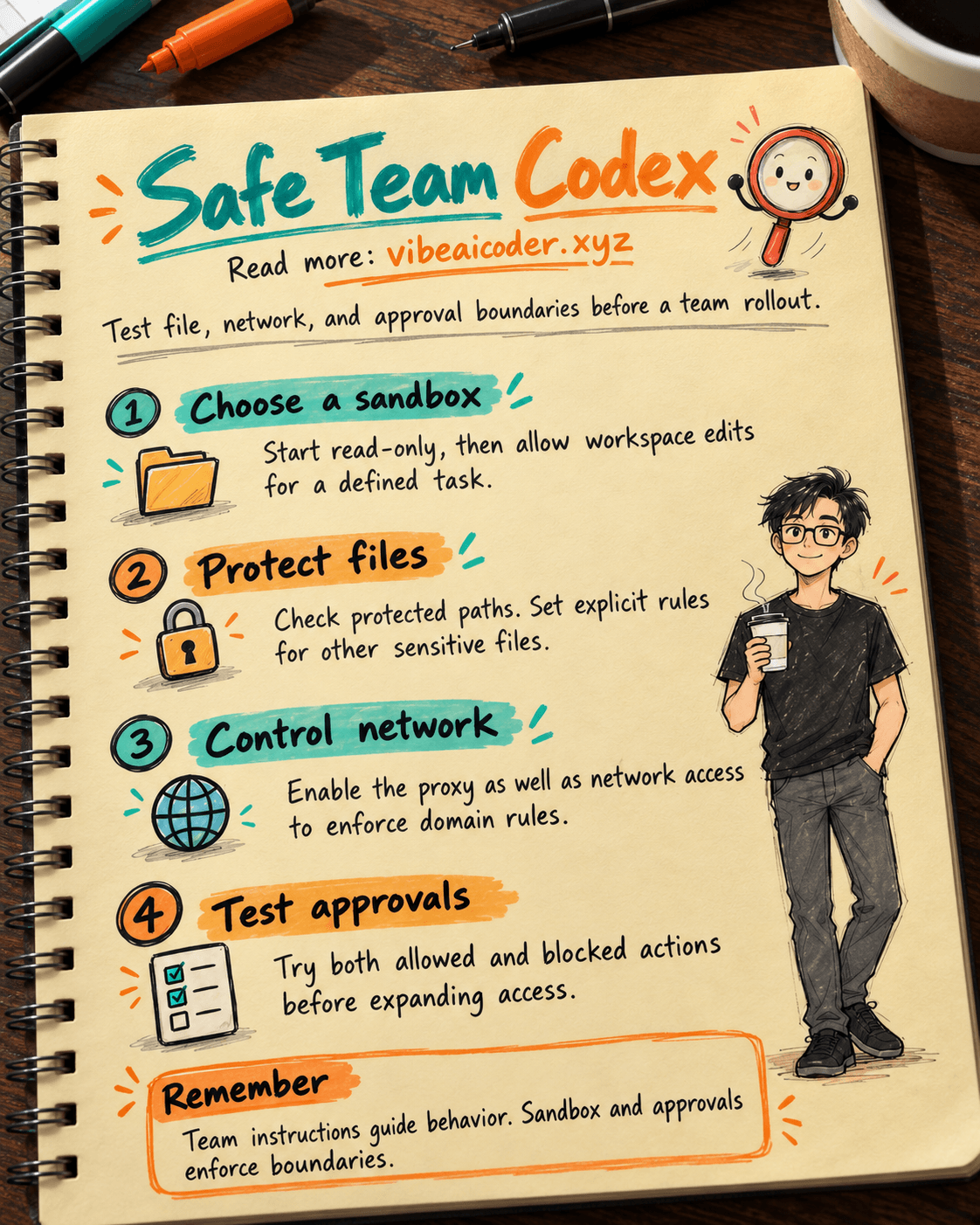
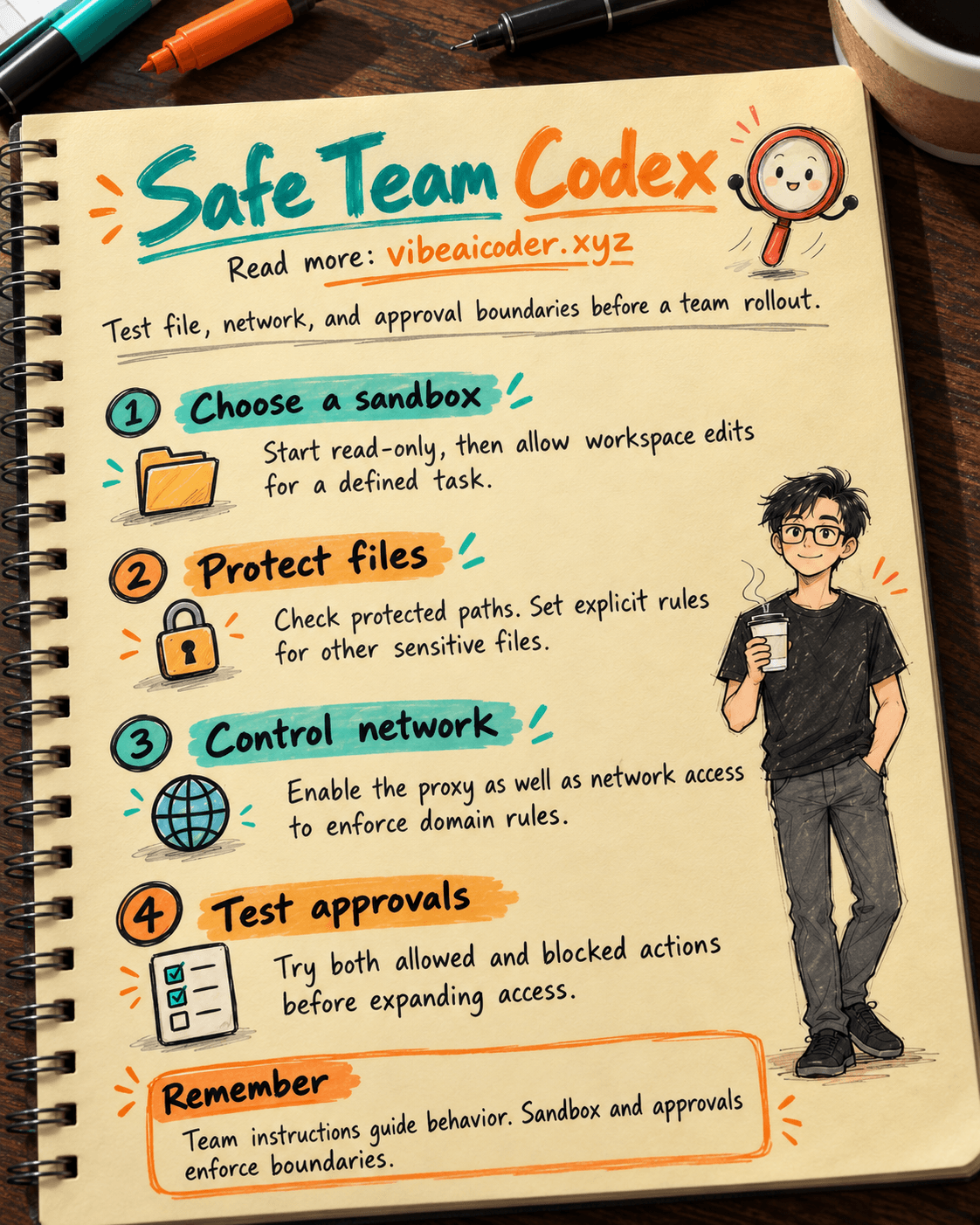
Codex uses two distinct layers. The sandbox limits where commands can read and write files and whether they can access the network. The approval policy determines when Codex must ask before crossing a boundary. OpenAI says workspace-write lets Codex read and edit inside the workspace, while command network access is off by default. An edit outside the workspace or a command needing network access may create an approval request under on-request.
For an initial inspection, begin in read-only mode:
codex --sandbox read-only --ask-for-approval on-request
For an assigned edit in the test repository:
codex --sandbox workspace-write --ask-for-approval on-request
In the CLI, /permissions helps you view or change the session mode, while /status shows the recognized workspace. Do not turn on danger-full-access merely to avoid approval prompts. It removes the local sandbox boundary.
For background on developing with AI, see the beginner's guide to Vibe Coding. The team lead still has to review the task scope and generated code.
Step 2: Identify paths that need protection
Under the default workspace-write policy, OpenAI lists protected read-only paths inside writable roots: .git, .agents, and .codex, subject to the conditions in its documentation. If .git is a pointer file to the real Git directory, that resolved directory is protected too. This is specific protection for those paths. It does not mean every other sensitive file in the repository is automatically safe.
List environment files, certificates, and exported data separately. With beta permission profiles, OpenAI's Permissions guide describes path rules for read, write, and deny, including denying reads of .env files. Permission profiles do not combine with older sandbox settings in the same session. Choose one system and test it on a representative machine.
Give Codex a bounded test request:
In this test repository, edit only [allowed file path] to make [description of change].
Before editing, name the files you expect to touch. Do not read secrets or edit files outside the repository.
After editing, run [safe test command] and list the files that changed.
Compare that list with the files actually changed. Attempt one out-of-scope action in the test environment and verify that it is blocked or requires approval. AGENTS.md alone is not proof that a path is locked down.
Step 3: Treat network access as a separate permission
In workspace-write, network access for local commands is off by default. If a workflow must call a service, identify the exact domain, purpose, and data it may send. OpenAI separates enabling command networking from enabling the proxy that restricts destinations. Listing domains does not turn on the proxy. Enabling network access without the proxy can allow direct outbound connections.
This is an example local configuration for a test environment:
sandbox_mode = "workspace-write"
approval_policy = "on-request"

[sandbox_workspace_write]
network_access = true

[features.network_proxy]
enabled = true
domains = { "api.openai.com" = "allow", "example.com" = "deny" }
Replace the example domains with company-approved destinations. Test one allowed connection and one blocked connection. The command proxy does not filter web search, browsers, apps, MCP, or Codex Cloud. Those surfaces have separate controls.
If your team uses current Codex Cloud, see the cloud bug-to-pull-request workflow and the current Connect to services documentation. Network guidance for Codex Cloud (Legacy) belongs to the older system and should not be copied into a new environment. Cloud permissions also do not replace the sandbox policy on a team member's computer.
Step 4: Understand Auto-review before enabling it
With approval_policy = "on-request", requests to cross a boundary normally go to the user. If you set approvals_reviewer = "auto_review", a separate reviewer agent examines requests that already need approval before the action runs. It does not grant access, enable networking, or weaken protected paths. Actions already permitted inside the sandbox may run without that review.
One trial configuration is:
approval_policy = "on-request"
approvals_reviewer = "auto_review"
sandbox_mode = "workspace-write"
Exporting data, changing production, and hard-to-reverse operations still require the responsible person's approval. If Auto-review denies a request, read the reason and do not rewrite a command to evade the same boundary. A timeout does not prove the action is unsafe, but the action has not run.
Step 5: Test both allowed and blocked paths
Do not declare the policy sound just because Codex edited one file. In the test repository, record four checks: edit an in-scope file, try an out-of-scope edit, call an allowed domain, and call a blocked domain. For each, note the mode, request or command, actual result, and reviewer. If Auto-review is enabled, record the reviewer decision and reason. Keep secrets out of the test log.
Repeat the checks with a member account and after each policy change. In the cloud, test repository, environment, and network permissions separately. The handover record should state which permissions are on, who may change them, and what the tests showed.
 Example result
A team using a sample repository might record: "Codex may edit src/ inside the test workspace; an attempt to edit outside the workspace prompts for approval; .git remains read-only in the default sandbox. An approved API command runs through the proxy; a blocked domain cannot be reached. Auto-review examines only boundary-crossing requests. The team lead checks the diff and test results before merging." This is a sample record, not a guaranteed result for every computer, client version, or plan.
If a check behaves differently, do not expand the rollout. Inspect the effective configuration and execution path, especially if beta permission profiles and older sandbox settings are mixed. Retest with the user, machine, and environment that will actually be used.
 Tips for lasting operations
Grant permissions for the task. Someone reading documentation does not need write access. Someone editing one repository does not yet need access to production. Expand permissions only after testing the blocked condition.
Separate guidance from enforcement. AGENTS.md can share workflows, test commands, and review standards. Sandbox modes, permission profiles, networking, and approvals enforce access in their respective surfaces.
Review after major upgrades. Permission screens and profile support can change. Record the client version and rerun the checks instead of relying on an old settings screenshot.
 Limits to keep in mind
A local sandbox does not grant or revoke access in GitHub, connected services, or the Platform API. Source-system permissions still apply. A website or repository can contain instructions intended to mislead an AI agent. Those instructions cannot enlarge the user's authorized task. Do not paste real API keys into a prompt to "test" policy.
Auto-review can make mistakes and consume additional resources. It reviews actions that generate approval requests, not every ordinary command. With approval_policy = "never", there is no interactive request for Auto-review to examine. Material or irreversible changes still need the accountable person's review under company policy.
 FAQ
FAQ
Does workspace-write let Codex edit everything in the repository? It allows edits in writable roots, but paths such as .git are read-only under the default policy. Protect other sensitive files separately.
Is writing "no network access" in AGENTS.md enough? No. That is guidance for the agent. Enforce a real network policy and test one allowed and one blocked destination.
Does a domain list in a profile restrict the network by itself? No. Domain rules need an active proxy. Network access and the proxy are separate settings. Check the documentation for your client version.
Does Auto-review approve every Codex action? No. It examines boundary-crossing requests that already require approval under an interactive policy. In-scope actions may not create a review request.
Should we use Codex Cloud (Legacy) guidance for current cloud environments? Do not copy it as-is. Use current Codex Cloud Connect to services documentation and test environment, connection, and repository permissions separately.
More articles

Gemini 4 Argon Reads a 500-Page Chemistry Patent in One Afternoon

Claude Opus 5.5 Codes a Real Money Trading Game in One Day

What Is a Token in AI? Why ChatGPT and Claude Charge by Tokens

What Is Chain of Thought? Why Asking AI to Think Step by Step Works Better

Claude Sonnet 5.5 vs GPT-6.1 Sol: Which AI Model Is Worth Using?

 Claude Opus 5.5 Launches: 30% Faster, 40% Cheaper, Blocks AI Brain Copying