Use ChatGPT Work and Codex on Amazon Bedrock with Clear AWS Permissions
If your organization already manages models on AWS, you can pilot local ChatGPT Work or Codex with OpenAI models through Amazon Bedrock. In one preparation session, your team can select the request route, configure a test machine, and verify the result. You need AWS access, a supported Region and model, plus the ChatGPT desktop app or Codex CLI. Your approval process may take longer.
This is a local client configuration. It does not move the whole ChatGPT Enterprise web experience to AWS. According to OpenAI's Amazon Bedrock guide, the client sends model requests to Bedrock with AWS credentials. The OpenAI-hosted Responses API is not in that model request path. Check other features and connections separately.
If you are still choosing a pilot team, owners, and success criteria, start with our small-team ChatGPT Enterprise pilot guide. This guide covers the next technical step: let one authorized person test the intended Bedrock route before deciding whether to expand access.
 What to prepare
Ask an AWS administrator to confirm the account, Region, model, permissions, and cost. Ask a device administrator to review the local configuration. Give a business owner a task with a checkable result. Record who approves access and who signs off on the result. Use a disposable test folder without customer data.
The AWS administrator must confirm that the model is available to your account in the chosen Region and that the identity can invoke the model or inference profile. A general model list does not prove your account has access. OpenAI notes that some models have additional IAM requirements. Its GPT-6 Sol Runtime example requires bedrock:InvokeModel on the account's default project.
Prepare Codex CLI or the ChatGPT desktop app, access to ~/.codex/config.toml, and either a Bedrock API key or the AWS SDK credential chain, such as an SSO profile. Neither OPENAI_API_KEY nor ChatGPT sign-in replaces Bedrock credentials for this provider. If your organization already has a model gateway, follow OpenAI's gateway connection guide. That is a different configuration path.
 Set it up step by step
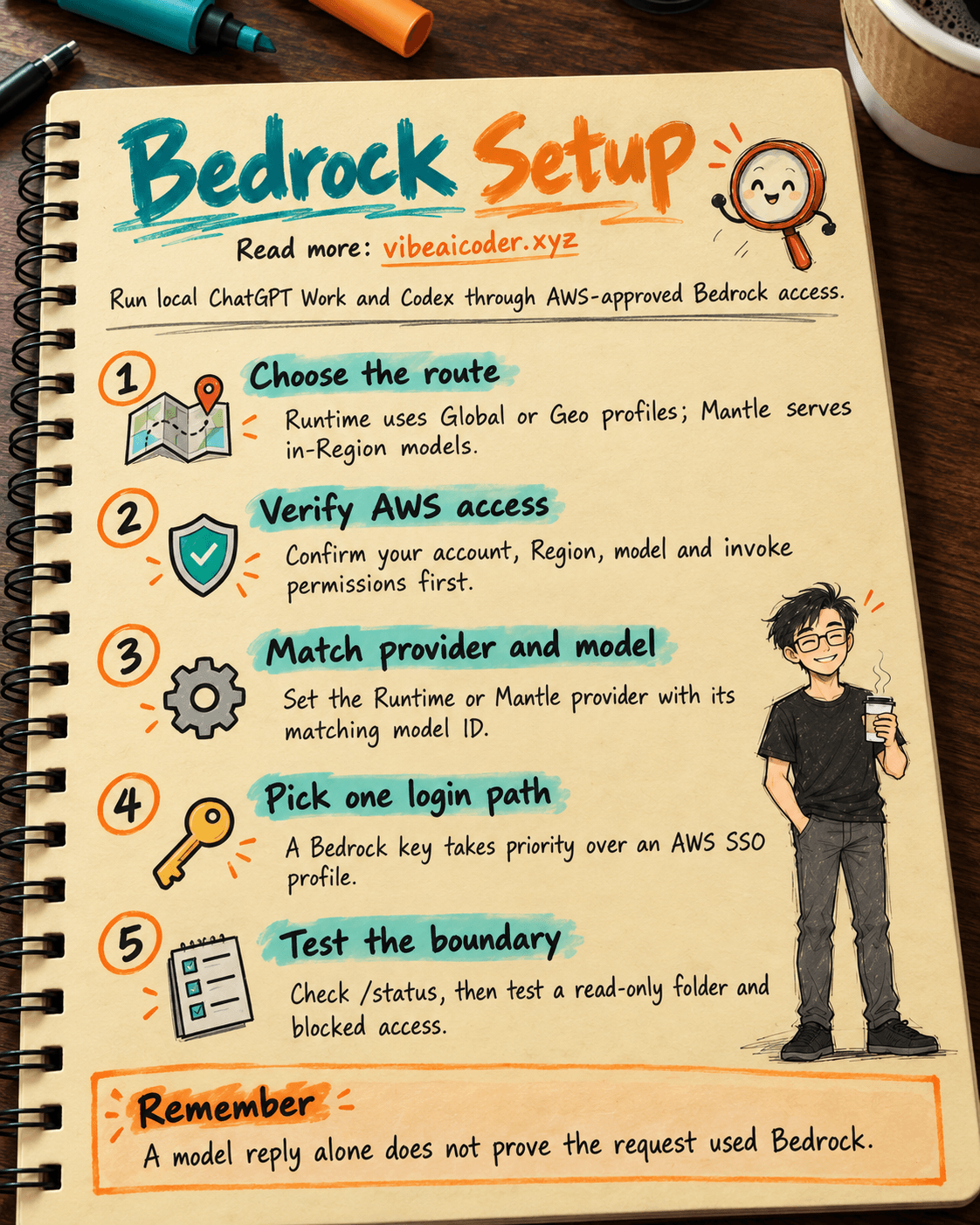
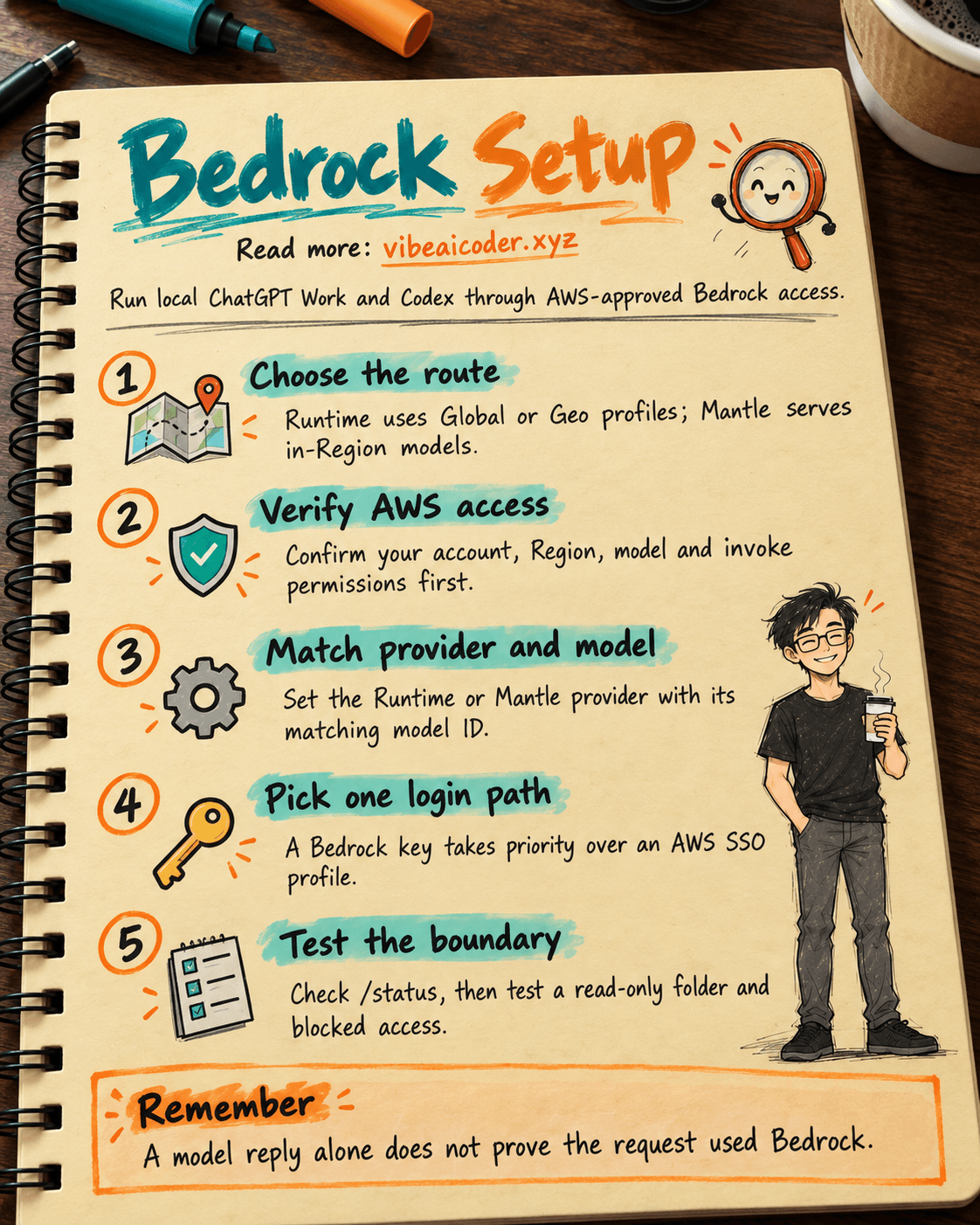
1. Agree on the route and data boundary
Ask whether requests must remain in one Region, within one geography, or may cross Regions. Bedrock Runtime uses an inference profile for Global or Geo cross-Region inference. Bedrock Mantle uses a model ID for in-Region inference. Global may route processing through supported commercial Regions; Geo stays within the profile's geography. OpenAI recommends Runtime for new configurations. If the work needs hosted web search, consider Mantle because Runtime does not offer it.
Record the AWS account, source Region, route, model or profile ID, authentication method, approver, and allowed data types. Do not put a secret in this record.
2. Set the matching provider and model
On the test machine, edit ~/.codex/config.toml. This Runtime example uses a GPT-6 Sol Global profile to show the syntax. It does not mean your account has access. Replace the provider and model together with values your AWS administrator has verified:
model_provider = "amazon-bedrock-runtime"
model = "global.openai.gpt-6-sol"
web_search = "disabled"
If policy requires in-Region processing and the model is available there, use Mantle. OpenAI lists model IDs such as openai.gpt-6-sol. Your administrator still needs to confirm the Region and permissions:
model_provider = "amazon-bedrock"
model = "openai.gpt-6-sol"
web_search = "cached"
The web_search = "cached" setting is the Mantle configuration when hosted web search is needed. It does not guarantee availability in every Region. amazon-bedrock selects Mantle; amazon-bedrock-runtime selects Runtime. When you change endpoints, update both the provider and the model or profile ID. A model shown in the Codex picker is not proof of AWS permission.
3. Use one approved AWS authentication path
The first option is a Bedrock API key. OpenAI requires an explicit Region when you use this key. Put the key in the client's environment, never in config.toml, a chat, or a repository:
export AWS_BEARER_TOKEN_BEDROCK="[bedrock-key-from-admin]"
export AWS_REGION="[approved-region]"
The second option is the AWS SDK credential chain. This example assumes an administrator has created an SSO profile named codex-bedrock:
aws sso login --profile codex-bedrock
export AWS_PROFILE=codex-bedrock
aws sts get-caller-identity --profile codex-bedrock
The last command verifies your AWS identity, not permission to invoke a model. The client checks for a Bedrock API key before trying the AWS SDK credential chain. If you intend to use SSO but an old AWS_BEARER_TOKEN_BEDROCK remains in the environment, the client may choose that key. Check it before assuming the SSO profile is broken.
Desktop apps and IDE extensions may not inherit variables from your shell. In that case, OpenAI instructs you to put the needed values in ~/.codex/.env, or %USERPROFILE%\.codex\.env on Windows, and restart the app. Protect the file if it contains a key. Do not email it or commit it to Git.
4. Verify the route, then test a real task
In Codex CLI, open /status and read the active provider and model. Runtime should show amazon-bedrock-runtime; Mantle should show amazon-bedrock. In the ChatGPT desktop app, choose Work or Codex and start a new task after restarting. Start a new IDE session as well. Send the short prompt from OpenAI's guide:
Reply with exactly: bedrock-ok
Receiving bedrock-ok proves that a reply arrived. It does not establish the AWS route by itself. Compare it with /status, the model, Region, and AWS identity. Next, use a disposable folder with read-only access. Ask the client to summarize sample files, test one follow-up turn, and check that access outside the approved scope is denied. If Codex will edit code, follow our team permissions guide. New users can first read what vibe coding means.
Here is a task prompt you can adapt:
Read only the files in [test folder]. Summarize three key points and name the source file for each. Do not edit files, access the network, or use another folder. Say what information is missing if the files are insufficient.
Record the tester, provider, model or profile, Region, permission result, errors, and reviewer. Exclude keys and sensitive content. When a test fails, check the model ID, provider and endpoint pair, Region, key expiry, SSO identity, invoke permission, and desktop environment variables. Do not grant broad IAM access just to make a test pass.
5. Decide whether to expand or stop
The AWS administrator verifies cost, quotas, and service logs. The Codex administrator checks local configuration and file boundaries. The business owner reviews the actual output. Expand one group at a time when all three have evidence. Retest after any change to the Region, model, route, or authentication. For a gateway deployment, see OpenAI's Bedrock through LiteLLM guide: the gateway holds Bedrock credentials while users authenticate to the gateway.
 Example result
Imagine an internal team using an approved Region, the codex-bedrock SSO profile, and Runtime with an authorized inference profile. The administrator confirms the AWS identity. An engineer sees the expected provider in /status. The short prompt returns bedrock-ok, and Codex summarizes three sample files from a read-only folder. An attempt to read another folder is blocked. The manager confirms that the summary cites the right filenames and contains no customer data. This is an example test record, not a measured result from a real company.
If the short prompt works but file reading fails, Bedrock may be fine. Local file permissions or the sandbox may be blocking the task. If files are readable but the model does not respond, inspect the model route and AWS access. This distinction helps you find the right owner for the fault.
 Tips for a reliable pilot
- Test an operation that should be blocked. If a task outside the folder or policy succeeds, do not expand access yet.
- Recheck current documentation. Models, Regions, and features can change. Consult OpenAI's Bedrock guide at rollout time.
 Limits to know
OpenAI describes this setup for local ChatGPT Work and Codex. It does not enable ChatGPT Work on the web or Codex cloud through Bedrock. Fast Mode, image generation and editing, voice dictation, and some OpenAI-hosted cloud features are unavailable on this route. Runtime does not offer hosted web search. Check feature documents for regional restrictions. Do not assume this route inherits ChatGPT Enterprise RBAC, retention, or residency settings: OpenAI's authentication guide distinguishes ChatGPT sign-in from other provider paths. Administrators must validate the actual AWS, device, and connection policies.
OpenAI Support can help with ChatGPT and Codex client configuration and behavior. AWS administrators or AWS Support handle IAM, model access, quotas, billing, Regions, and Bedrock service logs. MCP, plugins, and other data sources have separate connections. Choosing Bedrock does not place them all inside one security boundary.
 FAQ
FAQ
Do we need to purchase or enable ChatGPT Enterprise for this Bedrock route? The Bedrock guide describes AWS authentication for local clients, without ChatGPT sign-in or OPENAI_API_KEY for this provider. Your organization must still verify access to the application and its software policies. An Enterprise seat is not AWS permission.
Why does Codex report a permissions error after SSO login succeeds? Check AWS_BEARER_TOKEN_BEDROCK first because a key takes precedence over the AWS profile. Then check identity with aws sts get-caller-identity, Region, model or profile ID, and invoke permission. The STS command does not prove Bedrock invoke access.
Should we use Runtime or Mantle? Runtime is recommended for new configurations, uses Global or Geo inference profiles, and lacks hosted web search. Mantle uses model IDs for in-Region inference and is worth considering when hosted web search is needed. Both depend on Region availability and AWS permissions.
Does bedrock-ok prove the request went through AWS? No. Confirm the provider, model or profile, AWS identity and permissions, then check with your AWS administrator. The reply alone does not show the route.
Can we enable this for everyone after one machine succeeds? Not yet. Test an approved real task, blocked behavior, costs, logs, and revocation. Retest after a model, Region, route, or authentication change.
Official sources: Amazon Bedrock, Connect to a gateway, Bedrock through LiteLLM, and Authentication, OpenAI Learn, checked October 5, 2026.
More articles

Gemini 4 Argon Reads a 500-Page Chemistry Patent in One Afternoon

Claude Opus 5.5 Codes a Real Money Trading Game in One Day

What Is a Token in AI? Why ChatGPT and Claude Charge by Tokens

What Is Chain of Thought? Why Asking AI to Think Step by Step Works Better

Claude Sonnet 5.5 vs GPT-6.1 Sol: Which AI Model Is Worth Using?

 Claude Opus 5.5 Launches: 30% Faster, 40% Cheaper, Blocks AI Brain Copying