Use Codex to standardize team configuration and verify precedence
In about 40 minutes, you can create a shared Codex configuration for a project, test which setting takes precedence, and document how teammates can reproduce the result. You need the Codex CLI, a test repository, and permission to edit files there. The deliverable is a short configuration file, a test record from two machines or accounts, and a way to resolve personal settings that override the shared defaults.
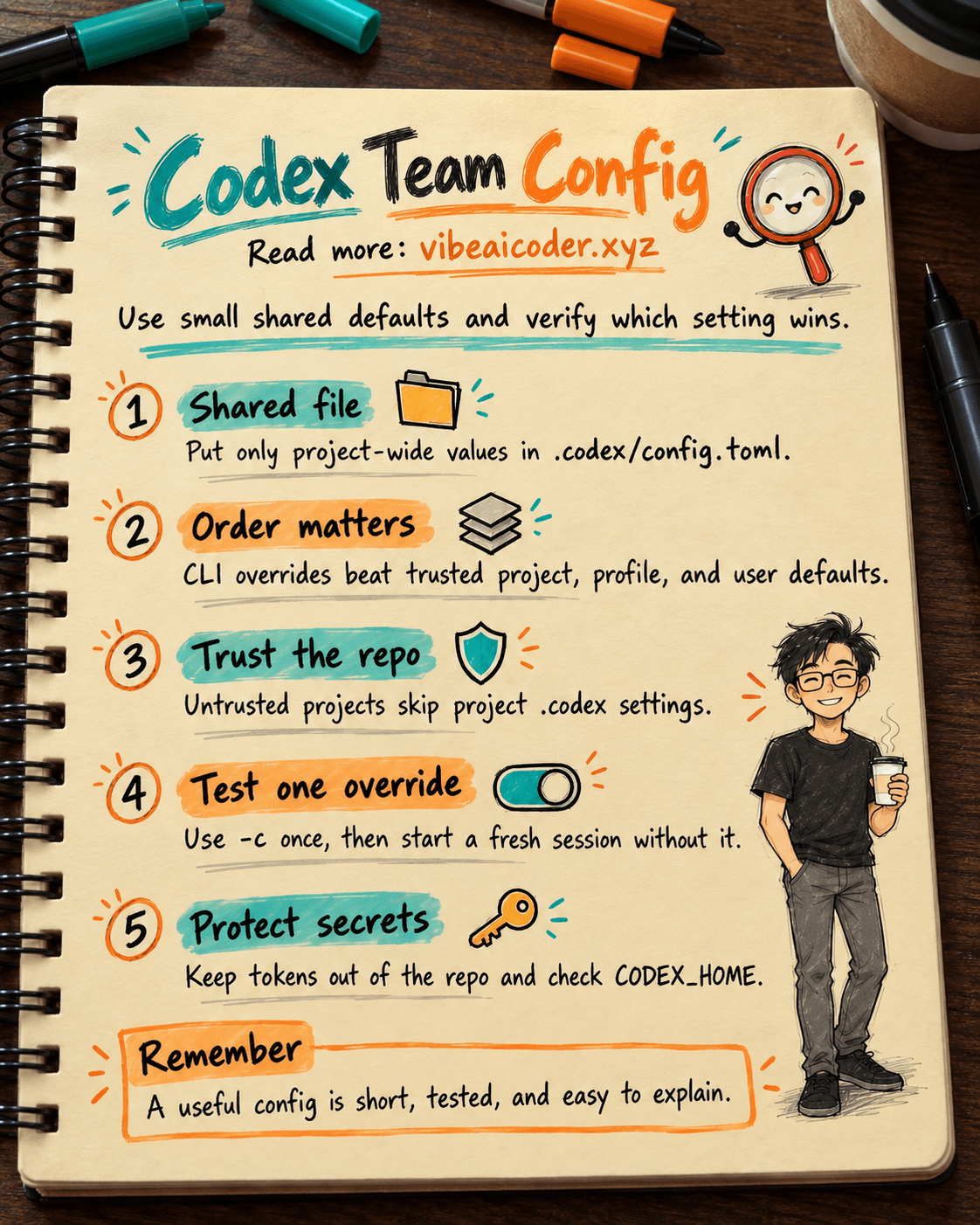
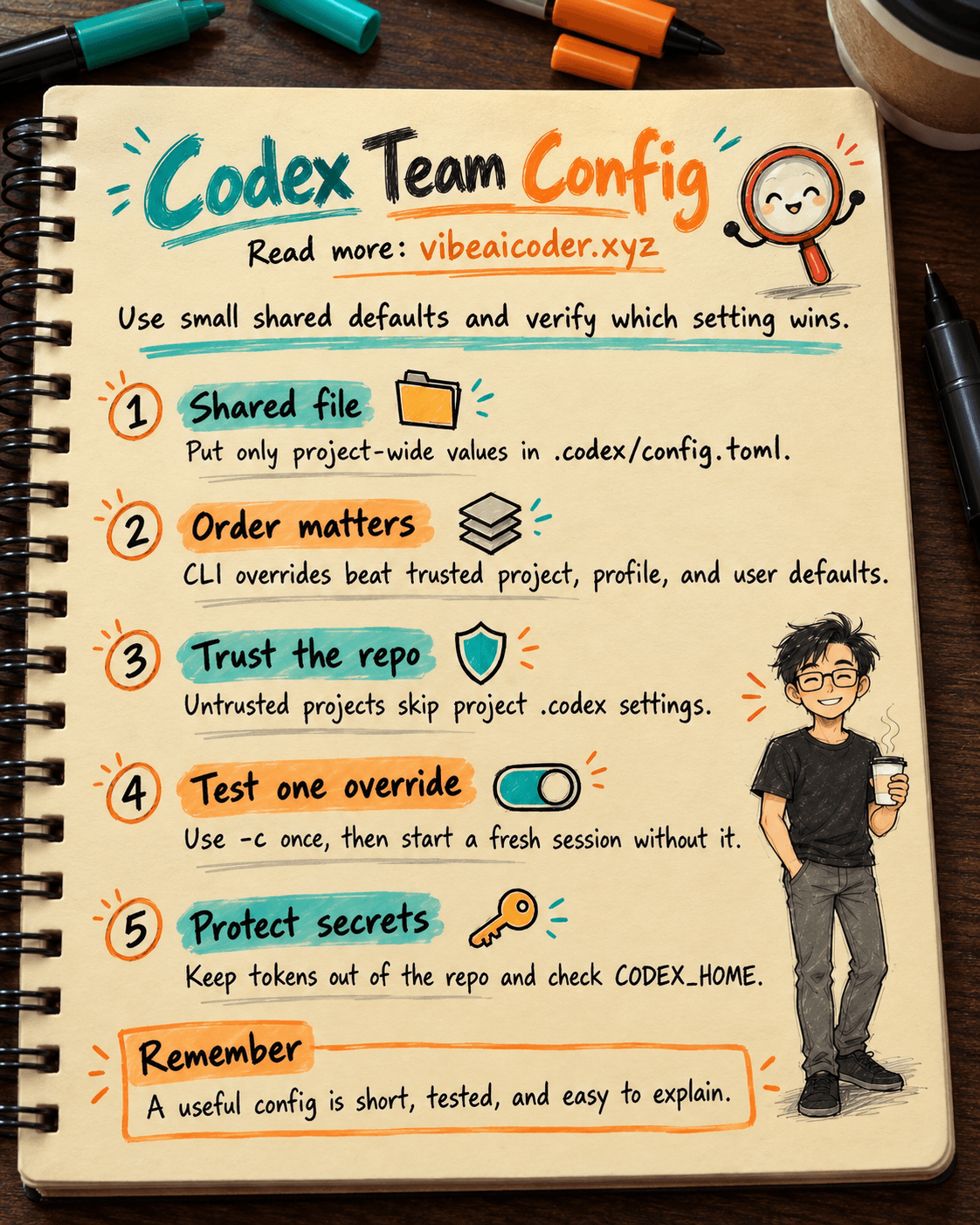
When several people use Codex, they may choose different models and search modes. According to OpenAI's Config basics, Codex reads configuration from several locations. A project file applies only when the project is trusted, and administrator policies may restrict the values a user can select. This guide focuses on reproducible configuration. For file access, networking, and command approvals, see our Codex permissions testing guide.
 Prepare
Open the Codex CLI, sign in, and choose a test repository with a small task, such as changing a button label. Record the Codex version, operating system, working directory, workspace, and test date so you can compare two machines.
Distinguish these four locations before editing anything:
~/.codex/config.tomlholds each person's defaults. IfCODEX_HOMEis set, the root moves to that directory, which must already exist..codex/config.tomlin a repository holds project settings. Several files may apply between the project root and the working directory. The closer file has higher precedence.- A profile file at
$CODEX_HOME/[name].config.tomlholds settings selected with--profile [name]. - CLI arguments, including
-cor--config, apply to a run and have the highest precedence among configuration values.
Read the Configuration Reference before adding keys. A project file cannot override keys such as model_provider, model_providers, notify, profile, profiles, and otel. Human-readable working rules belong in AGENTS.md, while runtime choices belong in config.toml.
 Step by step
1. Choose the smallest set of shared values
Ask a frequent Codex user and the person responsible for safety which settings must match across machines. Put only those shared values in the repository. If model availability depends on each person's plan, do not pin model merely to make the files look identical.
Create .codex/config.toml in the test repository with a minimal example:
web_search = "cached"
model_reasoning_effort = "medium"
This is a test example, not a company-wide standard. The cached mode uses a search index, as Config basics explains. The reasoning setting matters only when the selected model supports it. Keep the file short enough for reviewers to understand every change.
If you want to set a shared model, first confirm that every relevant account can use it. Sample Configuration is a reference, not a file to copy wholesale into your repository.
2. Make a precedence table for the team
Create a three-column table: key, location, and expected value. OpenAI documents the following order from highest to lowest: CLI arguments, trusted project configuration from the root down to the current directory, selected profile, user configuration, cloud-managed config.toml defaults, system configuration, and built-in defaults. Within a project, the layer closer to the working directory wins.
For example, the repository sets web_search = "cached", but a teammate starts Codex with -c web_search=live. That session uses live because the CLI setting outranks the repository setting. If a profile says disabled while a trusted repository says cached, the repository wins. These conclusions follow the published precedence order; confirm them in a test session.
An administrator-enforced requirements.toml is a constraint, not another default that -c can override. Policy may prohibit a value a user has selected. If your company uses MDM, Agent Security, or Work Cloud, ask an administrator to confirm which policy applies to the actual environment.
3. Test trusted and untrusted projects
Ask two teammates to start new sessions in the same test repository. Record the configuration shown by /status if their interface displays it, or record observable test results. Do not capture API keys, tokens, or login files in screenshots. They can copy these requests:
Tell me which directory you are working in and summarize the session settings visible in the interface. Do not edit files yet.
Briefly explain whether this test task needs web search and why. Do not edit files or run installation commands.
If a project is marked untrusted, Codex skips its .codex/ layers, including configuration, hooks, and rules. User and system configuration still load. Check trust status before deciding that the repository file is wrong. Trust a repository only after reviewing its source.
4. Test one override, then restore the default
The team lead should demonstrate the precedence table with a reversible test. In the test repository, start a CLI session with a different value for one key and compare it with a normal session:
codex -c web_search=disabled
Record the command, directory, expected value, and observed result. Close that session and open another without -c. If you only observed a change in behavior, say so; that alone does not prove every configuration layer that was loaded.
Profiles help when one person needs two workflows, such as a quick check and a task requiring deeper reasoning. Put the profile file alongside the user configuration rather than assuming it is defined in the repository. Select it with a CLI flag:
codex --profile [profile-name]
Replace [profile-name] with the real name and test it on a representative machine. In a trusted repository, project configuration still outranks the profile. Keep only the values that differ from shared defaults in a profile.
5. Separate environment variables from durable configuration
According to OpenAI's Environment variables guide, config.toml is for durable settings. Environment variables suit a shell session, automation secrets, and diagnostics. CODEX_HOME changes where configuration, authentication, logs, and sessions are stored. If a teammate sets it, confirm the path before editing ~/.codex/config.toml.
Do not place CODEX_API_KEY or CODEX_ACCESS_TOKEN in the repository. OpenAI documents them for non-interactive processes or trusted automation. Use your CI system's secret store and keep values out of logs. RUST_LOG controls diagnostic filtering only.
[shell_environment_policy] limits which environment variables are passed to child commands. According to Config basics, ignore_default_excludes = false enables the default filtering for names containing KEY, SECRET, or TOKEN. Test with dummy variables, never real secrets. This controls a spawned process's environment, which is separate from the question of which configuration file Codex reads.
6. Put configuration changes through team review
Each pull request that changes .codex/config.toml should explain why, list the changed keys, and include test results before and after. Have a teammate test from another directory to check whether a closer layer applies. Test -c or a profile if the team uses either one. Put task instructions in AGENTS.md. Shared skills have a separate distribution process.
 Example result
A three-person team adds web_search and model_reasoning_effort to the repository. Two people record the same expected values. A third uses -c web_search=disabled, observes a different test session, and opens a fresh session to return to the defaults. The record notes who uses a separate CODEX_HOME and that an administrator still needs to confirm Work Cloud policy. A good result explains why a value took effect.
 Tips for better results
- Start with two or three keys you can test.
- Record the working directory; a closer project layer can change the result.
- Keep secrets and personal settings out of the repository.
- Retest after updating Codex and consult the Configuration Reference.
- New users can read what an AI agent is before tackling TOML.
 Limits to know
config.toml chooses defaults. It does not replace administrator policy or prove that operating system access has been granted. A repository file does not grant access to external apps or force accounts with different entitlements to use the same model. Test in the actual environment before a wider rollout.
The CLI and IDE share configuration layers according to OpenAI. Codex Cloud, Work Cloud, and managed devices have their own applicable policies; ask an administrator to check them. If a test conflicts with your expectations, keep the evidence and investigate the cause.
 FAQ
FAQ
Should we copy the entire config-sample into the repository? No. The sample documents many keys. Copy only those the team needs, with an owner and a test case.
Why is .codex/config.toml not taking effect? Check whether the repository is trusted, whether a closer project layer exists, and whether a CLI argument overrides it. Also check whether that key is ignored in project configuration.
Does a profile outrank repository configuration? In a trusted repository, project configuration has higher precedence. CLI arguments outrank both.
Does setting CODEX_HOME make every teammate share the same configuration? No. It changes the root directory for the process on that machine or in that environment. Each person must verify their own path and permissions.
Can -c bypass company policy? Do not assume so. It outranks configuration defaults, but administrator requirements are separate constraints. Ask an administrator when a value is rejected.
Official sources: Config basics, Configuration Reference, Environment variables, and Sample Configuration, OpenAI Learn, checked October 5, 2026.
More articles

Gemini 4 Argon Reads a 500-Page Chemistry Patent in One Afternoon

Claude Opus 5.5 Codes a Real Money Trading Game in One Day

What Is a Token in AI? Why ChatGPT and Claude Charge by Tokens

What Is Chain of Thought? Why Asking AI to Think Step by Step Works Better

Claude Sonnet 5.5 vs GPT-6.1 Sol: Which AI Model Is Worth Using?

 Claude Opus 5.5 Launches: 30% Faster, 40% Cheaper, Blocks AI Brain Copying