Use ChatGPT to Build English Vocabulary Flashcards by Topic in 10 Minutes
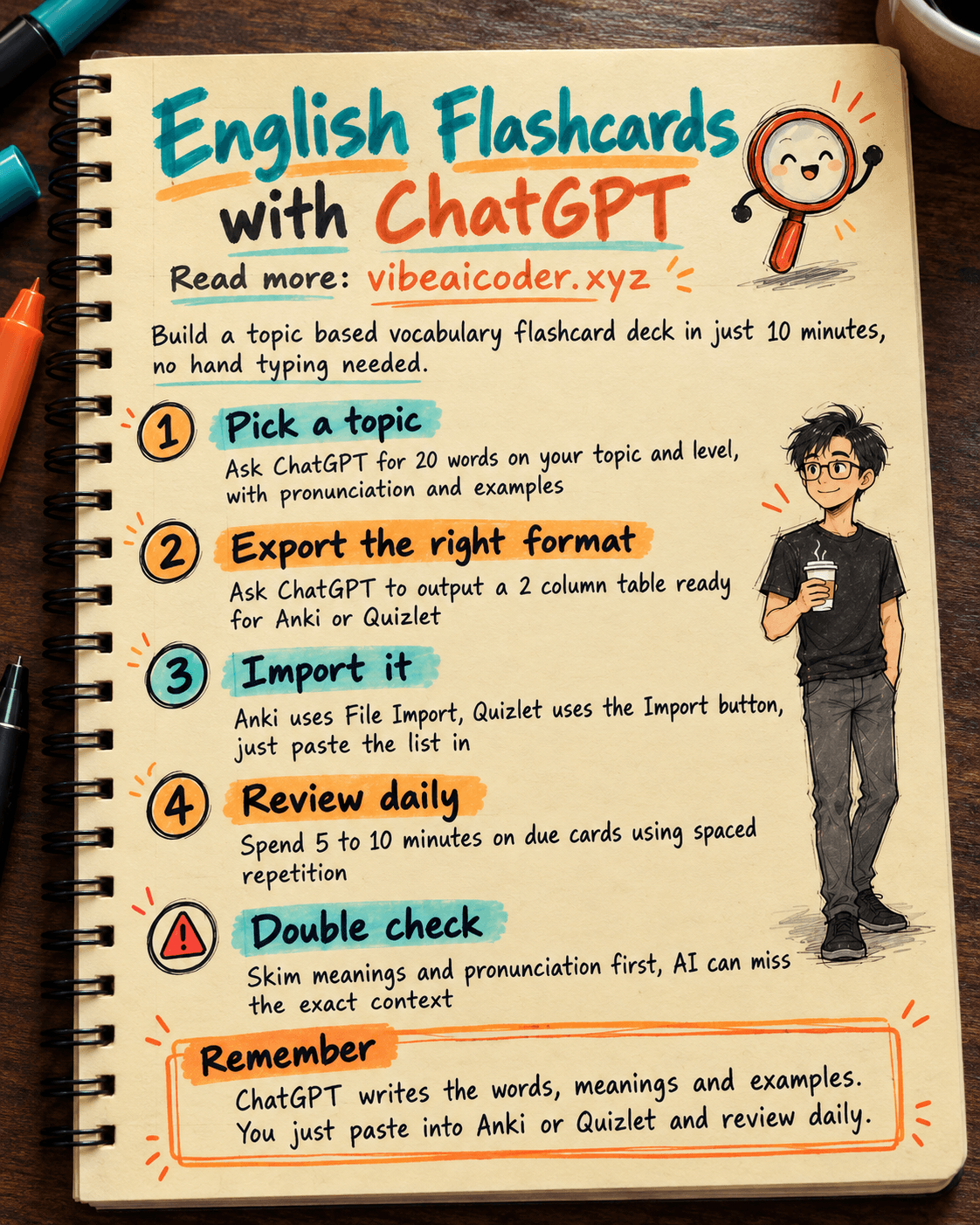
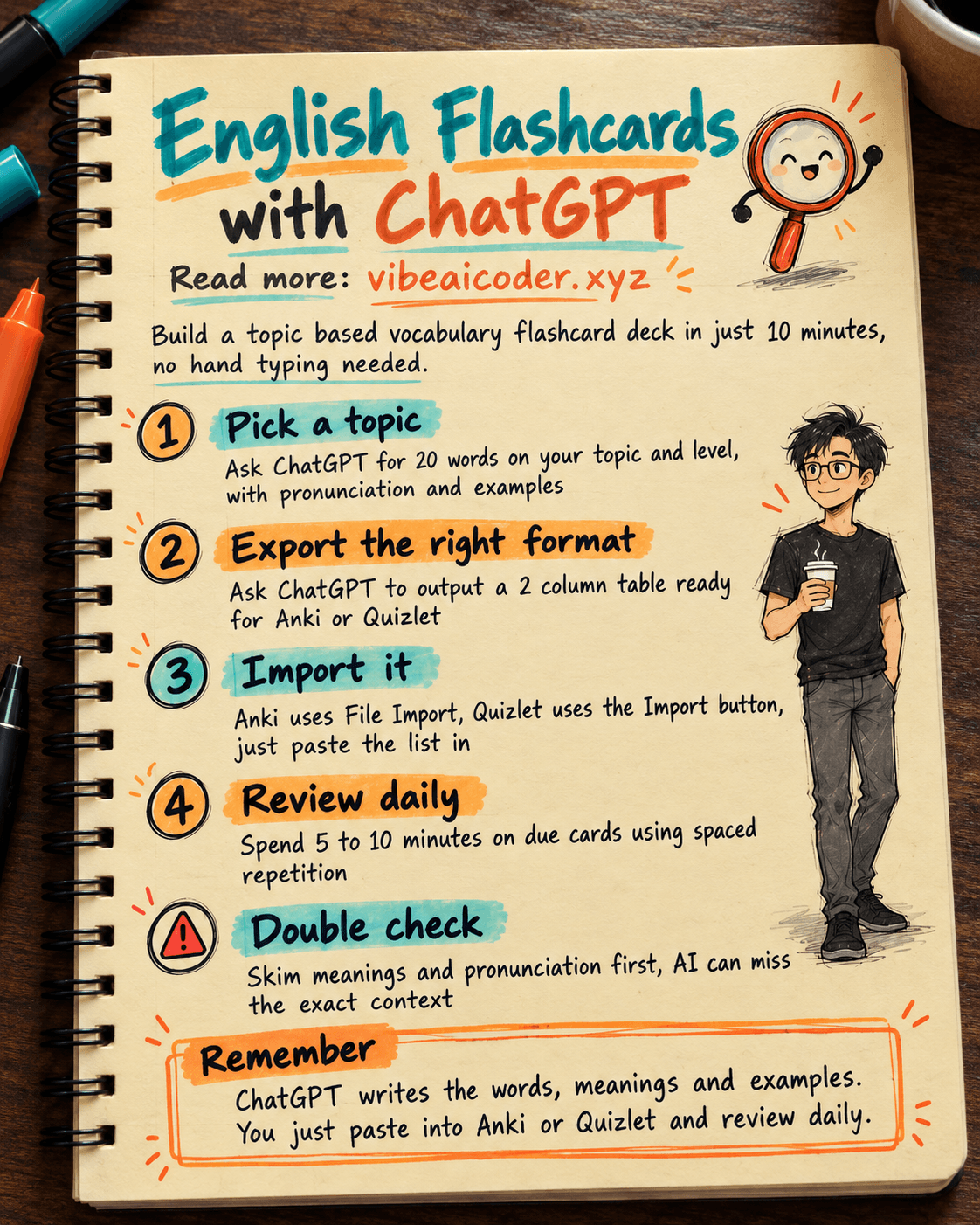
Want to learn English vocabulary for a specific topic, like travel, job interviews or office work, but don't want to spend an evening writing flashcards by hand? This guide shows you how to use ChatGPT to instantly generate a set of vocabulary flashcards for any topic, complete with meanings and example sentences, then import them straight into Anki or Quizlet to review every day. It takes about 10 minutes for a set of 20 words. All you need is a free ChatGPT account and a topic in mind.
 What you need
- A ChatGPT account (the free plan works fine for this): chatgpt.com
- A flashcard app that supports spaced repetition. Pick one of these:
- Anki (free, available on desktop and mobile): apps.ankiweb.net
- Quizlet (free, easier interface for beginners): quizlet.com
- Decide your topic and level in advance, for example "job interview vocabulary, intermediate level" or "hotel booking vocabulary, beginner level".
 Step by step
Step 1: Ask ChatGPT for a vocabulary list on your topic
Open a new chat and paste this prompt, filling in your own topic and level:
You are an English teacher preparing vocabulary for a learner.
Create 20 of the most common English words or phrases on the topic of [your topic, e.g. job interviews],
suitable for a [beginner / intermediate / advanced] learner.
For each word, give me:
1. The English word or phrase, with IPA pronunciation.
2. A short, clear definition in plain English.
3. One short example sentence using the word in context.
Sort the words from easiest to hardest.
ChatGPT will return a list of 20 entries, each with the word, pronunciation, definition and an example sentence.
Step 2: Ask for output you can paste into Anki or Quizlet
In the same chat, send a follow up prompt depending on which app you're using. For Anki:
Turn the 20 entries above into a 2 column, comma separated table, one card per line:
Column 1 (card front): the English word with IPA pronunciation.
Column 2 (card back): the definition and example sentence, separated by a line break <br>.
Only output the 20 data rows, no column headers, no extra explanation.
For Quizlet, change the separator instruction:
Turn the 20 entries above into a list ready to import into Quizlet:
one card per line, term and definition separated by a Tab character,
the definition should include both the meaning and the example sentence.
Only output the 20 data rows, no extra explanation.
Step 3: Paste the result into Anki or Quizlet
For Anki: copy all 20 lines ChatGPT returned and save them as a plain text file with a .csv extension (Notepad or Google Docs, downloaded as plain text, both work). Open Anki, go to File > Import, select the file. Anki will auto detect the comma separator, so map column 1 to "Front" and column 2 to "Back", pick the deck you want to add the cards to, and click Import.
For Quizlet: go to Create > Flashcard set, name your set, select Import, paste all 20 lines ChatGPT returned into the import box, set the term/definition separator to Tab and the row separator to new line, then click Import to build the set.
Step 4: Set a daily review schedule
Both Anki and Quizlet use spaced repetition: cards you remember well get spaced further apart, cards you keep forgetting come back sooner. Spend about 5 to 10 minutes a day reviewing the cards that are due. Doing this consistently works far better than cramming everything in one long session and then stopping.
 Sample result
For the topic "job interview vocabulary, intermediate level", one card ChatGPT generates might look like this:
Front: strength /streŋθ/
Back: A good quality or skill you have. Example: "What is your biggest strength?"
Repeat this for 20 words and you have a complete deck ready to import into Anki or Quizlet, without typing a single card by hand.
 Tips for better results
- Create several small sets by specific topic (15 to 20 words each) instead of one giant 100 word set, so you can fully master one topic before moving to the next.
- Ask ChatGPT to add a "common synonyms" column once you already know the basic words and want to expand your vocabulary further.
- If you also want to practice pronunciation, use ChatGPT's built in voice feature to hear each word read aloud before you start reviewing the cards.
- After a few days of review, ask ChatGPT to generate 5 to 10 fill in the blank practice sentences using the words from your set, to check whether you can actually use them in context.
 Limits to know
- ChatGPT's definitions may occasionally not fit your exact topic context. Skim the list before importing it into Anki or Quizlet, and fix anything that looks off.
- The IPA pronunciation ChatGPT generates can sometimes have small errors. If you need full accuracy, for example to prepare for a certification exam, double check with a trusted dictionary like Cambridge Dictionary or Oxford Learner's Dictionary.
- Flashcards help you memorize words quickly, but they don't replace real listening, speaking and reading practice. You still need to use these words in real conversations or stories to truly remember them.
- Don't add too many new cards in one day (keep it under 20 to 30 new cards per day). Reviewing too much at once makes it easy to get discouraged and quit.
 FAQ
FAQ
Is the free ChatGPT plan enough? Yes. Generating a vocabulary list and exporting it as CSV or a Quizlet friendly list doesn't need any advanced features, the free plan handles this well.
Should I choose Anki or Quizlet? Anki is better if you want deep control over your review schedule and don't mind a slightly more technical interface. Quizlet is easier for beginners and has extra game and test modes, which makes studying feel lighter and more fun.
Can I create flashcards for languages other than English? Yes. Just change the prompt to the language you want to learn, for example Japanese or Chinese, and the rest of the steps stay exactly the same.
What if Anki gives an import error? This usually happens when an extra comma in an example sentence shifts the columns. Open the file in Google Sheets, check that every row has exactly 2 columns, fix any mismatches, save it as CSV again and re import.
How long does it take to memorize a set of 20 words? It varies by person, but if you review consistently for 5 to 10 minutes a day following Anki's or Quizlet's reminder schedule, most learners remember a set of 20 words solidly within 1 to 2 weeks.
If you also want to practice speaking and grammar, not just vocabulary, you can read more about using ChatGPT to practice English speaking every day. If you're studying for an exam and need a full question system rather than just vocabulary, see using ChatGPT to build an exam prep system from your textbook. You can also pair this with using NotebookLM as a reading assistant if you want to read English material and pull out new words for your flashcards. If you're new to giving instructions to AI, read what a prompt is and how to write an effective one to get the exact vocabulary list you want on the first try.
More articles
AI Training vs Inference: What Is the Difference?

Gemini 4 Argon Reads a 500-Page Chemistry Patent in One Afternoon

Claude Opus 5.5 Codes a Real Money Trading Game in One Day

What Is a Token in AI? Why ChatGPT and Claude Charge by Tokens

What Is Chain of Thought? Why Asking AI to Think Step by Step Works Better

Claude Sonnet 5.5 vs GPT-6.1 Sol: Which AI Model Is Worth Using?