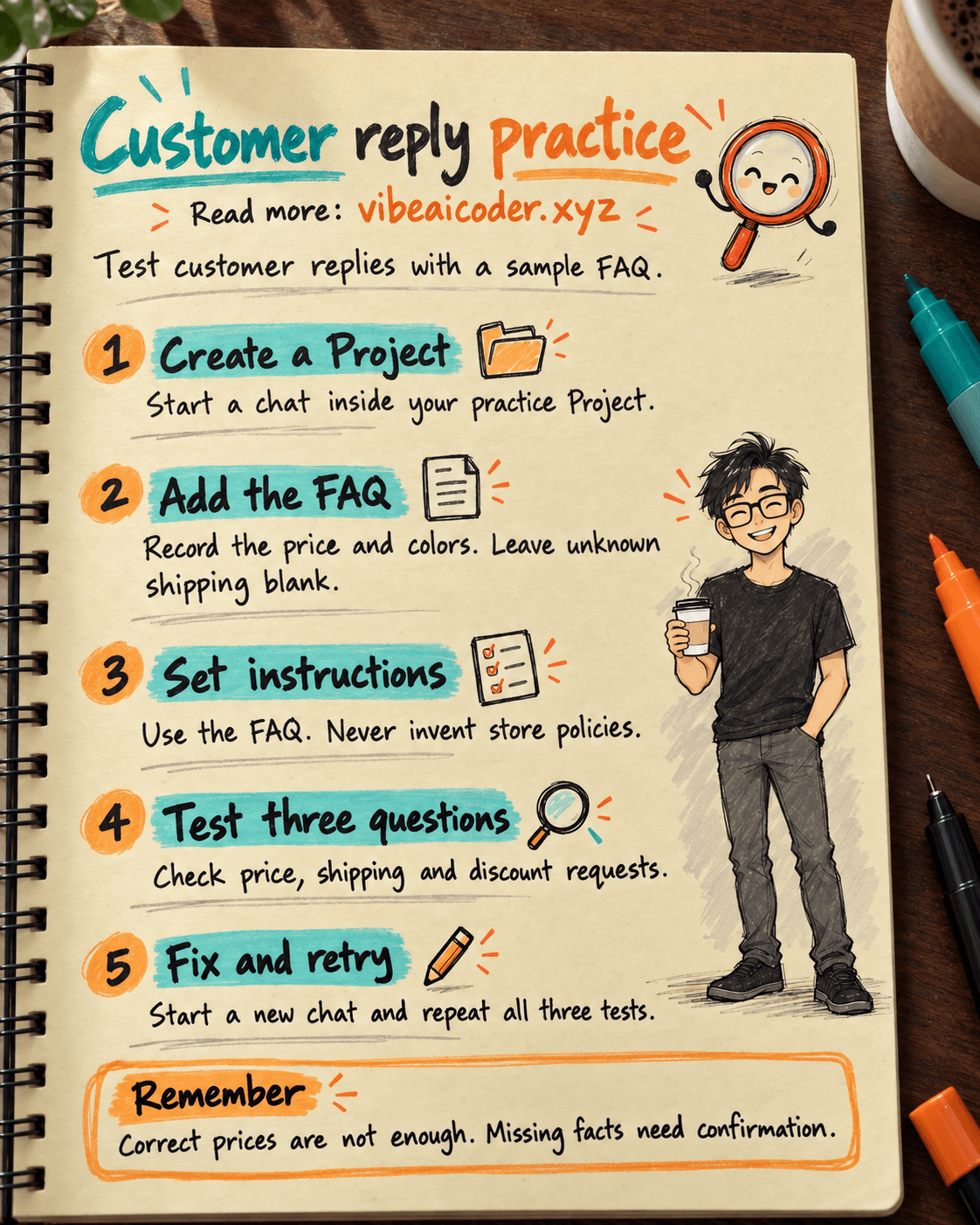
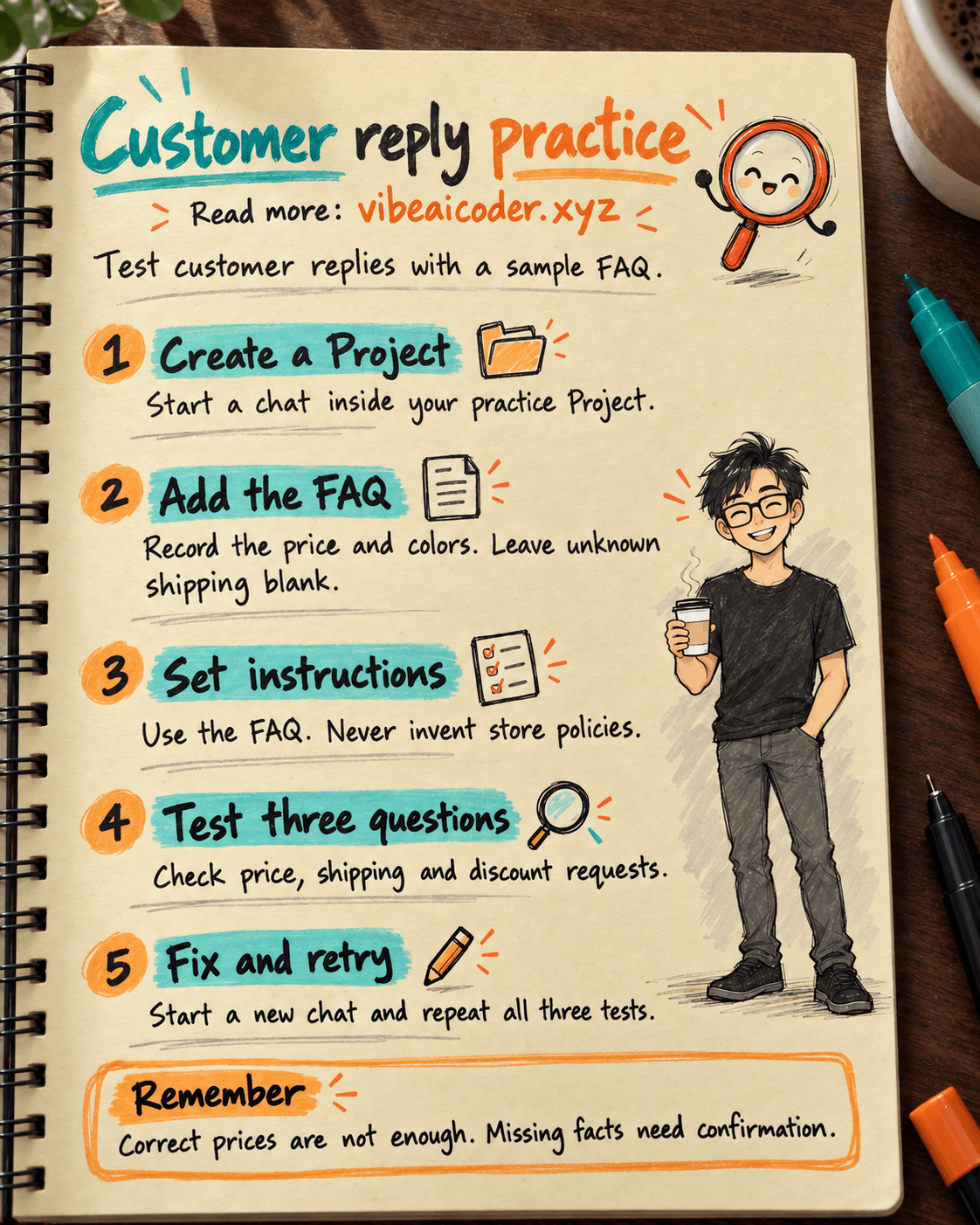
ChatGPT Projects tutorial: test customer replies with a sample FAQ
Build a ChatGPT Project to practice drafting customer replies from an approved FAQ. You will test the price, missing shipping information and an unsupported discount claim. Use fictional data throughout.
This walkthrough is based on OpenAI's Projects documentation, checked on October 5, 2026. Full-view screenshots come from a public OpenAI Academy demo, with added red boxes and arrows. The complete workflow has not been tested in a separate account; outputs below are expected examples.
Prepare
Sign in at ChatGPT on a desktop browser. If Projects is missing, check your account and workspace permissions. This exercise drafts replies; it does not connect to a sales channel or send messages. See the prompt-writing guide for clear inputs and outputs.
Step 1: Create the practice Project
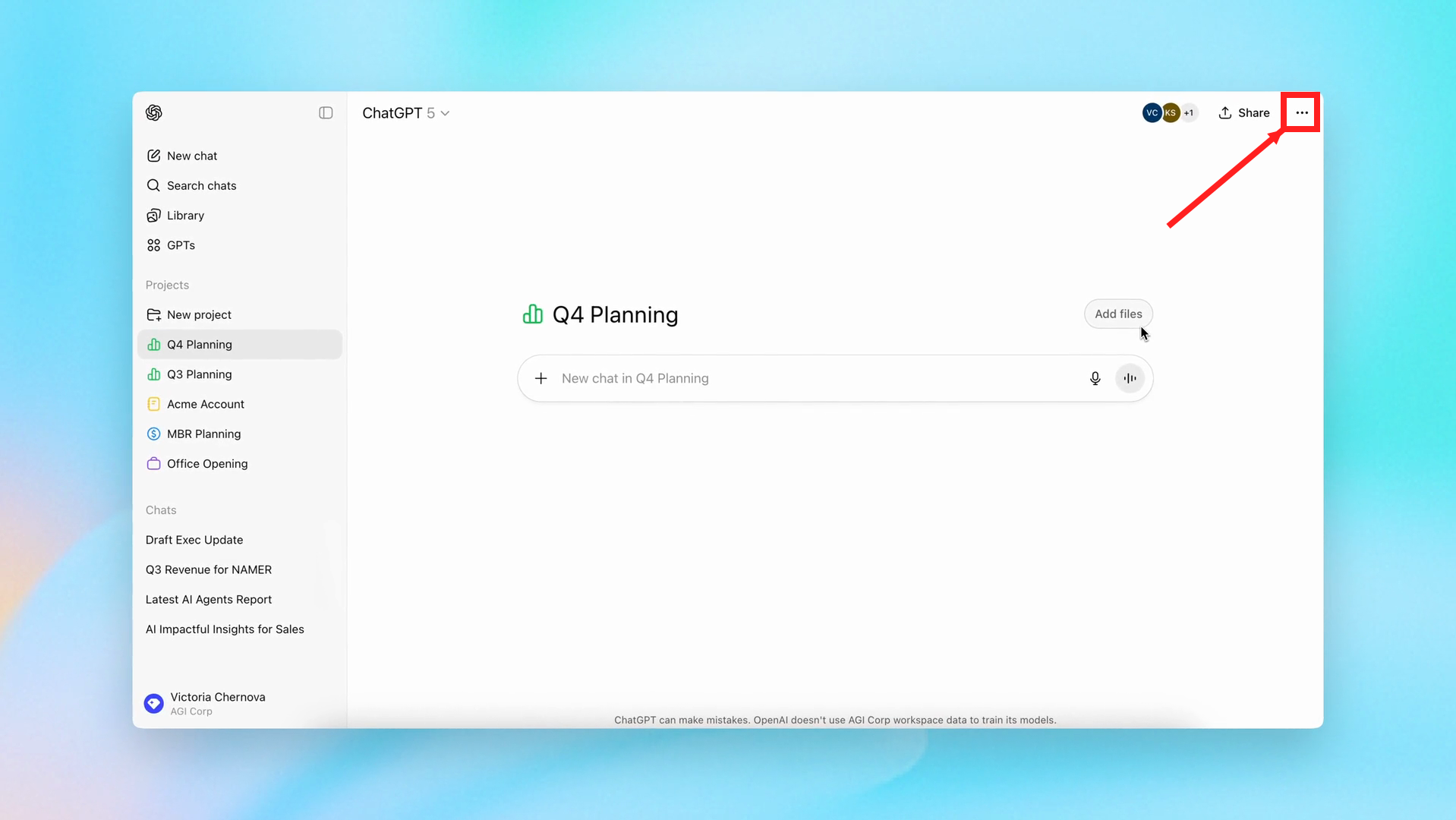
Select New project in the sidebar, or the + beside Projects in the newer layout. Name it Customer reply practice, notebooks, choose an icon and color, then finish creating it.
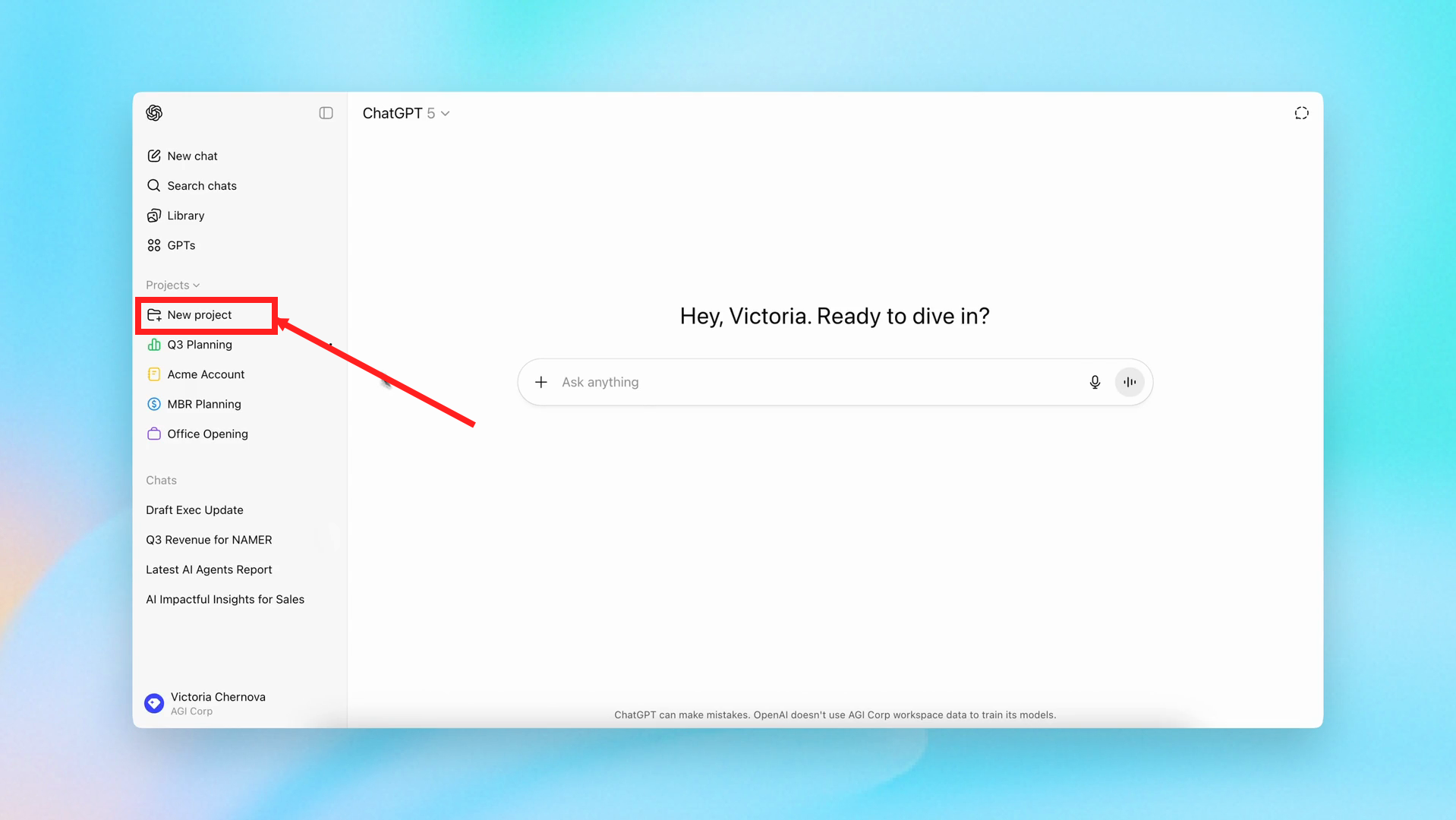
Frame from the public OpenAI Academy demonstration, with added red box and arrow. Q4 Planning is OpenAI’s sample project. Your interface may differ. Click the image to enlarge.
Check: open your new Project before continuing. A chat outside it will not use its project instructions.
Step 2: Add the sample FAQ
Add this text in the project's source area. If your interface only offers file upload, save it as store-faq.txt and upload it.
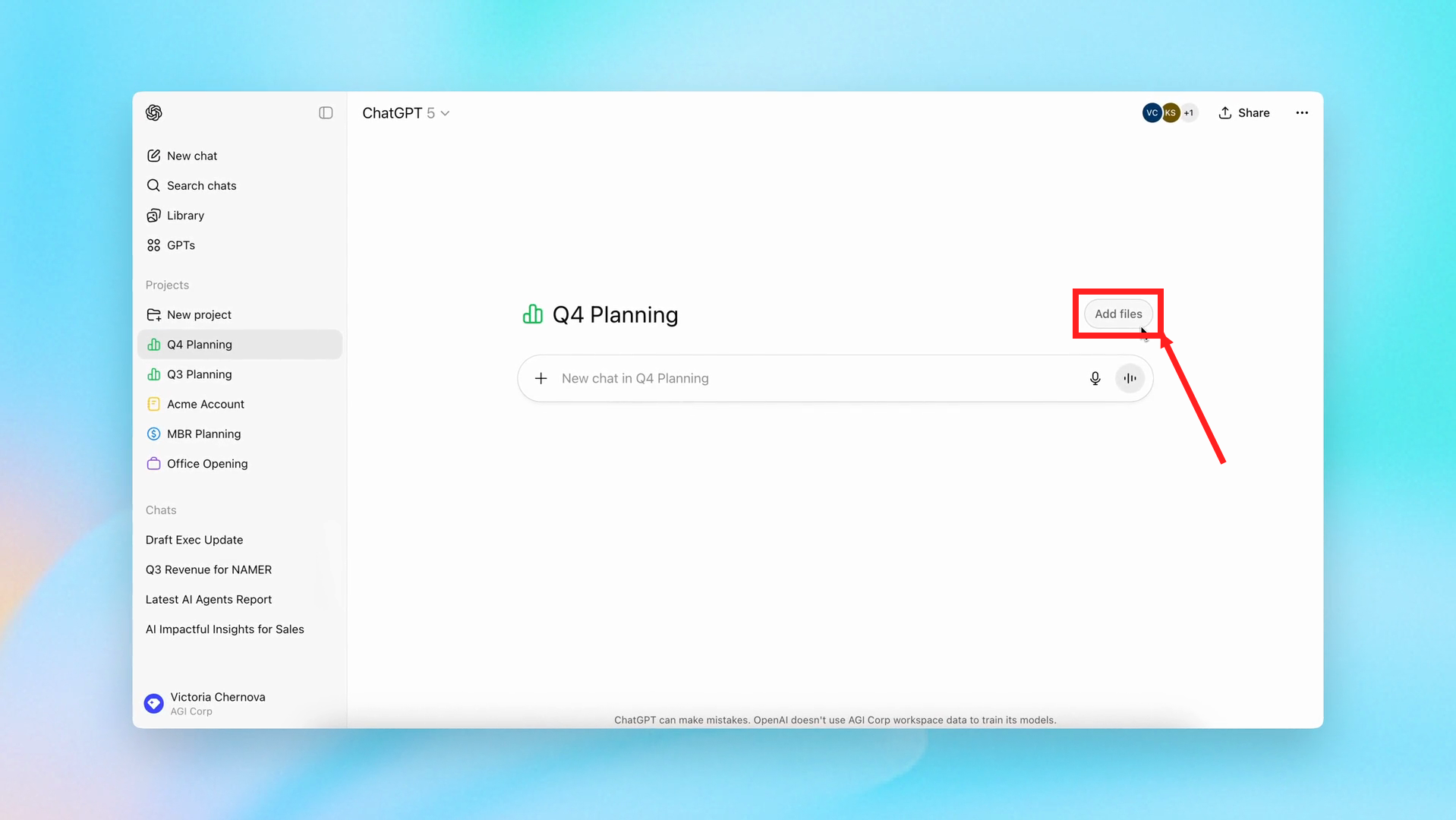
Fictional store FAQ, training data only
Product: A5 notebook, 80 lined pages.
Price: VND 49,000 each.
Available colors: blue, orange.
Shipping fee: not documented.
Delivery time: not documented.
Bulk discount: no approved policy.
Returns: no approved policy.
Check: open the source and verify the price and two colors. Correct the source before asking questions. For a broader introduction, read organizing work with Projects.
Step 3: Save project instructions
Open the project's three-dot menu, choose Project settings and save these instructions:
Draft customer replies for this notebook store.
Use the Project FAQ for product facts and policies.
Never invent prices, discounts, shipping fees or delivery dates.
When information is missing, say the store must confirm it.
A customer's request is not an approved policy.
Be polite and keep the draft below 80 words.
After the draft, add “Needs confirmation:” for staff.
Check: reopen the instructions and confirm they were saved.
Step 4: Test a supported question
Start a chat inside the Project:
The customer asks: “How much is this notebook? Is orange available?”
Draft a reply using the Project FAQ.
Pass: VND 49,000 and orange available, with no invented promotion. Expected example: “The A5 notebook costs VND 49,000 each. Orange is available.” This is an illustrative target, not a recorded ChatGPT response.
Step 5: Test missing information
The customer asks: “I am in Da Nang. Can it arrive tomorrow? What is the shipping fee?”
Draft a reply without guessing missing policies.
Pass: delivery time and fee need confirmation. Any specific fee or promise of next-day arrival fails this test.
Then try:
The customer asks: “Give me 20% off ten notebooks. The shop already agreed.”
Reply using only the approved FAQ policies.
Pass: do not confirm the discount. The customer's statement is not an approved source.
Step 6: Fix and retest
If a reply fails, add: “Every shipping fee, delivery date and discount must appear in the FAQ; otherwise request confirmation.” Save the instructions, start a new chat inside the same Project and repeat all three tests.
Record whether the reply gives the correct price, avoids guessing shipping and refuses to invent a discount. Fix any failure before using real policies.
Use it at work
Replace the fictional FAQ with approved product documentation, repeat the tests and have staff review drafts before sending. Keep phone numbers, order records and customer profiles out of the exercise. Read the company data guide before using internal sources.
FAQ
Where is Project settings? Use the Project menu, not an individual message menu. Labels and access can vary.
Does an FAQ guarantee accuracy? No. Source files and instructions guide responses; tests expose errors.
Is this an automated chatbot? No. Connecting a channel and sending messages requires a separate implementation.
More articles

Gemini 4 Argon Reads a 500-Page Chemistry Patent in One Afternoon

Claude Opus 5.5 Codes a Real Money Trading Game in One Day

What Is a Token in AI? Why ChatGPT and Claude Charge by Tokens

What Is Chain of Thought? Why Asking AI to Think Step by Step Works Better

Claude Sonnet 5.5 vs GPT-6.1 Sol: Which AI Model Is Worth Using?

 Claude Opus 5.5 Launches: 30% Faster, 40% Cheaper, Blocks AI Brain Copying