Andrej Karpathy's Method: Build a Personal Knowledge Base with LLMs, No RAG Needed
On April 3, 2026, Andrej Karpathy, former Director of AI at Tesla and an OpenAI co-founder, shared a genuinely fascinating workflow: using an LLM to build a personal research knowledge base. Instead of pointing AI only at code, Karpathy is now routing most of his "token throughput" toward processing and organizing knowledge.
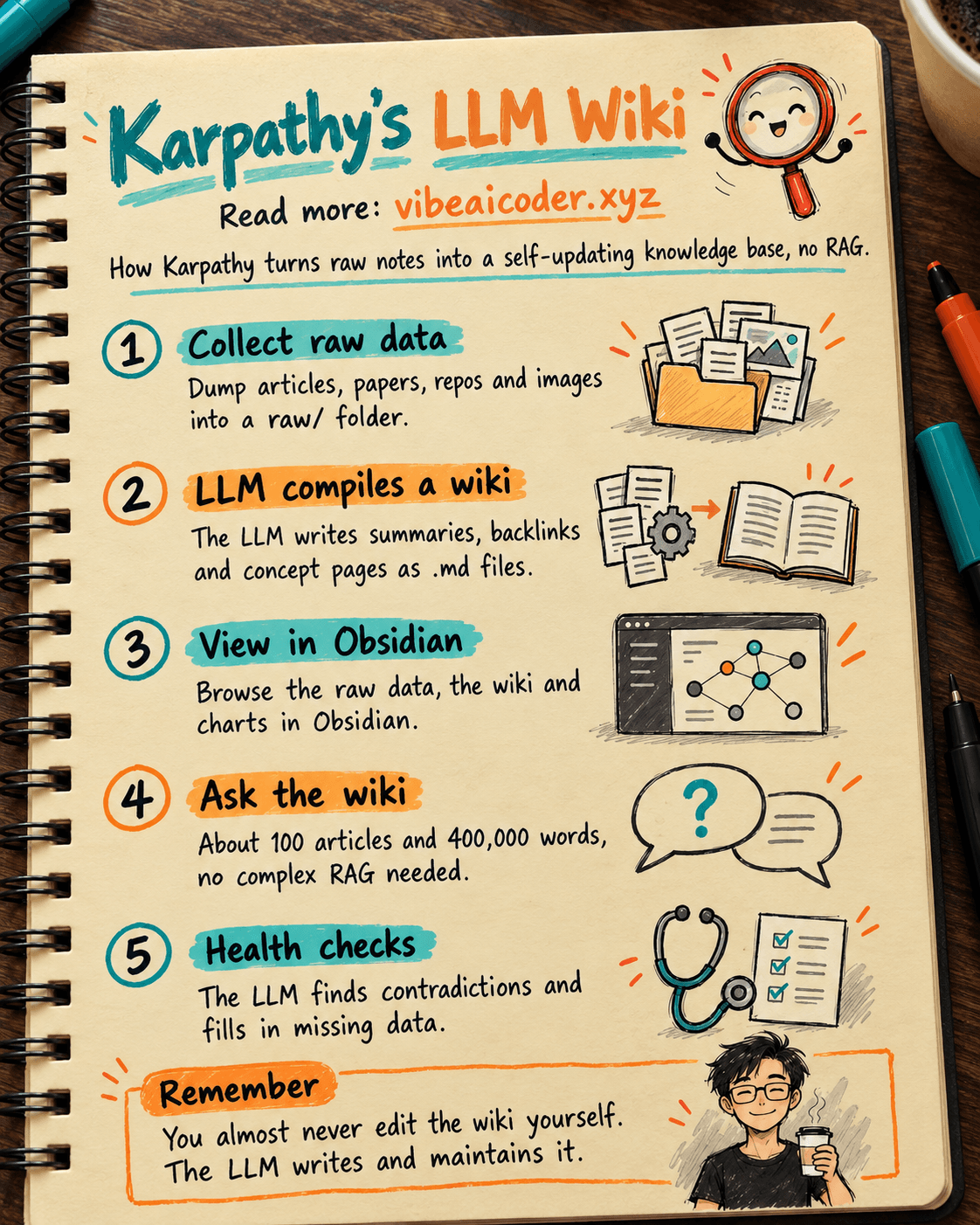
 Collecting the raw data
The first step is dumping every source document into a raw/ folder: articles, research papers, GitHub repos, datasets, images. Karpathy uses the Obsidian Web Clipper to turn web pages into .md files, plus a hotkey to save related images locally so the LLM can reference them easily.
The key point: there's no need to format or organize anything up front. Just throw everything into raw/ and let the LLM handle the rest.
 The LLM "compiles" it into a wiki
This is the best part. The LLM reads through all the raw data and automatically "compiles" it into a wiki, essentially a structured folder of .md files. The wiki includes:
→ A summary of every document in raw/ → Backlinks connecting related pages → Data organized by concept → Explainer pages written for each concept → Cross links tying all the pages together
You almost never edit the wiki by hand. That's the LLM's territory.
 Obsidian as the viewing layer
Karpathy uses Obsidian as a "frontend" IDE for browsing the raw data, the compiled wiki, and various visualizations. Obsidian renders markdown well and supports backlinks, a graph view, and plenty of useful plugins, for example Marp, which renders slide decks directly inside Obsidian.
 Querying the wiki directly
Once the wiki is big enough (Karpathy's own research wiki has around 100 articles and 400,000 words), you can ask an LLM agent all sorts of complex questions. The LLM searches on its own, reads the relevant articles, and synthesizes an answer.
The surprising part: no complex RAG required. The LLM maintains its own index files and short summaries for every document. At this scale (around 100 articles), the LLM can read and process the relevant data fairly easily.
 Exporting results back into the wiki
Rather than getting a plain text answer in a terminal, Karpathy has the LLM render output as:
→ Markdown files → Slide decks (in Marp format) → Matplotlib charts → And various other visual formats
All of it is viewable in Obsidian. Interestingly, these outputs are usually "filed" back into the wiki to enrich future queries. Every discovery and every question accumulates inside the knowledge base.
🧹 LLM "health checks" on the data
Karpathy runs LLM-driven health checks on the wiki to:
→ Find contradictions between articles → Fill in missing data (using web search) → Spot interesting connections for new articles → Clean up and improve overall data integrity
The LLM is especially good at suggesting further questions worth digging into.
 Extra tooling
Karpathy has also written his own tools on top of this setup. For example, he "vibe coded" a small search engine for the wiki, usable directly through a web UI and also exposed to the LLM via a CLI as a tool for larger queries.
What's next: synthetic data generation plus fine-tuning, so the LLM "knows" the data in its weights instead of relying only on the context window.
 The workflow in short
Raw data from many sources flows in, the LLM compiles it into a markdown wiki, the LLM operates that wiki through a CLI to answer questions and keep improving it, and everything is viewable in Obsidian. You almost never write or edit the wiki directly, that's the LLM's job.
Karpathy's take: "There's room for a great product here, instead of a messy pile of scripts." This could well be the future of personal knowledge management.
More articles
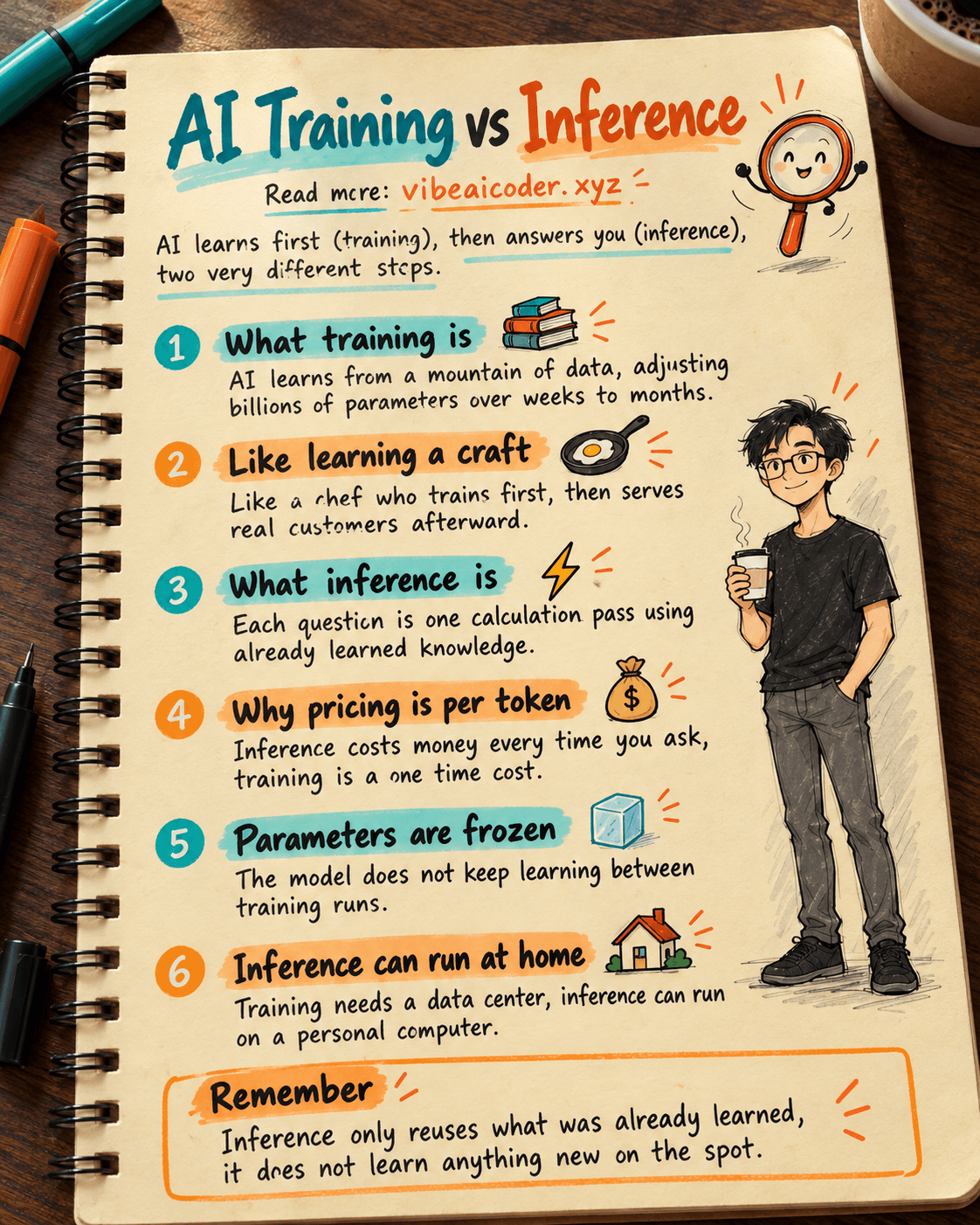
AI Training vs Inference: What Is the Difference?

Gemini 4 Argon Reads a 500-Page Chemistry Patent in One Afternoon

Claude Opus 5.5 Codes a Real Money Trading Game in One Day

What Is a Token in AI? Why ChatGPT and Claude Charge by Tokens

What Is Chain of Thought? Why Asking AI to Think Step by Step Works Better

Claude Sonnet 5.5 vs GPT-6.1 Sol: Which AI Model Is Worth Using?