Write Instagram and Threads Captions With AI in 5 Minutes
You just took a great photo but have spent ten minutes staring at the caption box with nothing to write? With ChatGPT or Claude, you can get a caption good enough to make people stop scrolling, read the whole thing and tap like, in about 5 minutes, even if writing is not your strong suit.
Tools you need
- ChatGPT (chat.openai.com) or Claude (claude.ai), the free version works fine, no payment needed.
- The photo or video you plan to post, or at least a description of what it shows.
- A few lines of context: what you sell or teach or share, and what you want people to do after reading (buy, comment, save the post, follow your page).
Do it step by step
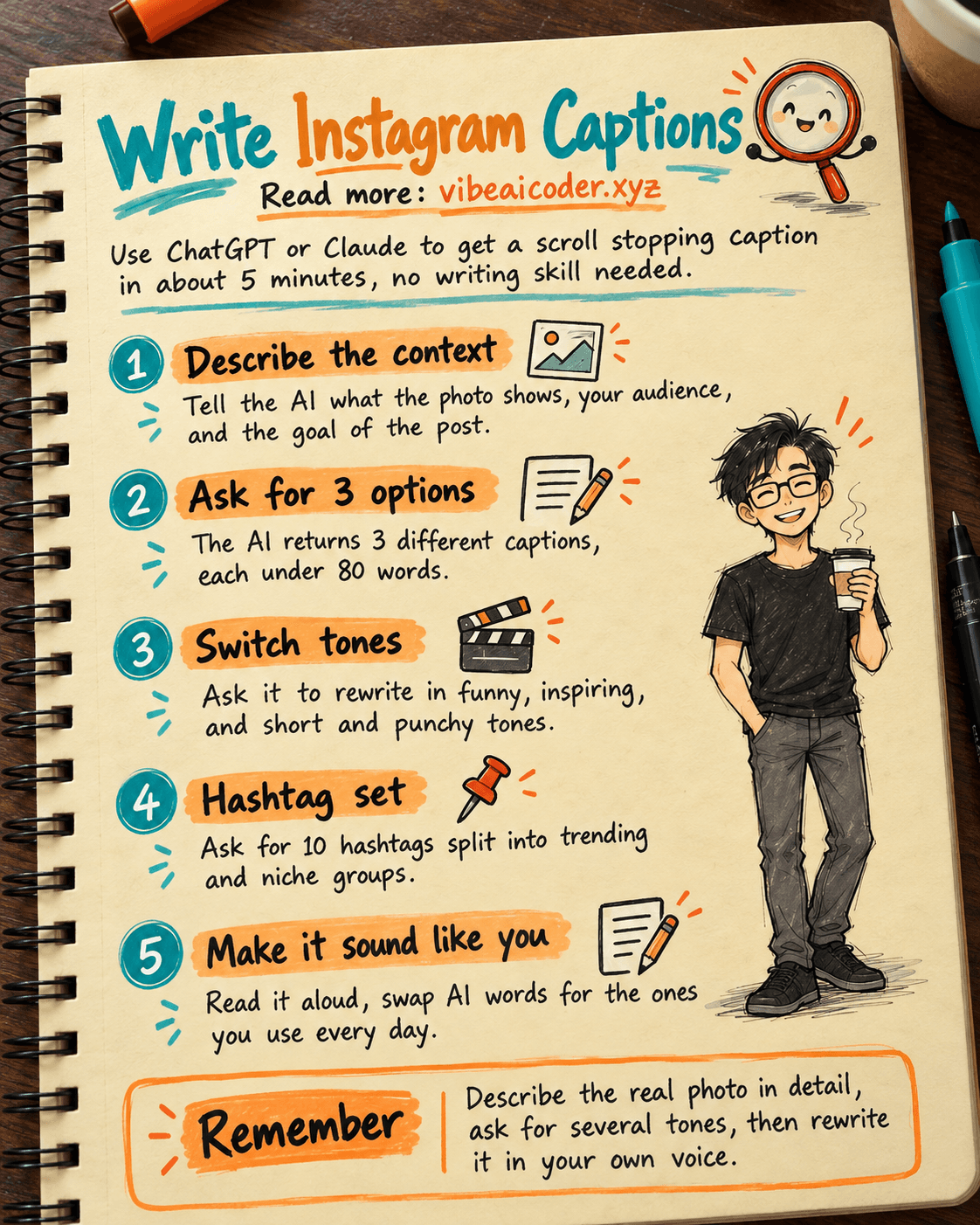
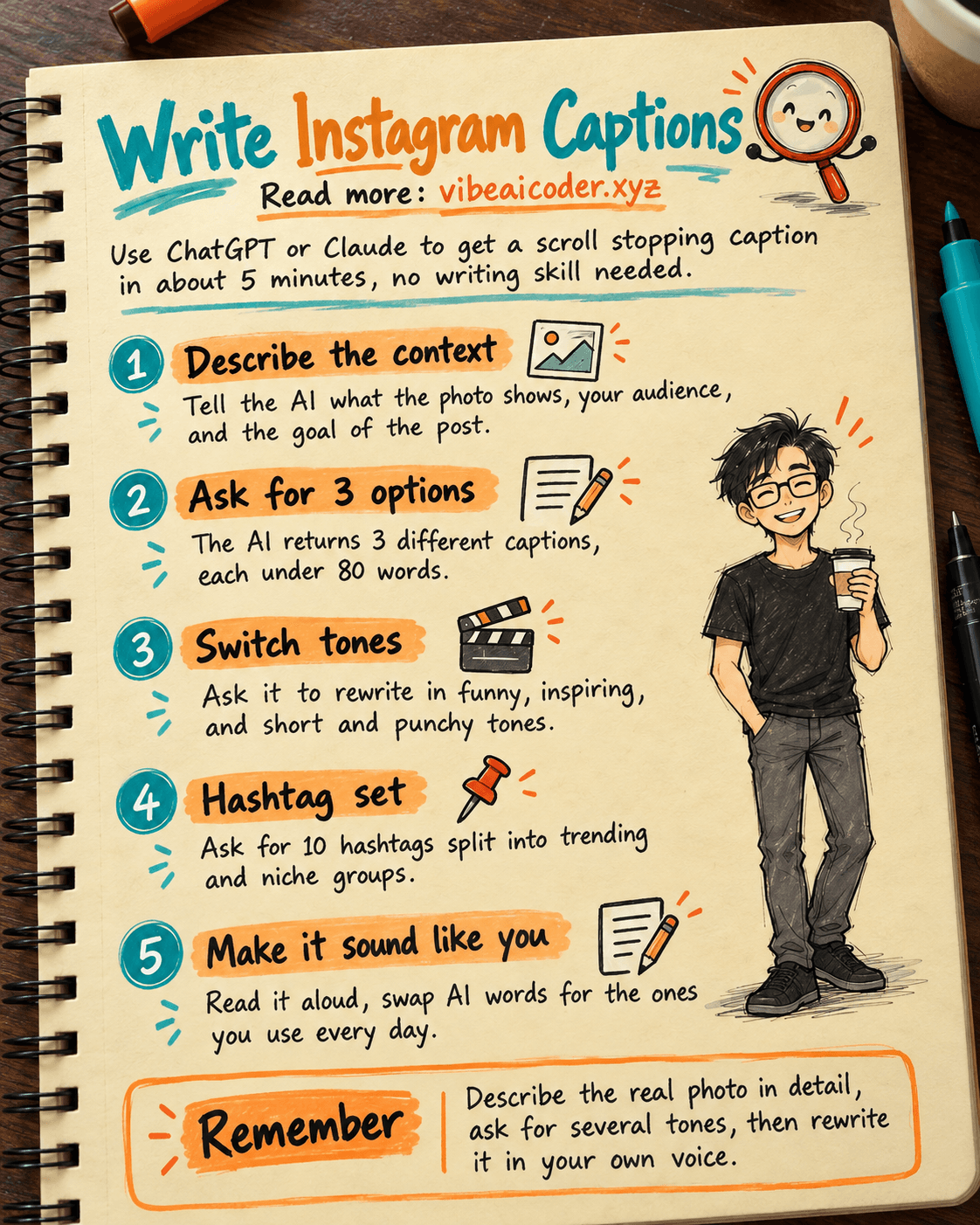
Step 1: Describe the context to the AI
Open ChatGPT or Claude and paste this prompt, replacing the bracketed parts with your own details:
I am about to post on [Instagram/Threads].
What the photo or video shows: [short description, e.g. a photo of a new coconut milk
coffee my shop just launched].
My audience: [e.g. office workers nearby who like trying new drinks].
Goal of this post: [e.g. get people to come try it this week].
Write me 3 caption options in English, each under 80 words, friendly tone,
with a curiosity-grabbing opening line and a clear call to action at the end.
Step 2: Ask for different tones
The AI will return 3 options in the same style. For more variety, follow up with:
Rewrite that caption in 3 different tones: funny, inspiring, and short and punchy.
Keep the same core message, just change the delivery.
Step 3: Ask for a matching hashtag set
A great caption still needs the right hashtags to reach new people. Ask:
Suggest 10 hashtags for the post above, split into two groups: trending
hashtags with high reach, and niche hashtags that match my exact audience.
Step 4: Pick one and rewrite it in your own voice
Read the options out loud. Pick whichever sounds closest to how you actually talk, then tweak a few words to match your own habits (for example, you might say "folks" instead of "everyone"). A caption that sounds like you will always perform better than one that sounds like AI wrote it.
What the result looks like
For a photo of a new coconut milk coffee, the AI might suggest:
If this drink had launched earlier, summer would have felt a lot shorter. Our new coconut milk coffee is live today, come try it and tell us one thing: good or amazing.
Paired with broad hashtags like "coffeelovers" and niche ones like "coconutcoffee" (add the hashtag symbol when you actually post).
Tips for better results
- Tell the AI the exact length you need (short, under 50 words, works well for Threads; longer captions work for Instagram).
- Paste in one or two of your past captions so the AI learns your actual voice.
- Ask it to avoid overused phrases like "don't miss out" if you notice them showing up too often lately.
- If you are posting a whole month of content, fold this into a 30-day content calendar so captions do not repeat the same idea week after week.
Limits you should know
- The AI cannot see your actual photo unless you upload it directly, so the more detail you describe, the closer the caption will match. On versions of ChatGPT and Claude that support images, upload the photo directly for a more accurate read.
- Trending hashtags change daily, so the AI may suggest ones that already cooled off. Quickly check Instagram or Threads yourself before using them.
- Never let AI invent numbers or promises (discounts, guarantees) you have not confirmed. Read everything carefully before posting.
FAQ
Is ChatGPT or Claude better for captions? Both work well for this. Claude tends to sound more natural and less clichéd; ChatGPT is fast and familiar to more people. Try the same prompt on both and pick what you like.
Do I need to pay for this? No. The free versions of both ChatGPT and Claude write good captions, you do not need to upgrade just for this.
Do Threads and Instagram need different captions? Yes. Threads favors short, conversational lines; Instagram accepts longer captions with line breaks and more hashtags. Mention the platform in your prompt so the AI matches the right length.
How do I stop a caption from sounding like AI wrote it? Always read it out loud and swap in your own familiar words, cut overly flowery lines, and keep one clear idea instead of stuffing in several messages.
Can I use this caption for paid ads? Yes, but ad captions should be shorter and lead with the benefit faster. Tell the AI it is for a paid ad so it adjusts the tone.
To get better results from AI on the first try, read more about what a prompt is and how to write one well. If you want to turn this caption into a short video script, see turning an article into a 60-second TikTok script. Selling on Shopee or TikTok Shop? Check out writing product descriptions in 5 minutes.
#AI #caption #Instagram #Threads #ChatGPT #Claude #socialmedia
More articles

Gemini 4 Argon Reads a 500-Page Chemistry Patent in One Afternoon

Claude Opus 5.5 Codes a Real Money Trading Game in One Day

What Is a Token in AI? Why ChatGPT and Claude Charge by Tokens

What Is Chain of Thought? Why Asking AI to Think Step by Step Works Better

Claude Sonnet 5.5 vs GPT-6.1 Sol: Which AI Model Is Worth Using?

 Claude Opus 5.5 Launches: 30% Faster, 40% Cheaper, Blocks AI Brain Copying