Codex SDK or App Server for Internal Tools: Which Should You Use?
Your team wants to add a “Review code changes” button to an internal tool. When someone clicks it, Codex should read a repository, return a list of findings, and leave the decision to a human reviewer. Should you use Codex SDK or Codex App Server? In about 30 minutes, this guide helps you choose an integration path and try a read-only Python example. You need access to Codex, a test repository without secrets, Python 3.10 or later for the example, and a person responsible for reviewing the result.
According to OpenAI's Codex SDK documentation, the SDK fits coding tasks run from a program, a CI workflow, or an internal tool. Codex App Server is a protocol interface for apps that manage authentication, conversation history, approvals, and a stream of agent events themselves. The Python SDK actually controls a local app-server through JSON-RPC. Choosing between them means choosing an integration level, not two different AI brains.
 Prepare
Write down the requirement: “After someone selects a repository, the Review code changes button returns findings for a human to check.” Decide who may select a repository, where the process runs, which data it may read, and who approves changes.
If a developer simply opens a terminal to fix one issue, the Codex CLI guide may be enough. Integrate Codex only when the team needs a repeatable workflow. How an AI agent differs from a chatbot explains why boundaries and verification still matter.
Prepare a test repository with a safe test command. Do not start with a customer repository. Check how Codex authentication works in the execution environment and which sandbox policy applies. Do not put secrets in source files or prompts. For tasks that may edit files, also read how to limit Codex permissions for a team.
 Step by step
1. Choose the SDK when a job needs a result
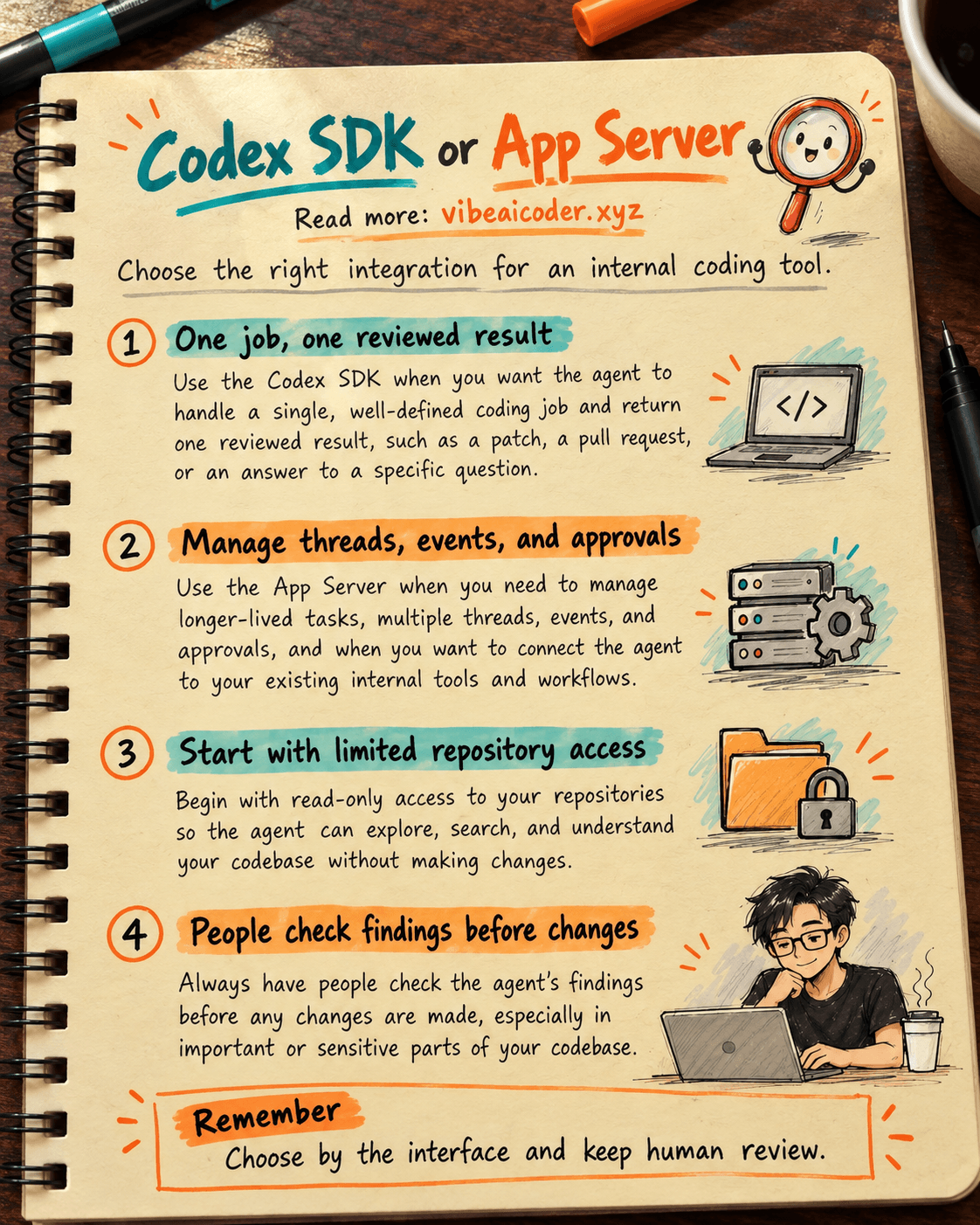
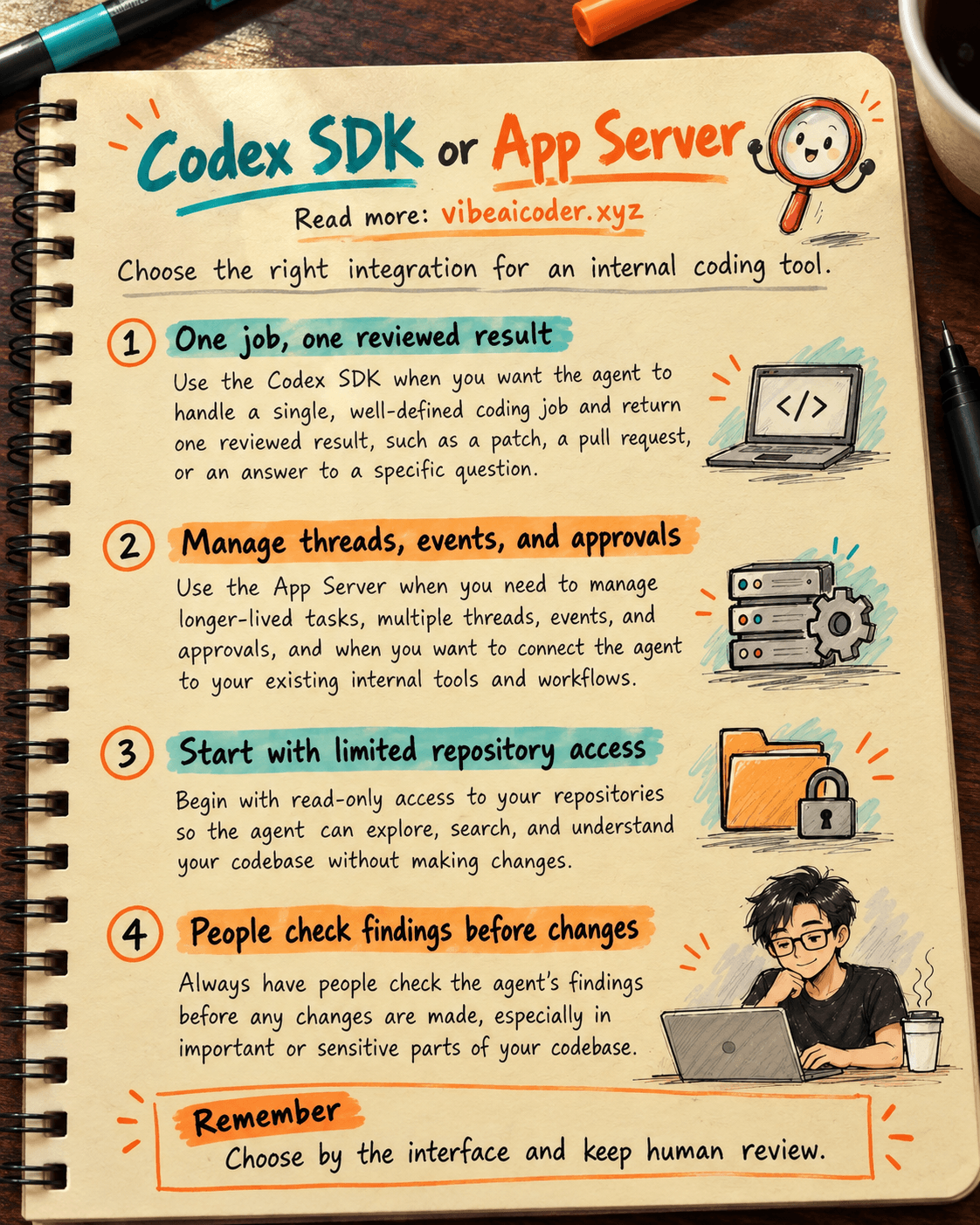
Imagine an internal tool with a “Check repository” button. A job receives a project directory, asks Codex to read it and respond, then saves a summary to a work ticket. Users do not need to see every small event, change the question mid-run, or approve a command in the interface. This is a good place to start with the SDK.
The TypeScript SDK runs server-side on Node.js 18 or later and can start, continue, and resume threads. The Python SDK requires Python 3.10 or later. Its stable release is installed with pip install openai-codex and includes a pinned Codex CLI dependency. Choose the language that fits your system; you do not need both. The official Python documentation lists the sandbox presets read_only, workspace_write, and full_access.
Make the first review read-only. In your test repository, install the package:
pip install openai-codex
Save the following as review_repo.py. The classes and methods follow the official SDK documentation. The example does not specify a model, so it uses the default model available to your account:
from openai_codex import Codex, Sandbox

with Codex() as codex:
    thread = codex.thread_start(sandbox=Sandbox.read_only)
    result = thread.run(
        "Read this repository and list three possible test gaps. "
        "Cite the relevant files. Do not edit anything."
    )
    print(result.final_response)
Run python3 review_repo.py, or your equivalent Python command, from the test repository. The output is something for a person to verify, not a certificate that the repository is safe. If authentication or the sandbox fails, fix the relevant access issue. Do not switch to full_access merely to make this example run.
This minimal API example was checked against OpenAI's documentation and passed a Python syntax check. It has not made a real Codex call in your project, so it does not guarantee an output or account permissions. In a real trial, record the SDK version, repository, time, sandbox, and errors so you can reproduce the run.
2. Choose App Server when building a full Codex application
App Server fits an internal tool that must show each step of the agent's work, retain multiple conversations, receive approval requests, let users resume a thread, and react to events in real time. For example, a team lead opens an internal page, watches Codex run tests, approves an action, and then asks a follow-up question about the failure. The basic SDK can start work and retrieve a result; an app like this needs finer control of the lifecycle.
According to the documentation, App Server uses bidirectional JSON-RPC messages. For a local connection, codex app-server uses stdio by default, with one JSON message per line. The minimal flow is:
- Start App Server and connect a client.
- Send
initializeonce for the connection, followed by theinitializednotification. - Call
thread/startand receive the conversation ID. - Call
turn/startwith that ID and the user's message. - Read progress notifications through
turn/completed, including requests that require a permissions decision.
This is a lifecycle outline, not complete client code. A real client must handle errors, disconnections, approvals, authentication, and session state. App Server also provides thread/resume to continue history and turn/steer to add guidance to a running turn. Do not start a new thread for every user message if your product needs to retain context.
For a simple job, writing a protocol client means taking responsibility for messages, threads, approvals, and errors. Establish the interface need before choosing App Server.
3. Set permissions and stop points before rollout
Whichever path you choose, separate reading and proposing from editing and writing. The first version should return comments with file paths. A reviewer opens the code, runs tests, and confirms each finding. If Codex will edit code later, grant an appropriate write scope, limit the repository, and require review of the diff. The SDK documentation says Sandbox.read_only reads without writing, workspace_write permits writing within the workspace and configured writable roots, and full_access places no filesystem access restrictions.
An App Server client must handle approval requests and events. turn/completed does not prove the code was reviewed. Distinguish a failed job, a proposal, and a human-approved change.
If your tool only sends a general AI question and does not work with a repository or coding tools, consider the Python Responses API guide to choose the right API. Codex SDK is for coding-agent tasks; it is not another name for the Responses API.
4. Test the prototype in three situations
Try three repositories: one with an obvious missing test, one without an obvious issue, and one without sufficient read permission. Record the request, permissions, response, errors, and reviewer's conclusion. Check that a permission failure does not expand access automatically, the no-issue case does not invent a problem, and a finding points to something a person can inspect.
For App Server, also test a client disconnect during a turn, a denied approval, and resuming an older thread. For the SDK, test a failed job and saving a result to the internal system. The goal is to know what users see when the work does not finish, rather than only having a screenshot of the best run.
 Example outcome
A hypothetical team wants a “Find test gaps” button on its repository management page. Because the first version only needs a findings list, it chooses the Python SDK with Sandbox.read_only. A job runs against a test repository and returns three items for a reviewer. The reviewer checks the code: one finding is correct, another is already covered by a test in another directory, and there is not enough information to decide on the third. The system records all three states and does not create a pull request automatically.
After a few weeks, the team wants users to see progress, ask follow-up questions in the same conversation, and approve commands in the interface. It then prototypes local App Server to evaluate the thread, turn, and approval lifecycle. This is an illustration, not a promise that either interface will find exactly three issues.
 Tips for better results
Choose based on the user interface. If you only need to run a job and receive a result, the SDK is a compact starting point. If the product needs history, events, and approval controls, investigate App Server.
Do not confuse a library with a permissions policy. The SDK is a way to call Codex; sandbox and access rules still need design. A prompt saying “do not edit” should not be your only boundary when read_only is available.
Keep the prototype small. One sample repository, one button, one reviewer, and three test cases reveal design problems sooner than building a large dashboard immediately.
 Limits to know
The official documentation currently labels App Server's WebSocket connection experimental and unsupported for production workloads. Use stdio for a local prototype and check the support status again before designing remote connectivity. Do not expose a WebSocket to a company network or the Internet based on a localhost example without handling authentication, TLS, and authorization. This is not a production deployment guide.
Do not infer from the SDK example that every account can use the same model; that is why the code uses the default. You still need to authenticate, meet workspace policies, and verify actual access. Agent results can be wrong or incomplete. A responsible person must read the code, check tests, and approve changes.
 Frequently asked questions
Do the SDK and App Server use different Codex systems? No. They are two interface levels for controlling Codex. OpenAI's documentation says the Python SDK controls a local app-server through JSON-RPC.
Can I use the SDK for CI or scheduled jobs? Yes. The official documentation lists CI/CD and automated jobs as SDK use cases. You still need to design authentication, permissions, error handling, and review for your environment.
When do I need App Server instead of the SDK? When your product needs a client with conversation history, approvals, progress notifications, and control over threads and turns. If a job only needs a result, start with the SDK.
Has the Python example actually run Codex? No. The code was checked against the official documentation and for syntax, but a real run depends on the installed package, authentication, repository, and permissions on your machine.
Should I use full_access to avoid permissions errors? Not as a default. The code review example only needs read_only. If you later need edits, limit the write scope, record approvals, and review the diff before applying changes.
Primary sources: Codex SDK and Codex App Server, OpenAI Learn. Checked October 5, 2026. #Codex #CodexSDK #AppServer #CodingAI #VibeCoding
More articles

Gemini 4 Argon Reads a 500-Page Chemistry Patent in One Afternoon

Claude Opus 5.5 Codes a Real Money Trading Game in One Day

What Is a Token in AI? Why ChatGPT and Claude Charge by Tokens

What Is Chain of Thought? Why Asking AI to Think Step by Step Works Better

Claude Sonnet 5.5 vs GPT-6.1 Sol: Which AI Model Is Worth Using?

 Claude Opus 5.5 Launches: 30% Faster, 40% Cheaper, Blocks AI Brain Copying