ChatGPT Work vs Chat vs Codex: Choose for 5 Real Tasks
You have a question to answer, a report to deliver, and a broken website to fix. All three can start with a request to AI, but should you choose Chat, ChatGPT Work, or Codex? This guide uses five everyday jobs to help you choose based on the result you need and how you will check it.
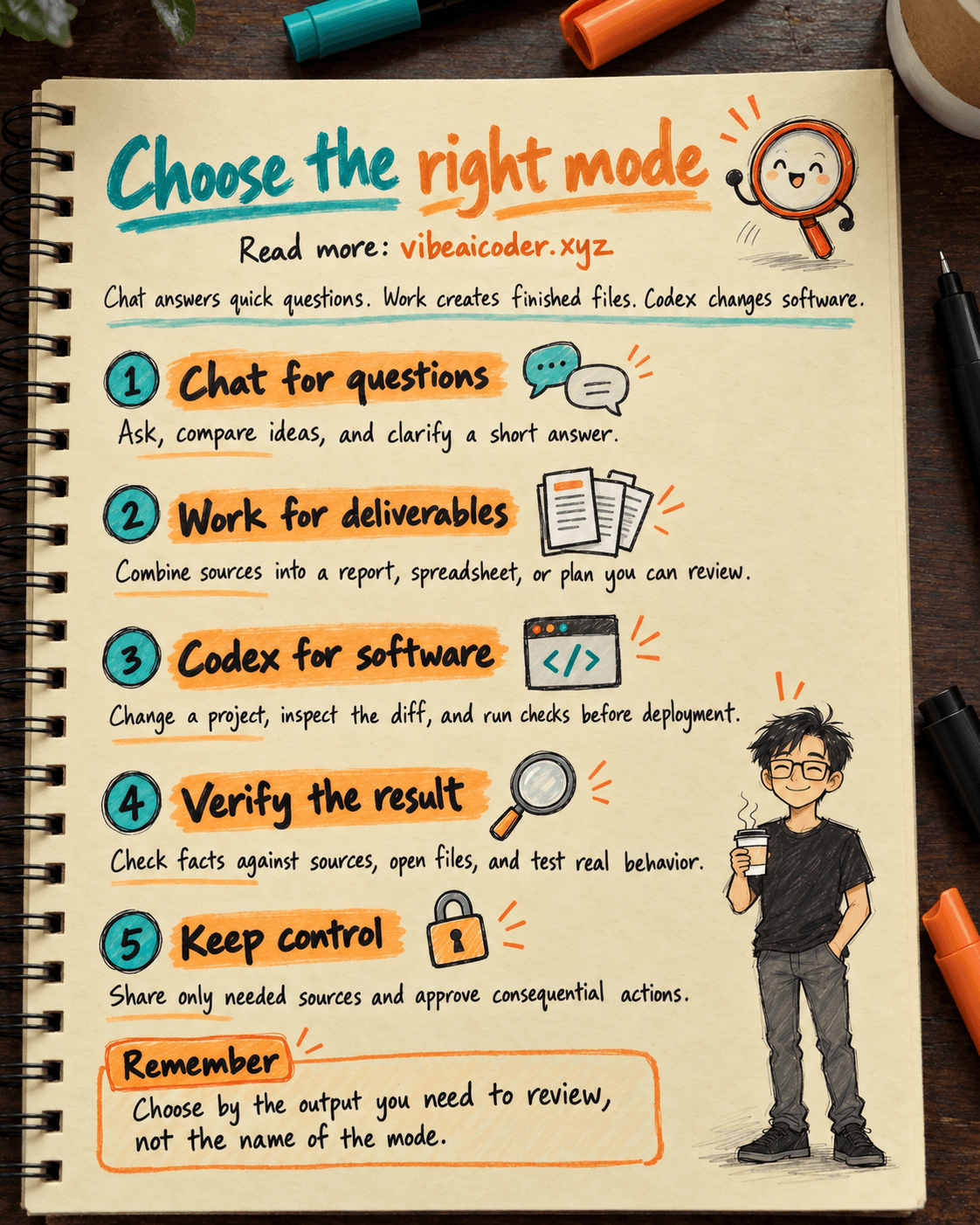
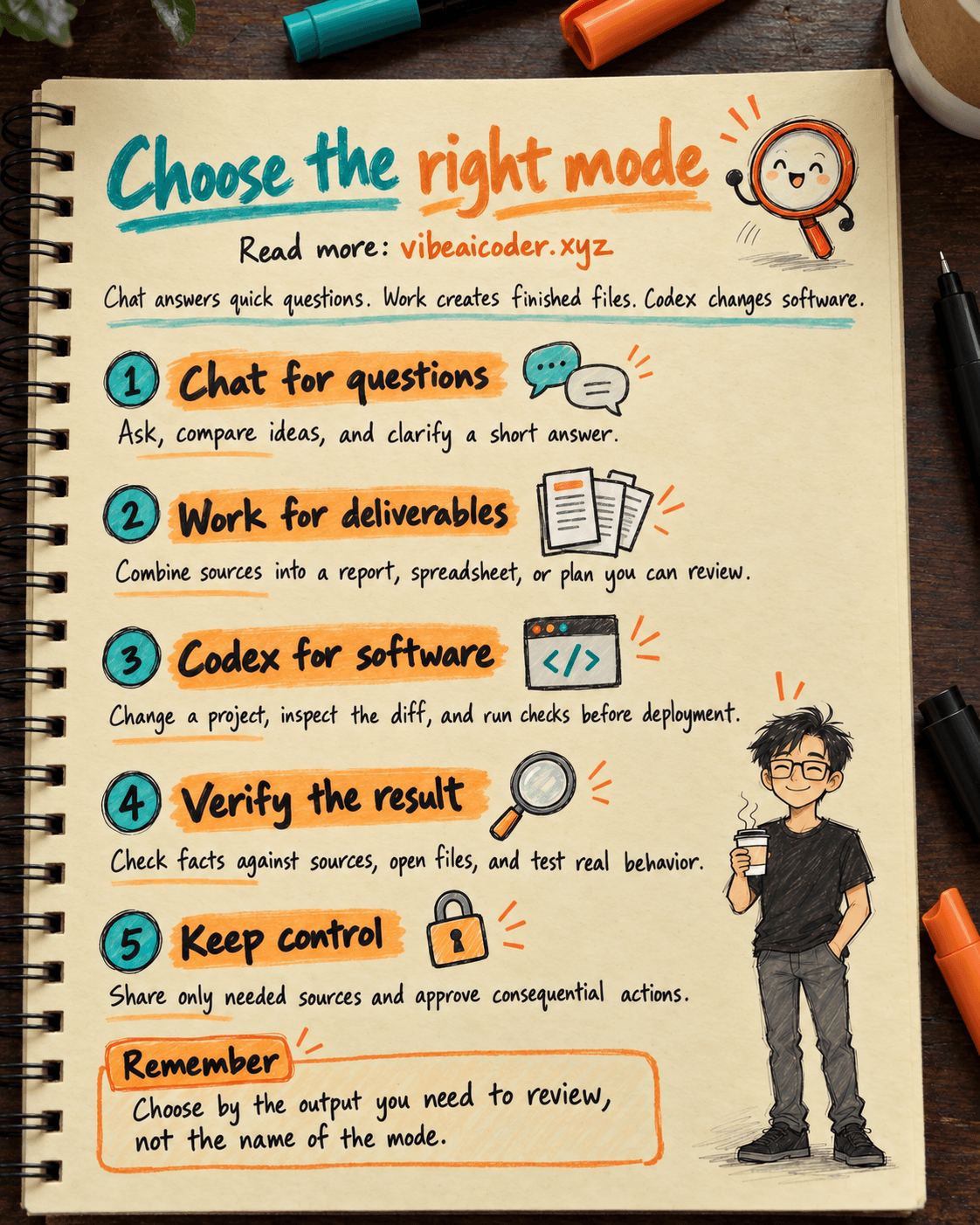
According to OpenAI's official guide, Chat is useful for questions and back-and-forth discussion; Work is for a complete, reviewable result; Codex shows developer tools and technical detail, particularly for software projects. Their capabilities overlap. Codex can help with a report, and Work can inspect files or run code when the environment permits. They are different ways to work, not a ranking of intelligence.
What you need before starting
Open ChatGPT or the desktop app and check which modes and tools your account offers. Availability depends on your plan, platform, region, rollout, and workspace settings. Prepare the real input, such as notes, a spreadsheet, or a project folder, and decide what “done” means: an answer, a file you can inspect, or code changes with test results. Follow your organization's data rules before uploading customer information.
Five real jobs, step by step
1. Understand a term before a meeting: start with Chat
Suppose your team keeps saying “AI agent,” but you are unsure how it differs from a chatbot. You need a short explanation and room to ask follow-up questions. Open Chat.
Explain an AI agent to a nontechnical colleague using one office-work example. Keep it under 150 words, include one important limitation, then ask me a question to check my understanding.
For more background, see how an AI agent differs from a chatbot. Chat is also a good first stop to compare ideas or revise a paragraph. Switch to Work once you have a clear deliverable that needs multiple steps.
2. Deliver a synthesis of interviews: use Work
You have six interview transcripts and a report template. The result should identify recurring problems, cite evidence, flag uncertainty, and list the next questions. Open Work, provide only the files you are allowed to use, and specify the audience and output format. OpenAI's Work guide describes this sort of multi-source task with a reviewable result.
Read the six attached interviews. Draft a two-page brief for the product team with the three most common problems, evidence from each source, claims the evidence does not support yet, and five questions to verify. Use only the attached files. Send a draft for my review.
Open the actual output. Check that each quotation matches the speaker and its context. One person's experience should not be presented as a conclusion about every customer.
3. Compare vendor quotes: use Work and verify the numbers
Three vendors sent quotes in different formats. Asking “which is best?” may hide tax, delivery dates, or warranty conditions. Ask Work for a structured comparison that names the source of each number and marks missing information.
From the three attached quotes, create a comparison of total price including tax, delivery time, warranty, and payment terms. Cite the file and source location beside each number. Mark missing fields instead of guessing. Add a conditional recommendation and send a draft before anyone else sees it.
Compare the totals, currencies, and dates against the original quotes. A procurement owner should confirm high-stakes terms with the vendor. Work can assemble a draft, but the decision remains yours.
4. Fix a website error: open Codex
Here the required result is changed and checked software, not just an explanation. Open Codex with the project you may access. Explain how to reproduce the bug, what should happen, and which checks matter. Codex exposes changed files, command results, and a diff for review. OpenAI highlights debugging, testing, code review, and feature work as typical Codex tasks, while acknowledging overlap with Work.
The product page goes blank after a user selects a filter. Reproduce the bug in this project, identify the cause, change as few files as possible, and run the relevant checks. Show me the files changed, the test results, and remaining risks. Stop before deploying to the live site.
Our beginner's guide to vibe coding explains the describe, run, and verify loop. Read the changes and try the feature in the interface before merging or deploying.
5. Prepare a weekly project update: use Work for recurring output
Each Monday, you need a one-page update from approved documents and connected tools. Work fits a task with defined sources, a reusable output format, and a review step. OpenAI documents scheduled tasks for repeat updates, but availability depends on your account. First run it manually, inspect the draft, then schedule it if your account supports that feature.
Every Monday, use the project sources I have approved to prepare a one-page update: completed work, delays, decisions I must make, and the source for each item. Do not send it to the team. Give me a draft and flag any source you could not access.
If the recurring job is to run software tests and review repository changes, Codex may be a better starting point. Confirm which sources the agent may read and which actions need your approval.
A 30-second decision rule
Do you need to understand or discuss something? Choose Chat. Do you need a finished report, spreadsheet, or plan from several inputs? Choose Work. Do you need to change software and inspect the files and checks? Choose Codex. Move between modes as the task changes. The important question is what result you need to review.
Tips and limits
State the output, sources, boundaries, and checks in every request. “Make a vendor comparison with a source column” is better than “look at these files.” In Work, attach the right documents. In Codex, give reproduction steps. In Chat, ask for a short answer before exploring details. After the first result, correct specific errors or missing evidence. See our guide to effective prompts.
No mode guarantees correctness. Check facts against original sources, open generated files, review code changes, and test real behavior. Ask an appropriate expert to review legal, medical, financial, or other consequential decisions. Tools, local files, browser access, and connected apps are available only when enabled and authorized. Request a draft and an approval step before sending, publishing, or changing important data.
FAQ
Is Work simply a paid version of Chat? No. It is a way to delegate a task with a clear outcome. Whether it is available to you depends on your account and settings.
Is Codex only for writing code? No. OpenAI says Codex can also handle research and documents. Its interface is especially useful when you want technical detail, file changes, and test output.
Must I start over after discussing a report in Chat? Use the discussion to settle the goal, sources, and format. When you move to Work, verify which files and context are actually available there.
Can Work send email or edit someone else's files automatically? Only with suitable tools and permissions. Ask for a draft and specify a stop point before external actions.
When would I use both Work and Codex? Work can synthesize requirements and draft a plan; Codex can implement and check the code. Review the output at each handoff.
Official sources
More articles

Gemini 4 Argon Reads a 500-Page Chemistry Patent in One Afternoon

Claude Opus 5.5 Codes a Real Money Trading Game in One Day

What Is a Token in AI? Why ChatGPT and Claude Charge by Tokens

What Is Chain of Thought? Why Asking AI to Think Step by Step Works Better

Claude Sonnet 5.5 vs GPT-6.1 Sol: Which AI Model Is Worth Using?

 Claude Opus 5.5 Launches: 30% Faster, 40% Cheaper, Blocks AI Brain Copying