 MCP Servers for Claude Code: Connect Dev Tools
Claude Code isn't just for reading code and running terminal commands anymore. Now it can connect directly to Jira, GitHub, Sentry, Slack, PostgreSQL, Notion, Figma, and hundreds of other services. All thanks to something called MCP.
What Is MCP?
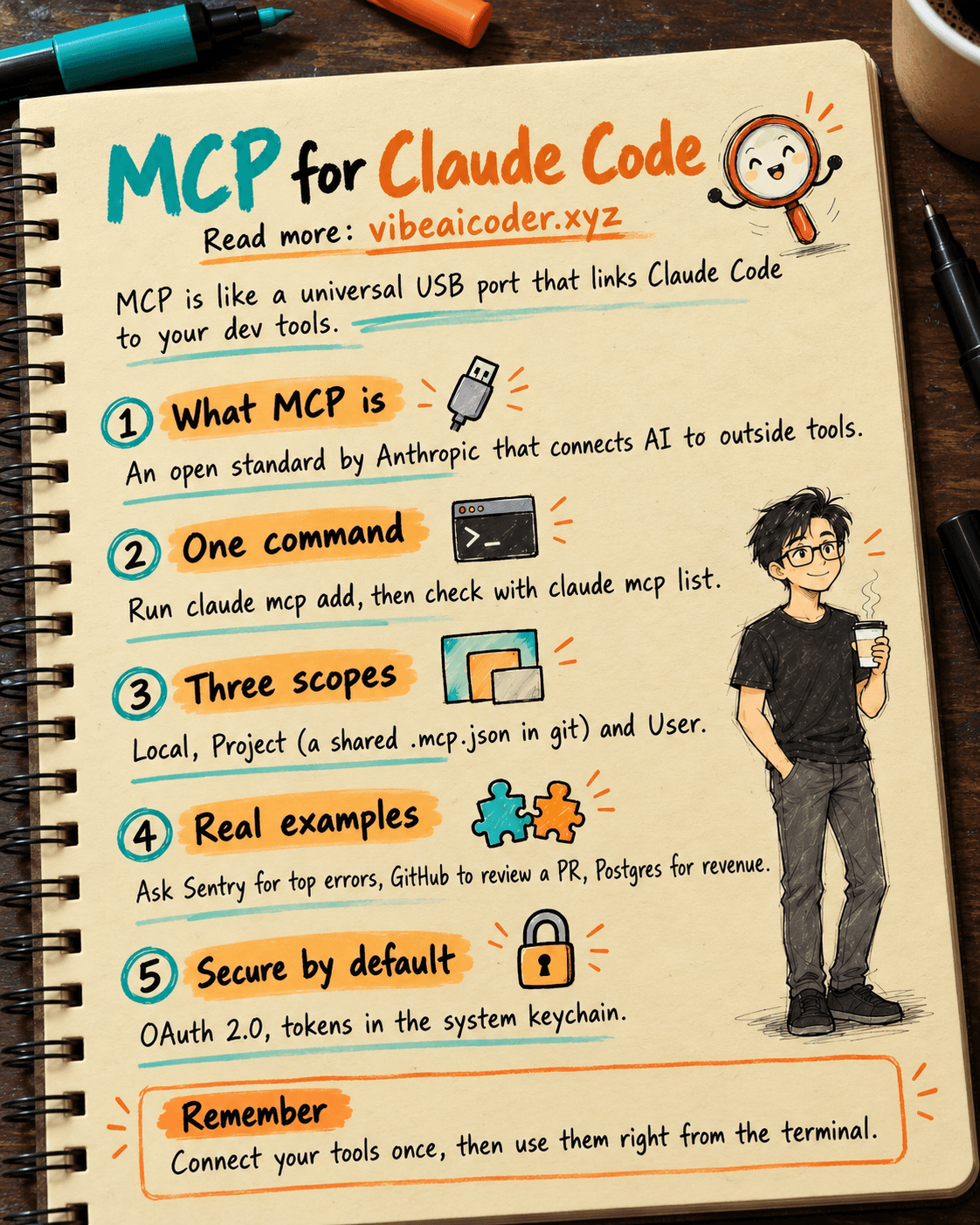
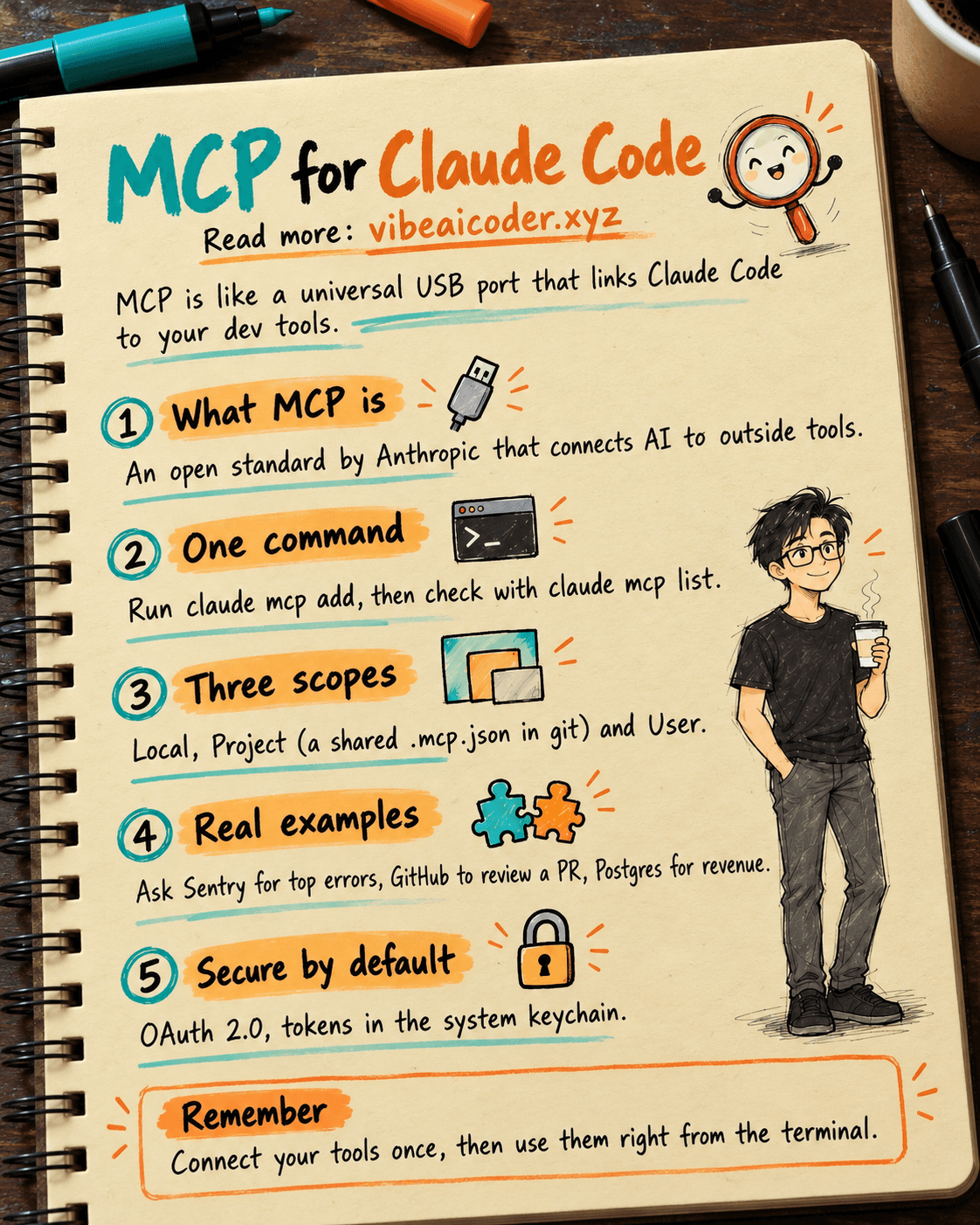
MCP (Model Context Protocol) is an open standard built by Anthropic that lets AI connect to outside tools. Think of it like a universal USB port for AI. Instead of copying and pasting data back and forth, Claude Code can reach straight into your database, issue tracker, or monitoring tool.
 Setup in Just One Command
Adding an MCP server to Claude Code is remarkably simple, just one CLI command does it. To connect Notion, for example: claude mcp add --transport http notion https://mcp.notion.com/mcp. There are three transport types: HTTP (remote, the recommended option), SSE (now deprecated), and stdio (runs locally on your machine). To check which servers are installed, run claude mcp list. To remove one, run claude mcp remove. That's really all there is to it.
 Three Configuration Scopes
Claude Code lets you choose where MCP settings get stored. Local is the default, visible only to you in the current project. Project saves to a .mcp.json file at the project root, which you commit to git so the whole team shares the same setup. User works across every project on your machine. If server names clash, Local takes priority first, then Project, then User.
 What Does This Look Like in Practice?
This is where it gets interesting. Connect Sentry, then ask "Which error happened most often in the last 24 hours?" Connect GitHub, then say "Review PR #456 and suggest improvements." Connect PostgreSQL, then query "What's this month's revenue?" in plain language. Connect Stripe to manage payments. All of it right inside the terminal, no extra tabs needed.
 How Secure Is It?
MCP supports automatic OAuth 2.0. Tokens are stored safely in the system keychain (macOS). Client secrets never end up sitting in a config file. Project scoped servers require your approval before they can be used. If your organization relies on its own auth system (Kerberos, internal SSO), you can configure a headersHelper to generate a fresh token on every connection.
 Advanced Features
Claude Code supports dynamic tool updates, meaning a server can refresh its list of tools without needing a reconnect. Push messages let a server send information straight into your session (CI results, monitoring alerts). You can also import servers from Claude Desktop with claude mcp add-from-claude-desktop. And here's the most interesting part: Claude Code itself can run as an MCP server for other applications via claude mcp serve.
 Environment Variable Expansion
The .mcp.json file supports environment variables. Write ${API_KEY} in your config and Claude Code automatically swaps in the real value at runtime. It even supports defaults: ${VAR:-default}. That means a team can share one config file while everyone uses their own API key, with no risk of leaking credentials.
What tools are you connecting to Claude Code? Let us know in the comments!
More articles

Gemini 4 Argon Reads a 500-Page Chemistry Patent in One Afternoon

Claude Opus 5.5 Codes a Real Money Trading Game in One Day

What Is a Token in AI? Why ChatGPT and Claude Charge by Tokens

What Is Chain of Thought? Why Asking AI to Think Step by Step Works Better

Claude Sonnet 5.5 vs GPT-6.1 Sol: Which AI Model Is Worth Using?

 Claude Opus 5.5 Launches: 30% Faster, 40% Cheaper, Blocks AI Brain Copying