
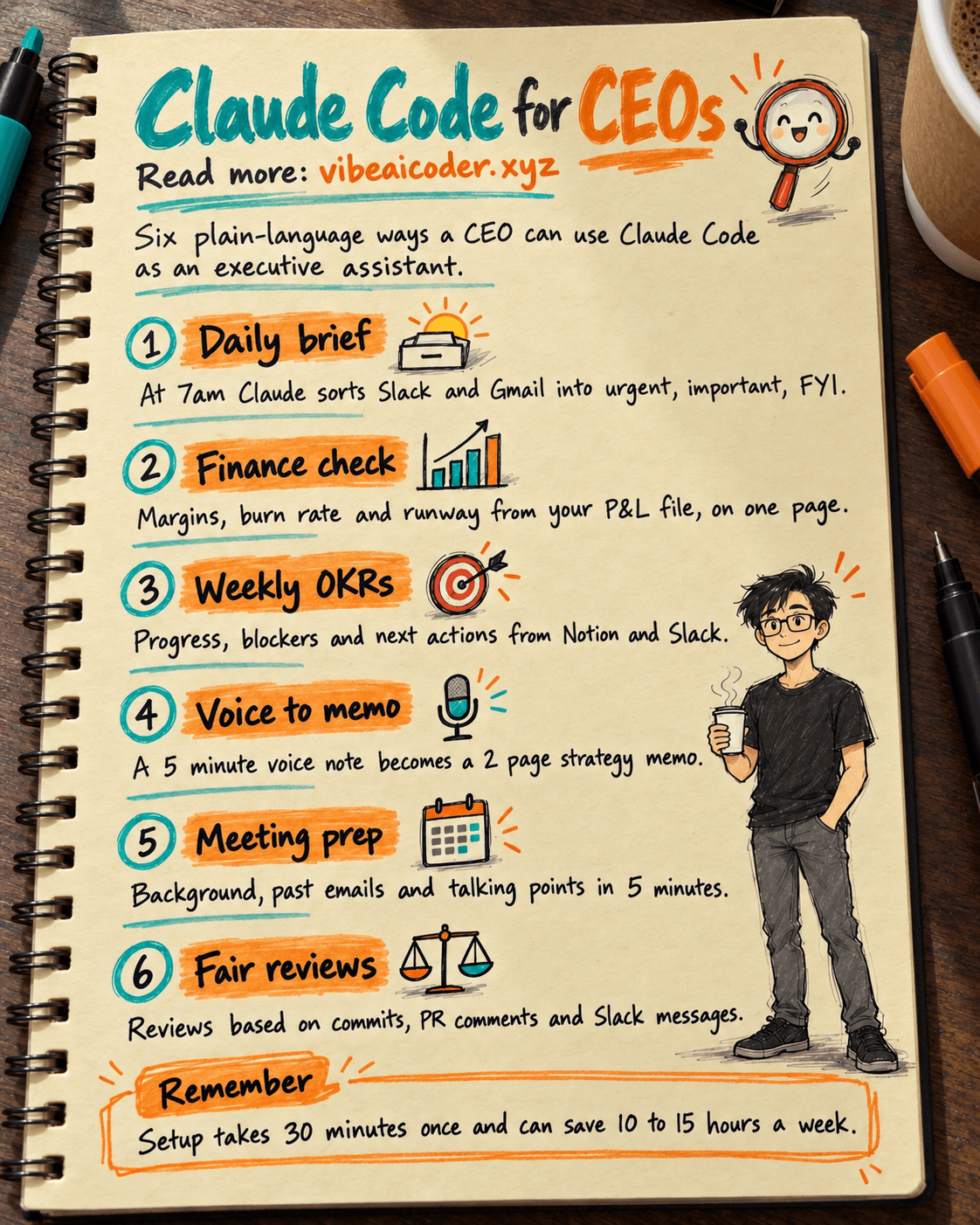
 Claude Code for CEOs: 6 Ways to Manage Your Company Without Coding
Who says Claude Code is just for developers? CEOs and founders can turn it into a powerful executive assistant, saving 10 to 15 hours a week without writing a single line of code.
Initial Setup Takes Just 30 Minutes
You only need to do this once, then use it forever.
Step 1, install Claude Code with one command in the terminal, or ask a developer to set it up for you in 5 minutes. Step 2, connect MCP servers like Slack, Notion, Google Drive, HubSpot, and Gmail so Claude can read your company's data. Step 3, you're done. From now on you just type plain language commands, no coding knowledge required.
Use Case 1: An Automatic Daily Brief Every Morning
Set up a hook that runs at 7am every day, and Claude will send a summary straight to your inbox.
Here's a prompt you can copy and paste: "Read all Slack messages in the #general, #sales, and #product channels from the last 24 hours. Read my unread Gmail emails. Summarize the 10 most important things I need to pay attention to. Sort them into 3 groups: urgent (red flag), important (for today), and FYI (read later). For each urgent item, suggest a specific action I should take."
Claude opens Slack and Gmail through MCP and returns a clean summary. You can read it over coffee in 3 minutes and know exactly what's going on in the company.
Use Case 2: Fast Financial Analysis
With a P&L file in Google Drive, try this prompt: "Read the Q1_2026_PnL.xlsx file in Google Drive. Calculate gross margin by product line, month over month growth rate, burn rate, and runway at the current pace. Flag any line item that changed more than 20% from last quarter and explain why."
You read one page of insight instead of ten pages of dense spreadsheet numbers.
Use Case 3: Weekly OKR Tracking
Prompt: "Read our Q1 OKRs from Notion. For each key result, check Slack messages and Notion documents to assess progress. Calculate the completion percentage. Identify blockers. Suggest one specific action for each blocker."
Every Monday you get a full report without needing a one hour team meeting.
Use Case 4: Turn a Voice Note Into a Strategy Memo
Record a 5 minute voice note about a strategic idea, then tell Claude: "Transcribe the file strategy-idea.m4a. Restructure it into an executive memo with this format: Problem, Proposed Solution, Expected Impact, Resources Needed, Risks, Timeline. Maximum 2 pages."
Claude does the heavy lifting, and you spend 10 minutes editing instead of 2 hours writing from scratch.
Use Case 5: Meeting Prep in 5 Minutes
Before an important meeting, try: "Tomorrow at 2pm I have a meeting with Sarah Chen from Acme Corp. Research her background on LinkedIn. Pull up previous email threads between us and Acme. Summarize the context. Draft 3 key talking points and 5 questions I should ask."
You walk into the room with full context, never caught off guard.
Use Case 6: Fair, Data Driven Performance Reviews
Employee reviews are often subjective and prone to bias. Claude helps you write an objective review in 5 minutes.
Prompt: "For engineer John Doe, read his GitHub commits from the past quarter, the PR review comments he wrote, and his Slack messages in the #engineering channel. Also check the Notion documents he contributed to. Draft a balanced performance review with 3 strengths and 2 areas for improvement, including specific examples with dates."
Reviews based on real behavior, not vague impressions.
Practical Tips and Real Costs
A few tips for non technical CEOs to get real value from Claude Code starting in week one.
First, write prompts like you're giving orders to a junior assistant, the more specific the better, don't be afraid to go long. Claude understands plain language very well, so there's no need to over engineer your wording. Second, save your best prompts in .claude/skills/ as slash commands like /daily-brief, /finance-check, /meeting-prep, so next time you just type one word. Third, use hooks to auto run them on a schedule, morning, afternoon, weekly. Fourth, type /cost to track spending. A CEO who uses it heavily typically spends about $50 to $200 a month, far cheaper than hiring a full time assistant. Fifth, when you need to change the logic, just describe it in plain language and Claude will update the configuration for you.
The real world result: you save 10 to 15 hours a week on information gathering and admin work. That time goes back into strategy, sales calls, hiring, and meeting major clients. Claude Code doesn't replace the CEO, it's an executive assistant for everything you'd otherwise have to read, research, and write yourself.
Which use case will you automate first for your company?
FAQ
Do I need to know how to code to use Claude Code as a CEO? No. Once the initial setup is done by you or a developer, everything else runs on plain language commands.
How much does it cost to run? A CEO using it heavily typically spends about $50 to $200 a month, much less than hiring a full time assistant.
What data sources can Claude Code connect to? Through MCP servers it can connect to tools like Slack, Notion, Google Drive, HubSpot, and Gmail to read your company's data directly.
Is it safe to use for sensitive tasks like performance reviews? Yes, when used well it grounds reviews in real data such as commits, PR comments, and Slack messages, reducing personal bias compared to a purely impression based review.
More articles

AI Training vs Inference: What Is the Difference?

Gemini 4 Argon Reads a 500-Page Chemistry Patent in One Afternoon

Claude Opus 5.5 Codes a Real Money Trading Game in One Day

What Is a Token in AI? Why ChatGPT and Claude Charge by Tokens

What Is Chain of Thought? Why Asking AI to Think Step by Step Works Better

Claude Sonnet 5.5 vs GPT-6.1 Sol: Which AI Model Is Worth Using?