 Claude Code Auto Mode: Skip the Approval Prompts
Have you ever gotten annoyed at having to hit "Y" every five seconds just to let an AI write a file or run a bash command? It feels like driving a supercar that has to stop and ask permission every ten meters.
Say goodbye to manual approvals
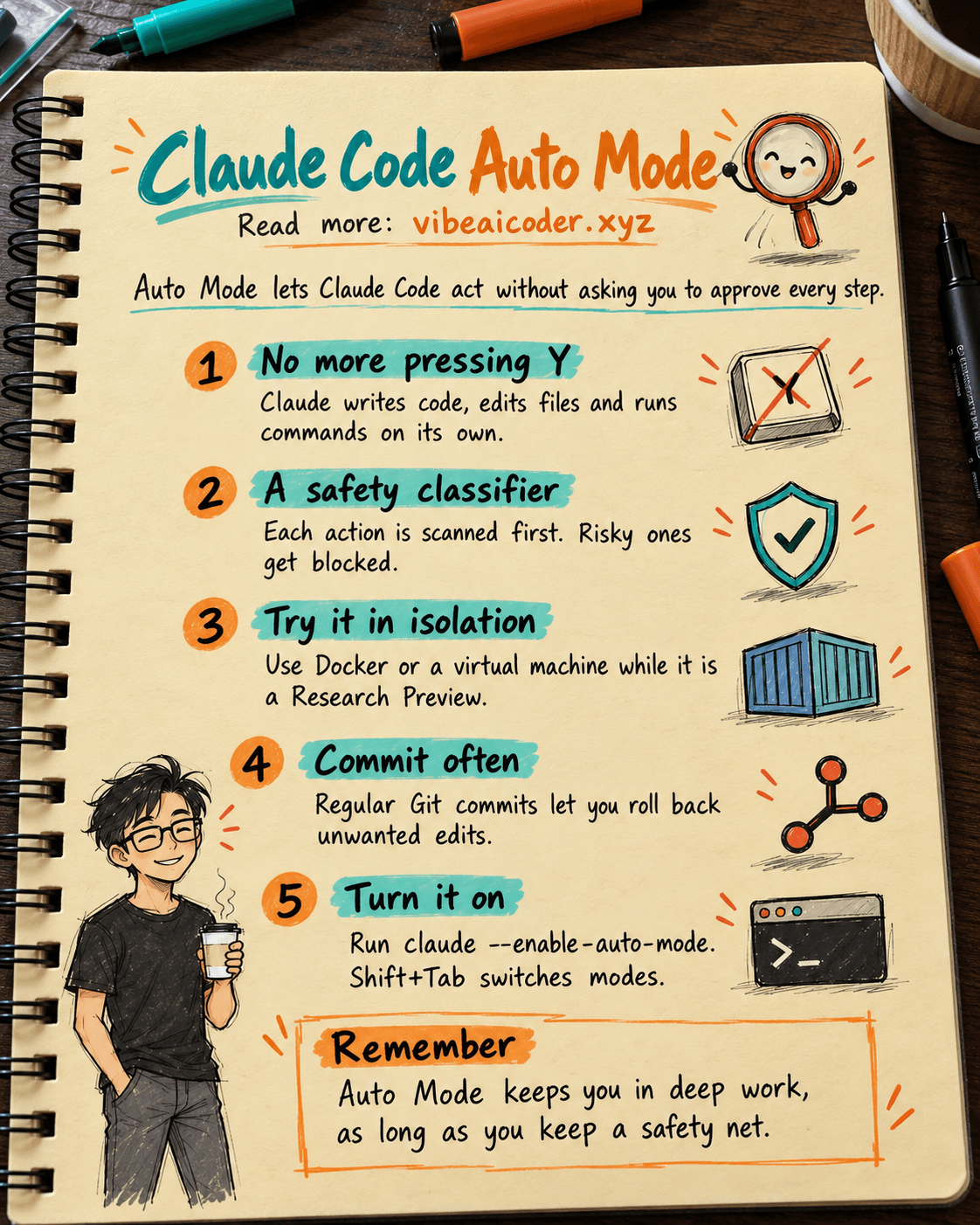
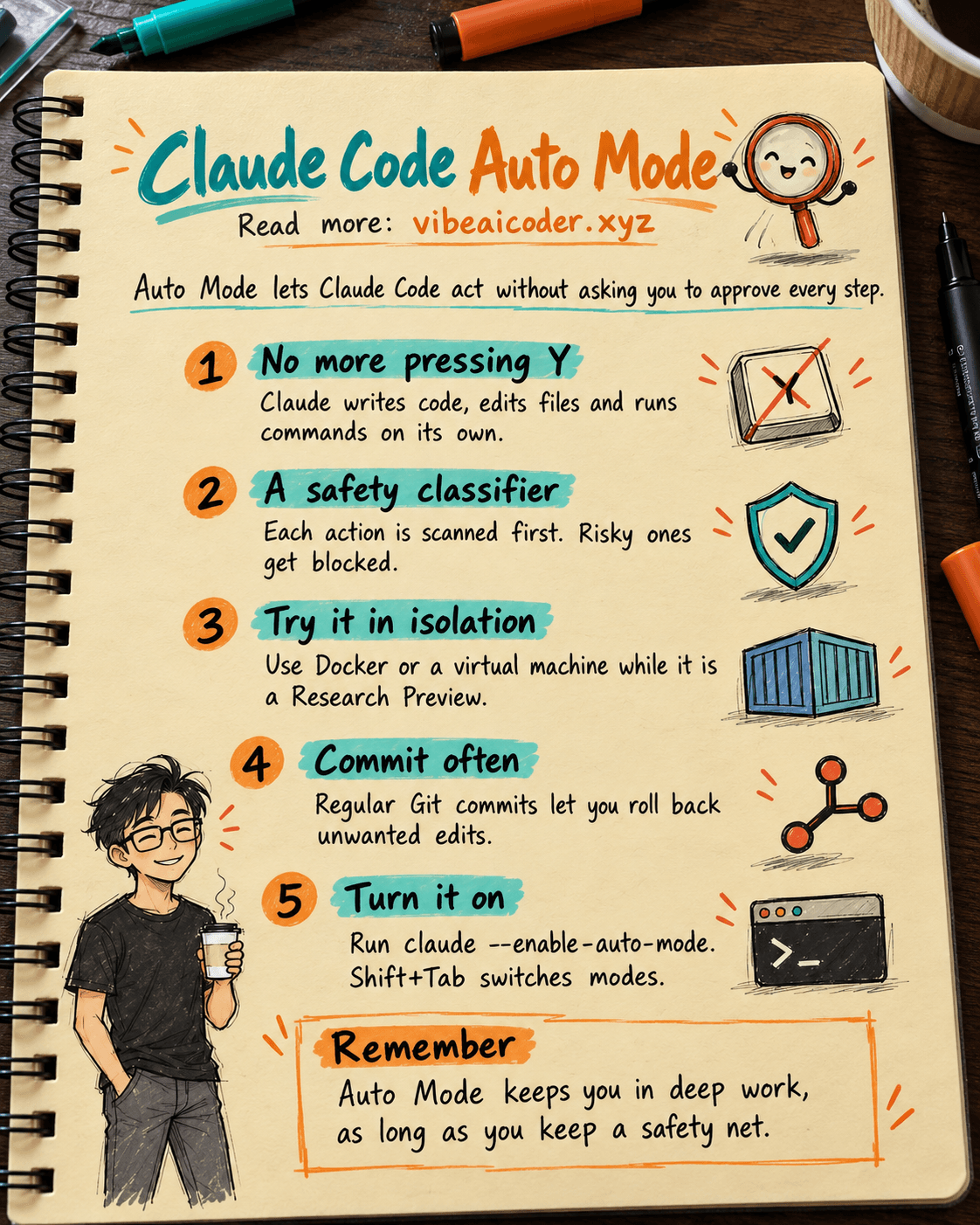
Instead of approving every tiny action one by one, Claude Code's new Auto Mode lets the AI make decisions on your behalf. That keeps your train of thought uninterrupted. Claude will automatically handle tasks like writing code, editing files, and running terminal commands without needing constant human intervention.
This is a real leap forward for anyone who wants to work faster and focus entirely on logic instead of tedious confirmation steps. Imagine telling it "set up this project with Next.js and Tailwind," then going to grab a coffee, and coming back to find everything ready, without your fingers getting tired from hitting "Y" over and over.
Smart, but still very safe
Plenty of people will worry that letting AI run commands on its own might wreck a project. Don't worry, the system comes with a smart set of safeguards. Before any action runs, a classifier scans it to judge whether it's risky.
If the system decides it's safe, the action runs automatically. If not, high risk actions like deleting important files or changing system configuration get blocked immediately. Claude will then come back and ask for your input, or find a safer approach. That gives you both speed and real peace of mind.
A note on the right environment to try it in
As great as this feature is, remember it's still in Research Preview. So the honest advice is to run it inside an isolated environment like Docker or a virtual machine, to keep your main system fully safe.
Testing it in a separate space lets you enjoy the full power of Auto Mode without worrying about unintended changes to important data. And keep committing your code with Git regularly, so you can roll back anytime if the AI edits something you didn't want changed.
How to turn it on, and the rollout plan
To try this "autopilot" mode, just run claude --enable-auto-mode in your terminal. A handy tip: you can switch between modes on the fly with Shift+Tab.
Right now, the feature is available to anyone on the Team plan. Enterprise users and developers working through the API will need to wait a bit longer, since it's rolling out more broadly over the next few days. This is a chance for small teams to move fast and handle complex projects at serious speed.
Why try it today?
In modern software development, speed and focus are the keys to success. Cutting out hundreds of confirmation keystrokes a day doesn't just save your fingers, it helps your brain stay in deep work mode for longer.
Claude Code with Auto Mode isn't just another regular tool, it feels like a real collaborator, one that understands intent and knows how to act independently when needed. Get ready to take your workflow to a new level and enjoy coding that feels like flying.
More articles

Gemini 4 Argon Reads a 500-Page Chemistry Patent in One Afternoon

Claude Opus 5.5 Codes a Real Money Trading Game in One Day

What Is a Token in AI? Why ChatGPT and Claude Charge by Tokens

What Is Chain of Thought? Why Asking AI to Think Step by Step Works Better

Claude Sonnet 5.5 vs GPT-6.1 Sol: Which AI Model Is Worth Using?

 Claude Opus 5.5 Launches: 30% Faster, 40% Cheaper, Blocks AI Brain Copying