 Claude Code Agent Teams: Turn One Developer Into an AI Team
Ever wished you could clone yourself into five people, each tackling a different part of the codebase at the same time? Claude Code just made that possible.
 Sub-agents: Specialized AI Helpers Right at Your Fingertips
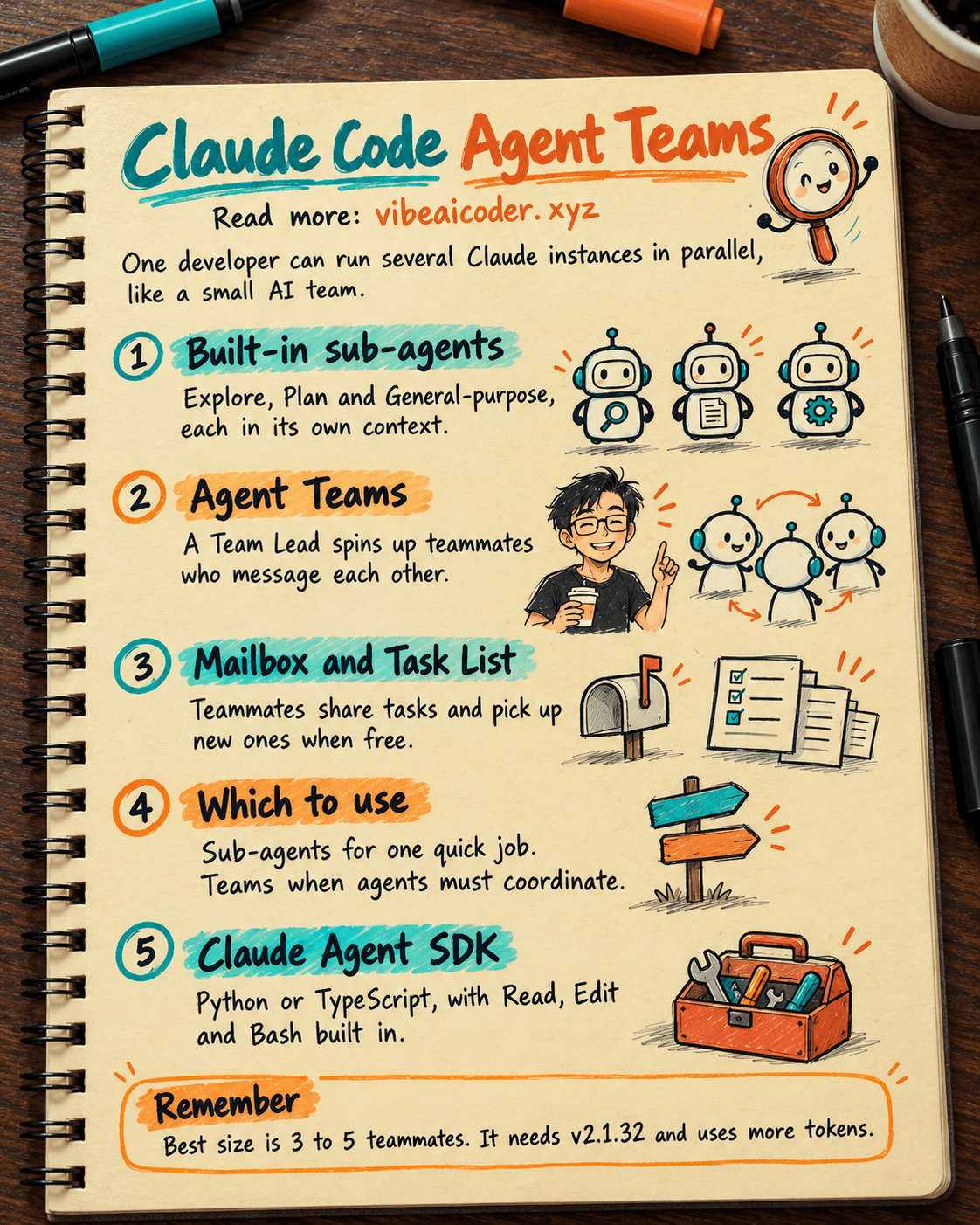
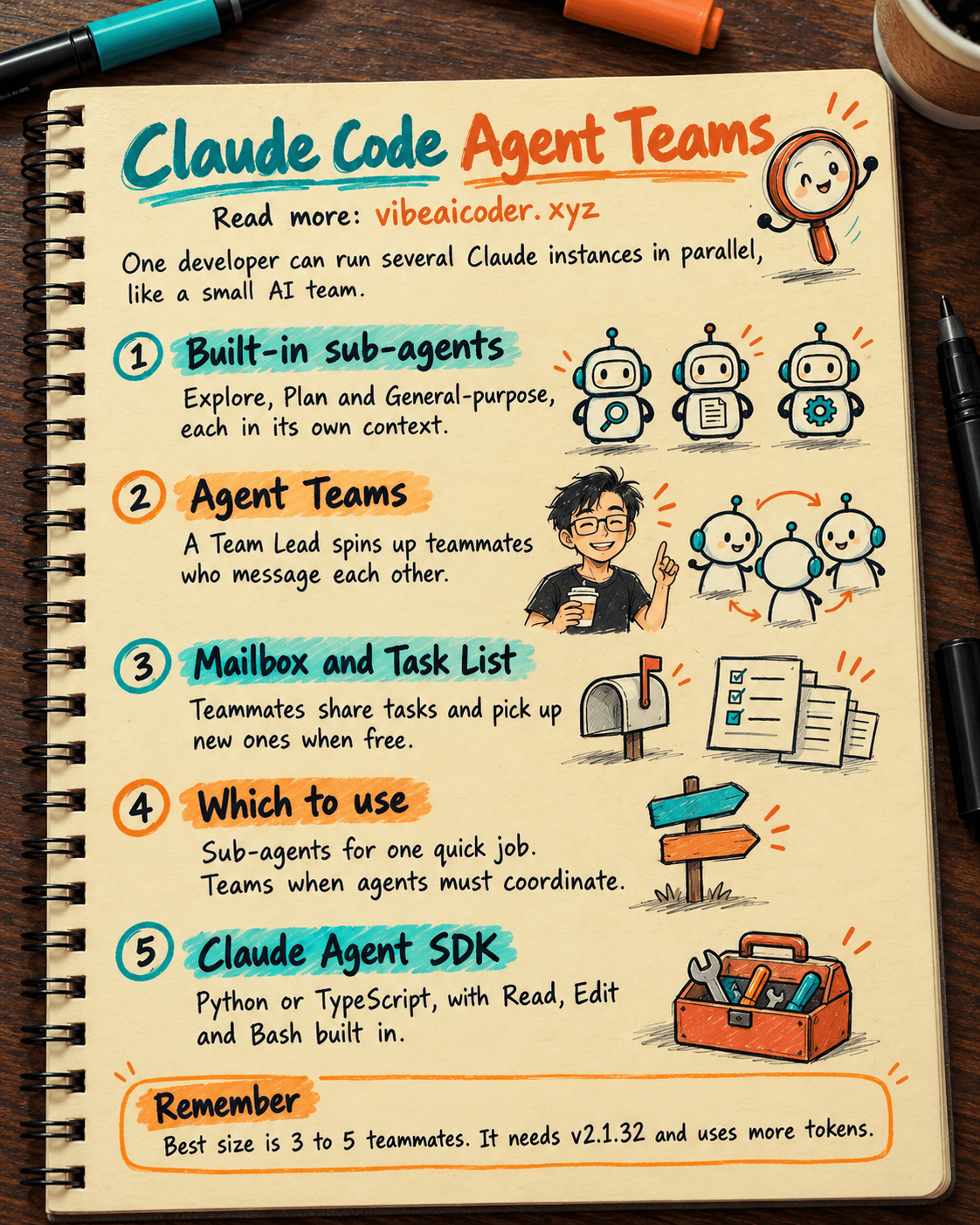
Claude Code ships with three built-in sub-agents you can use right away. Explore runs on Haiku and is built for quick, read-only code searches. Plan researches the codebase before drafting an implementation plan. General-purpose can do a bit of everything, from exploring to actually editing code. Each sub-agent runs in its own context window, so it never clutters up your main conversation. You can also build custom sub-agents with a Markdown file that has YAML frontmatter, or just type /agents in the terminal.
 Agent Teams: Multiple Claudes Running in Parallel and Talking to Each Other
This is the most interesting part. Agent Teams let you spawn multiple Claude Code instances that run at the same time. One session acts as the Team Lead, spinning up Teammates, assigning tasks, and pulling the results back together. The big difference from sub-agents is that teammates can message each other directly through a Mailbox system, share a common Task List, and pick up new tasks on their own whenever they're free. You can run everything in-process (press Shift+Down to switch between teammates) or split your terminal into panes with tmux or iTerm2 to watch them all work at once.
 When Should You Use Sub-agents vs. Agent Teams?
Sub-agents are the right call when you need a quick helper that does one job and reports back, like scanning code for bugs or researching a library. Agent Teams make more sense when the agents actually need to talk, argue, and coordinate with each other, for example reviewing a PR from three angles (security, performance, test coverage), or debugging by having five agents test five different hypotheses and then "argue it out" to find the real root cause.
 Claude Agent SDK: Bring This Power Into Your Own Code
If you want to build your own agents, the Claude Agent SDK supports both Python and TypeScript. It comes with built-in tools like Read, Edit, Bash, Grep, Glob, and WebSearch, so a working agent takes just a few lines of code, no need to write your own tool loop. Defining a sub-agent in code is just as simple: use AgentDefinition and pass in a description, a prompt, and a list of tools.
 Numbers Worth Remembering
The sweet spot is a team of 3 to 5 teammates, with each one handling about 5 to 6 tasks. Agent Teams requires Claude Code v2.1.32 or later. Keep in mind this feature is still experimental, you need to enable the CLAUDE_CODE_EXPERIMENTAL_AGENT_TEAMS flag in settings.json. Token usage will also be noticeably higher since each teammate keeps its own context window.
Which will you try first, Agent Teams or Sub-agents? Let us know in the comments!
More articles

Gemini 4 Argon Reads a 500-Page Chemistry Patent in One Afternoon

Claude Opus 5.5 Codes a Real Money Trading Game in One Day

What Is a Token in AI? Why ChatGPT and Claude Charge by Tokens

What Is Chain of Thought? Why Asking AI to Think Step by Step Works Better

Claude Sonnet 5.5 vs GPT-6.1 Sol: Which AI Model Is Worth Using?

 Claude Opus 5.5 Launches: 30% Faster, 40% Cheaper, Blocks AI Brain Copying