 Microsoft Redesigns Copilot 365 Interface to Put AI at the Center
You open Word or Outlook and see a wall of confusing buttons? Microsoft just heard that complaint.
On May 28, 2026, Microsoft officially announced a full redesign of the Copilot interface across Microsoft 365 (according to Engadget). This time the company isn't piling on more features, it's doing the opposite: decluttering the screen more than ever before.
What the new interface looks like
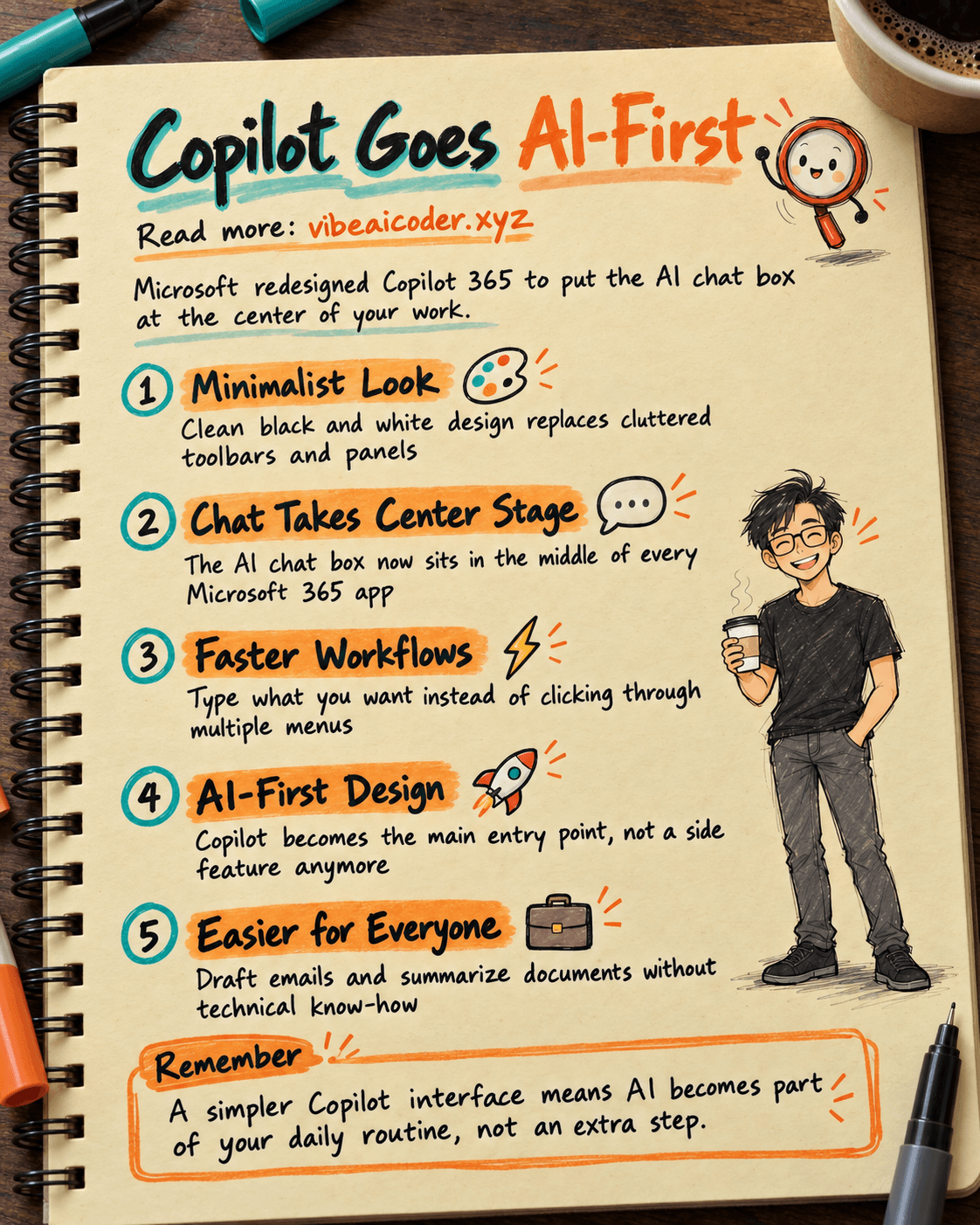
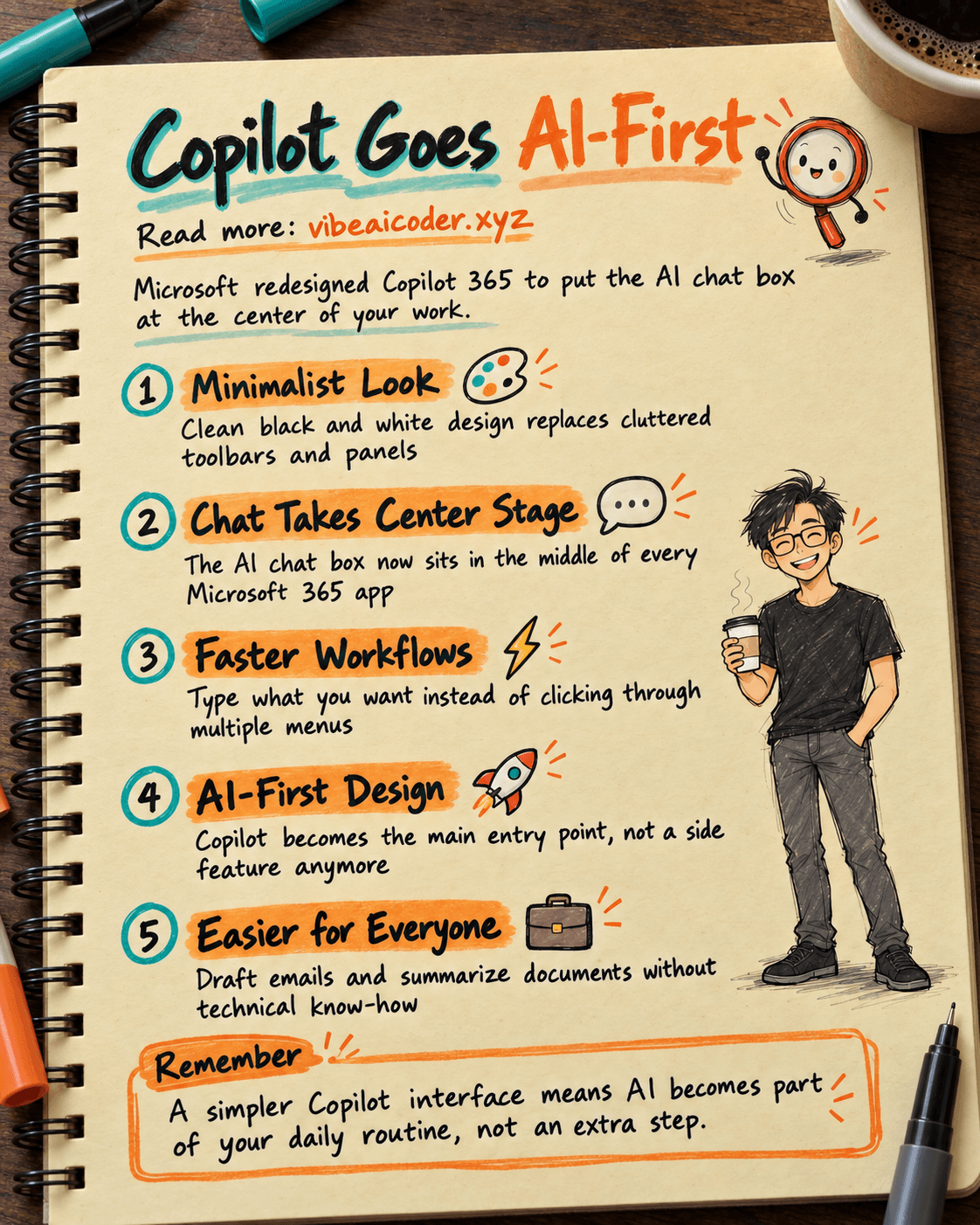
Forget the crowded panels and buttons scattered across the screen. The new Copilot interface goes minimalist, with a clean black and white look that's easy on the eyes.
The biggest change is that Microsoft now puts text at the center of the experience instead of a busy toolbar. The AI chat box sits right in the middle of the screen, and everything else that could distract you has been trimmed away. It feels like texting a smart assistant, nothing more complicated than that.
Why Microsoft is doing this
The goal is simple: help you focus on the conversation with AI instead of hunting for the right button.
A less cluttered interface means fewer distractions and faster work. Instead of clicking through five or six menus, you just type what you want into the chat box. This is how Microsoft is lowering the barrier so anyone can use AI without learning a complicated set of commands.
The rise of AI-first design
This is more than a cosmetic facelift. Microsoft is betting on an AI-first design philosophy, making the AI chat box the center of the entire office suite.
AI used to be a side feature tucked into a corner of the screen. Now it's the front door you walk through to get work done. You no longer open the software and then go looking for AI, you start everything by chatting with AI from the very first step.
What this means for office workers
This is the part that matters most for people who aren't tech savvy. A cleaner interface makes using AI far less intimidating.
You can ask AI to draft an email in seconds, summarize a long document in a few moments, or generate content for a report or a presentation. It all starts from one simple chat box, no technical knowledge required, no long manual to read. Just type what you want in English or any other language, and AI handles the rest.
Microsoft's bigger bet
Behind this small visual change sits a much bigger ambition. Microsoft is betting that Copilot will become the main gateway through which millions of people access AI every single day.
Think about it: millions of people use Word, Excel, and Outlook every day for work. If Copilot becomes a natural habit woven into every one of those actions, Microsoft will effectively own how the world works with AI. A lighter, simpler interface is the first step toward making that a reality.
So, if Copilot becomes as easy to use as texting, are you ready to let AI write your emails and summarize your documents every day?
More articles

Gemini 4 Argon Reads a 500-Page Chemistry Patent in One Afternoon

Claude Opus 5.5 Codes a Real Money Trading Game in One Day

What Is a Token in AI? Why ChatGPT and Claude Charge by Tokens

What Is Chain of Thought? Why Asking AI to Think Step by Step Works Better

Claude Sonnet 5.5 vs GPT-6.1 Sol: Which AI Model Is Worth Using?

 Claude Opus 5.5 Launches: 30% Faster, 40% Cheaper, Blocks AI Brain Copying