How Claude Code Settings Files Work: A Complete Guide
 Two Files, Two Purposes
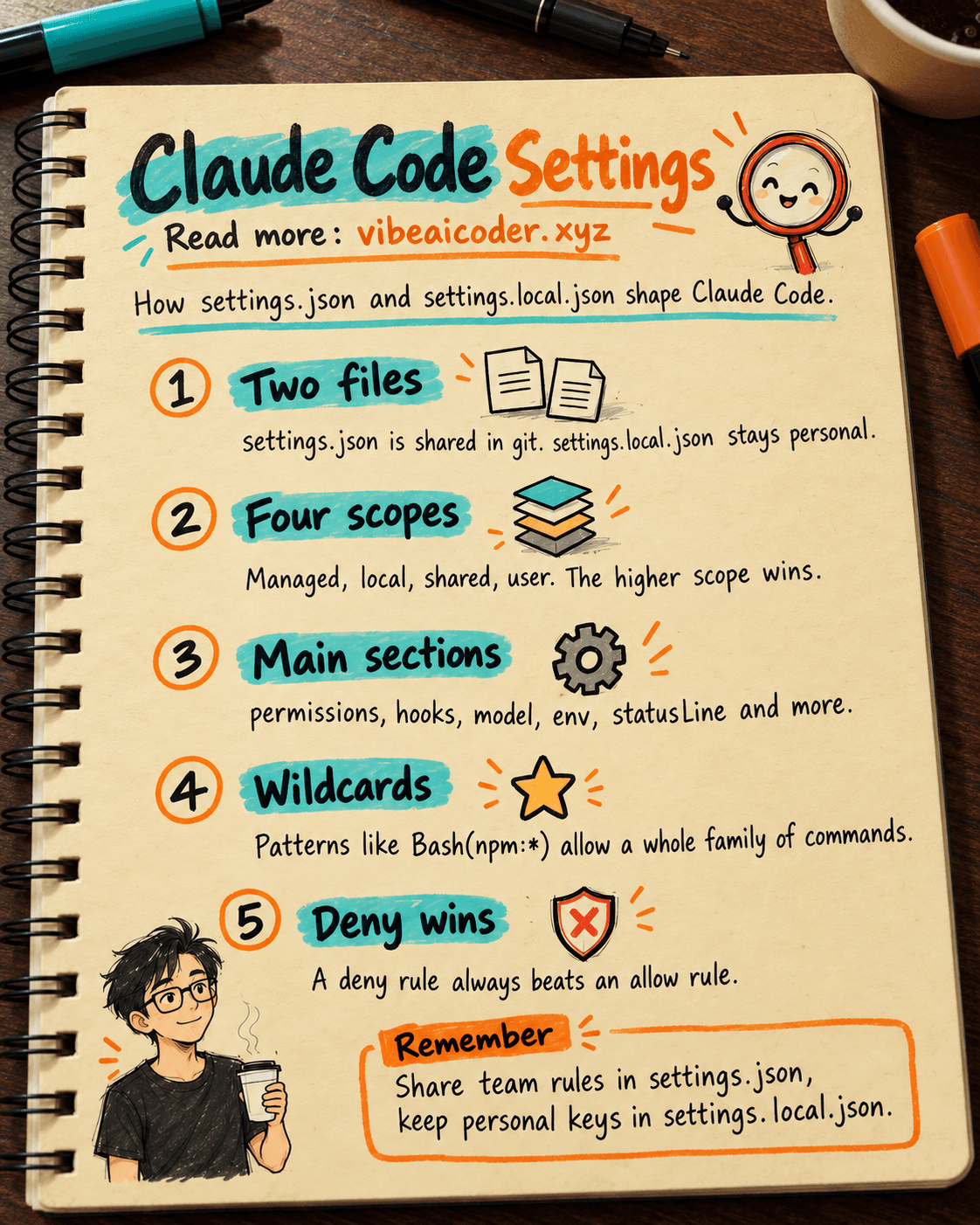
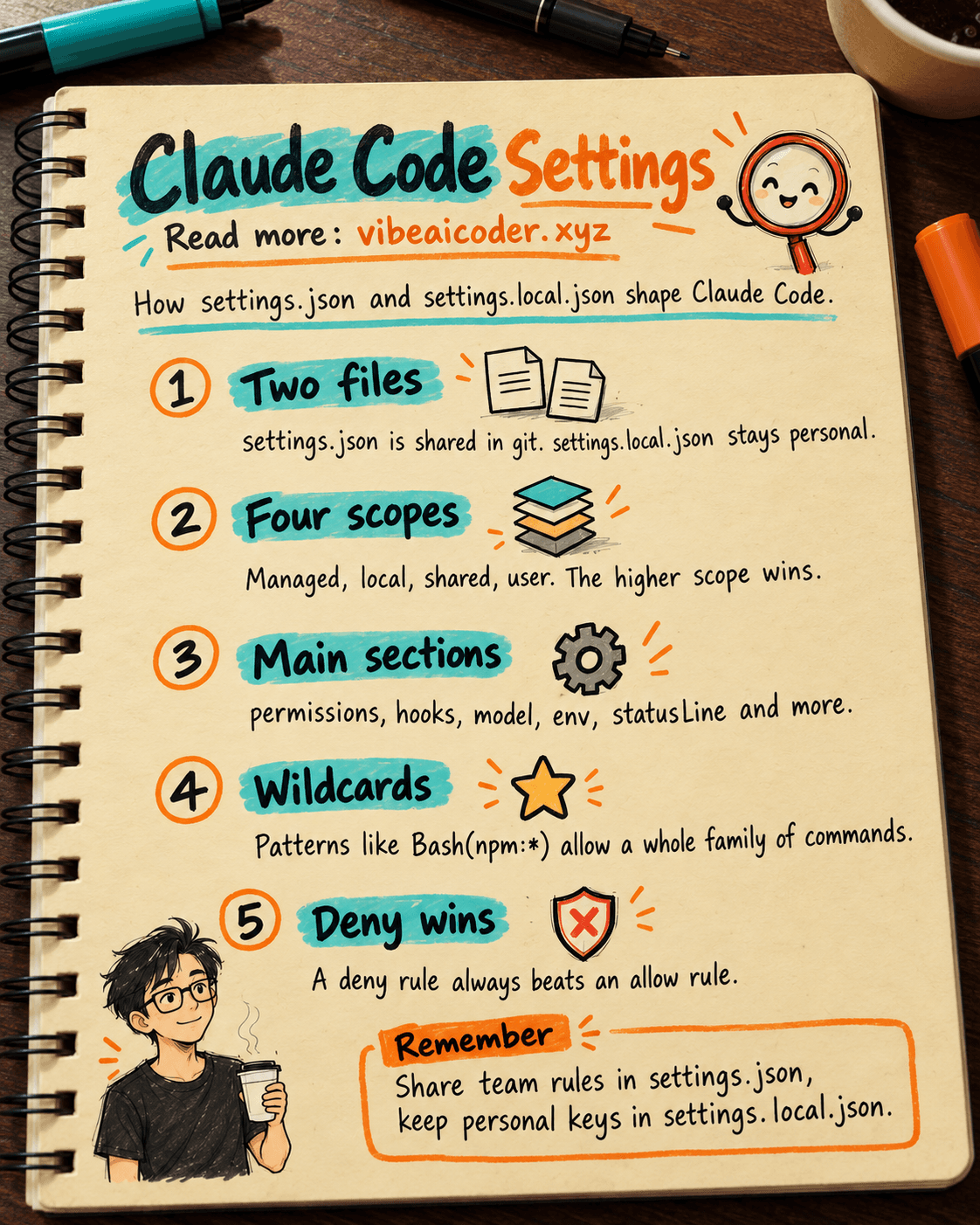
Claude Code stores its configuration in two JSON files inside your project's .claude/ folder. settings.json belongs to the whole team: you commit it to git, and it holds the shared rules everyone on the team must follow. settings.local.json is personal, Claude Code automatically adds it to .gitignore, and it holds preferences that differ for every developer, things like API keys, a default model, or extra permissions.
This separation matters a lot. The team agrees on security policy in settings.json, while each developer keeps their own habits without cluttering anyone else's commit history.
 Four Scopes, Stacked by Priority
Claude Code merges settings from four sources, from highest priority to lowest: Managed policies (controlled by IT admins at the OS level, the highest priority), Local project (.claude/settings.local.json), Shared project (.claude/settings.json), and User (~/.claude/settings.json, the lowest priority).
When settings conflict, the higher scope wins. For object style settings like permissions, Claude Code merges field by field instead of overwriting the whole object. That means the team's rules still apply even after you add your own personal rules on top.
 Eight Main Sections in settings.json
The settings.json file supports these sections: permissions (allow/deny/ask rules, defaultMode, additionalDirectories), hooks (scripts that run automatically on certain events), model (choose between claude-sonnet-4-5, opus, or haiku), env (environment variables such as ANTHROPIC_API_KEY or BASH_DEFAULT_TIMEOUT_MS), statusLine (a custom status bar in the terminal), outputStyle (how Claude formats its answers), apiKeyHelper (a script that fetches an API key dynamically), and includeCoAuthoredBy (adds a Co-Authored-By line to git commits).
 Wildcard Patterns in Permissions
Permissions support powerful wildcards. Bash(npm run test:*) allows every npm test command. Read(~/Documents/)** lets Claude read any file under Documents. WebFetch(domain:github.com) restricts fetching to github.com only. Edit(src//*.ts)** only allows editing TypeScript files inside the src folder.
One rule matters more than any other: deny always wins over allow. No matter how broad your allow rule is, a deny rule still blocks it. This is the safety mechanism teams rely on to protect sensitive files.
 A Practical Example for Your Project
In your team's settings.json, which you commit to git, you might allow Bash(git:), Bash(npm:), and Read(./), while denying Bash(rm -rf:*), Read(./.env), and Edit(./secrets/). That way, everyone who pulls the repo gets the same security rules automatically.
In your personal settings.local.json, you can add your own ANTHROPIC_API_KEY, switch to the opus model for harder tasks, or turn on extra permissions for an MCP tool you like using. This file never shows up in git, so you're free to keep tokens and personal preferences there.
Understanding these two files helps a team stay secure while still giving every developer a personalized experience that doesn't affect anyone else.
More articles

Gemini 4 Argon Reads a 500-Page Chemistry Patent in One Afternoon

Claude Opus 5.5 Codes a Real Money Trading Game in One Day

What Is a Token in AI? Why ChatGPT and Claude Charge by Tokens

What Is Chain of Thought? Why Asking AI to Think Step by Step Works Better

Claude Sonnet 5.5 vs GPT-6.1 Sol: Which AI Model Is Worth Using?

 Claude Opus 5.5 Launches: 30% Faster, 40% Cheaper, Blocks AI Brain Copying