 Convert Meeting Video to Text for Claude Code: 3 Solutions from Free to Pro
After a 1-2 hour meeting, you end up with a video file that's several gigabytes and nobody wants to watch again. Claude Code can't read video directly, so how do you get AI to help you pull out the decisions and action items?
In this post I'll walk through 3 practical solutions for converting meeting video to text, from completely free to a paid pro option, plus sample prompts for getting Claude Code to process the transcript.
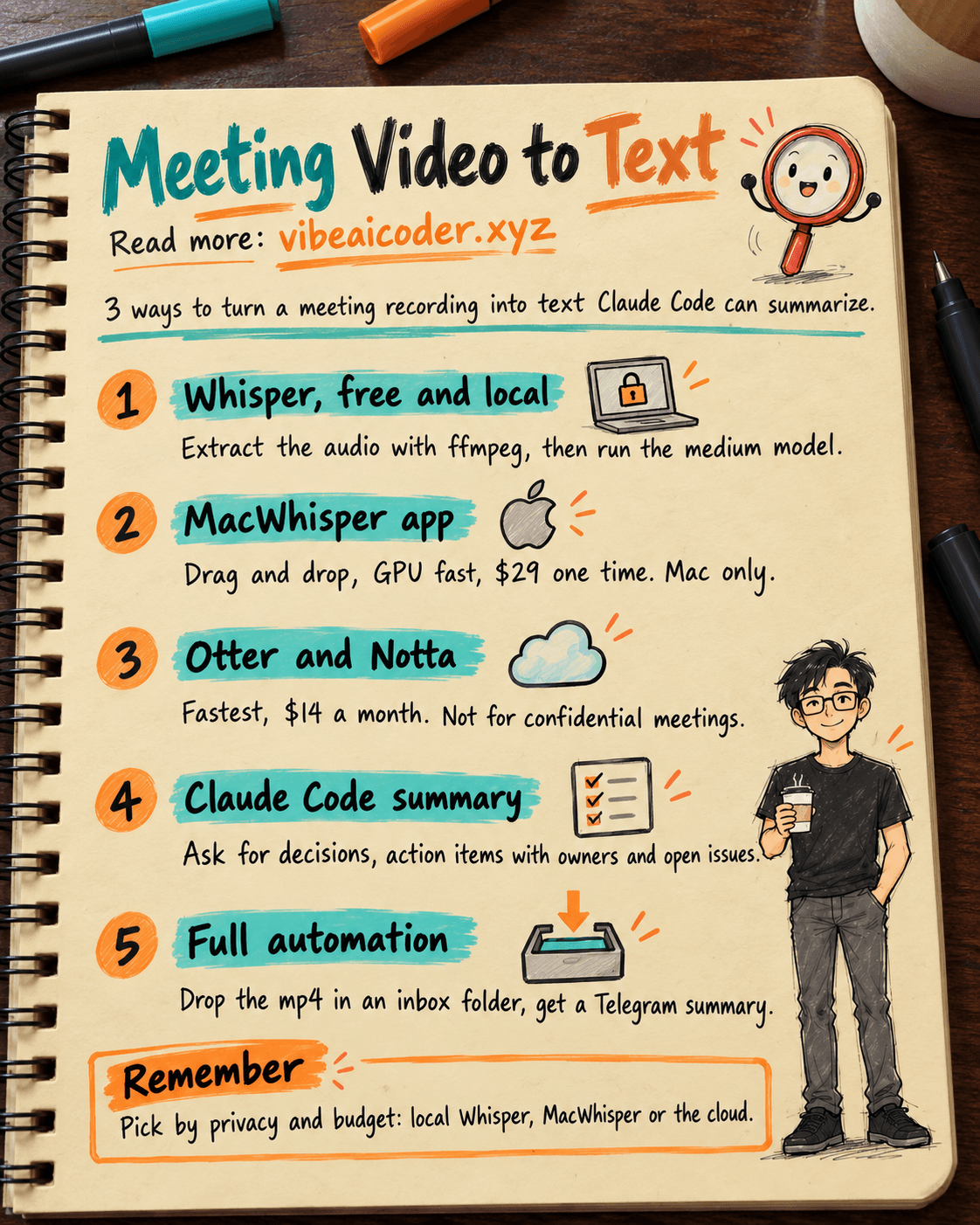
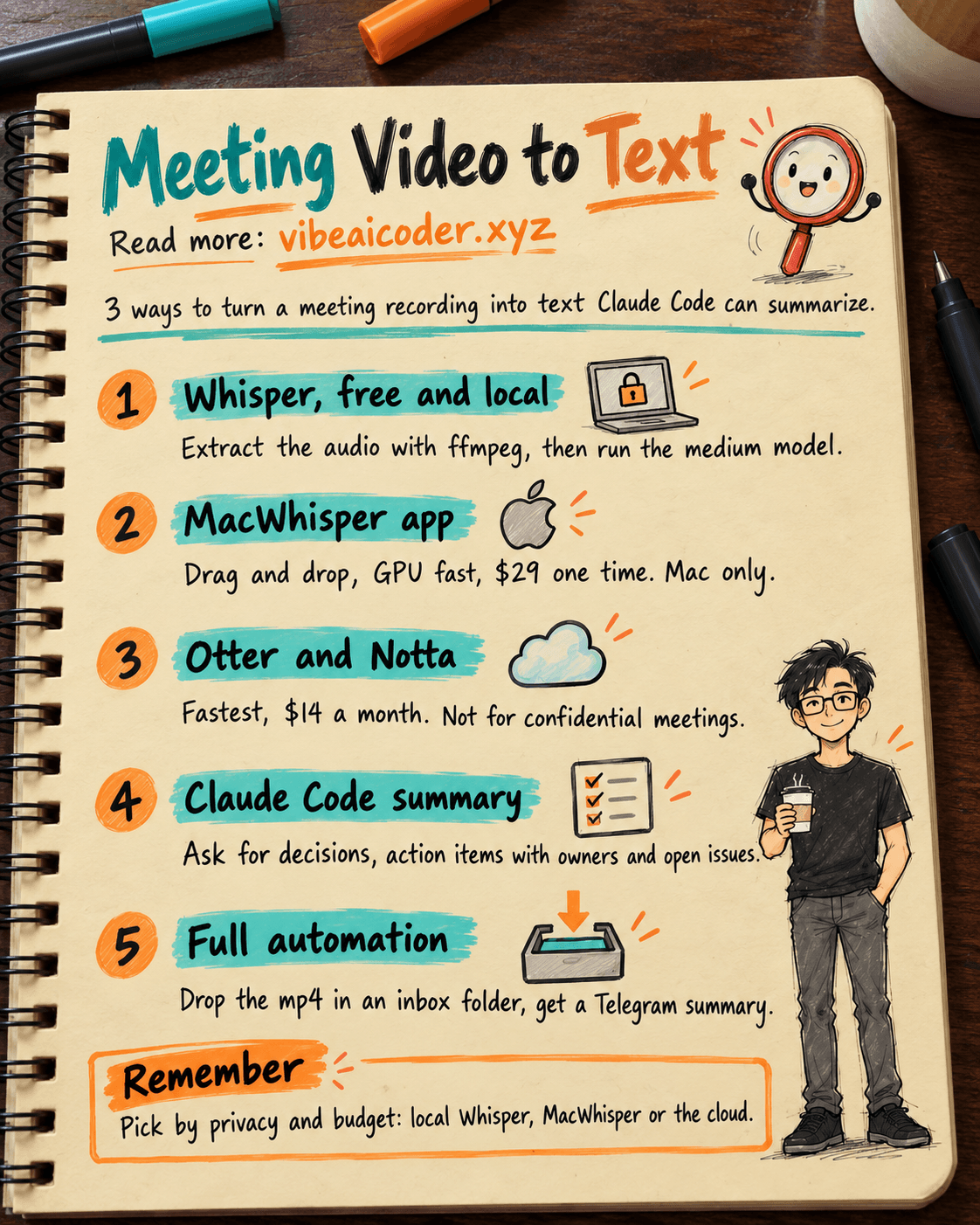
🆓 Solution 1: Whisper, Free and Local
OpenAI Whisper runs locally on your machine, so privacy is fully protected and nothing gets uploaded to the cloud.
Step 1, install ffmpeg and Whisper:
brew install ffmpeg
pip install openai-whisper
Step 2, extract the audio from the video to cut the file size by about 10x:
ffmpeg -i meeting.mp4 -vn -acodec mp3 meeting.mp3
The -vn flag means no video, and -acodec mp3 encodes it as a lightweight MP3.
Step 3, transcribe with this command:
whisper meeting.mp3 --model medium --language Vietnamese --output_format txt
For Vietnamese, the medium model is the best balance between speed and accuracy. On an M1/M2 Mac, a 1-hour meeting takes about 30 minutes to transcribe using MPS, or around 2 hours on CPU alone.
Pro tip: add the -ar 16000 flag when extracting audio to downsample it. Whisper runs about twice as fast with almost no loss in accuracy.
🍎 Solution 2: MacWhisper for the GUI Crowd
If the terminal isn't your thing, MacWhisper is the best pick. It wraps the Whisper CLI in a clean GUI app: drag your video file in, pick a model, hit Transcribe, and you're done.
Key advantages:
Supports Metal GPU acceleration, about 3x faster than running on CPU alone.
Batch processes multiple files at once, and exports to txt, srt, vtt, or docx.
No command line needed, which makes it a good fit for solo founders or PMs who don't code.
The Pro version costs about $29 as a one-time purchase, yours to keep forever. The only downside is it's Mac-only.
 Solution 3: Otter and Notta in the Cloud
This is the fastest option, and it doesn't use your local machine at all. Otter.ai can send a bot to sit in your meeting on Zoom or Google Meet and transcribe it in real time with speaker identification.
Notta handles Vietnamese noticeably better than Otter. The free tier gives you 120 minutes a month, and the Pro plan at $14 a month is unlimited.
Important note: cloud tools upload your data to the provider's servers, so they're not a good fit for confidential meetings covering company strategy or customer information. In exchange, you get clean transcripts, a mobile app, and easier sharing with your team than local Whisper offers.
 How Claude Code Processes the Transcript
Once you have a text file, save it into a ~/meetings/ folder and open Claude Code right there.
A simple sample prompt to summarize it quickly:
"Read the file meeting_2026-04-10.txt. Summarize it in this format: 1) The key decisions made in the meeting, 2) Action items with the owner and deadline for each, 3) Open issues that still need follow-up, 4) A 3-sentence overview summary of the meeting. Output in English, formatted as markdown."
A more advanced prompt for comparing multiple meetings:
"Compare meeting_2026-04-10.txt with last week's meeting_2026-04-03.txt. Point out which action items are still not done, which decisions changed, and how the team's discussion trended over the two weeks."
Claude Code reads the transcript and hands back a tidy summary you can paste straight into Notion or send to your team by email.
 Setting Up a Fully Automatic Hook
At the highest level, you don't have to do anything at all. Create a ~/meetings/inbox folder, then set up fswatch or a similar folder watcher to automatically run a script whenever a new mp4 file shows up.
The script handles 4 steps automatically: extract the audio with ffmpeg, transcribe it with Whisper, call Claude Code with a summary prompt, and finally save the output to ~/meetings/summaries/ and send a notification through a Telegram bot.
From then on, every time a meeting ends you just drop the mp4 file into the inbox folder, go grab a coffee, and 30 minutes later your phone buzzes with a full summary of decisions, action items, and follow-ups.
Local Whisper is free and great for privacy but a bit more work to set up, a good fit for developers. MacWhisper is a one-time $29 purchase, a good fit for solo founders on a Mac. Otter and Notta run $14 a month, are the fastest option, and come with mobile apps, a good fit for teams that need to share quickly.
Which approach are you using to turn meetings into action items, or are you still sitting through the recording manually?
More articles

Gemini 4 Argon Reads a 500-Page Chemistry Patent in One Afternoon

Claude Opus 5.5 Codes a Real Money Trading Game in One Day

What Is a Token in AI? Why ChatGPT and Claude Charge by Tokens

What Is Chain of Thought? Why Asking AI to Think Step by Step Works Better

Claude Sonnet 5.5 vs GPT-6.1 Sol: Which AI Model Is Worth Using?
 Claude Opus 5.5 Launches: 30% Faster, 40% Cheaper, Blocks AI Brain Copying