 Claude Skills: Package Knowledge and Automate Workflows
An overview of the Skill system
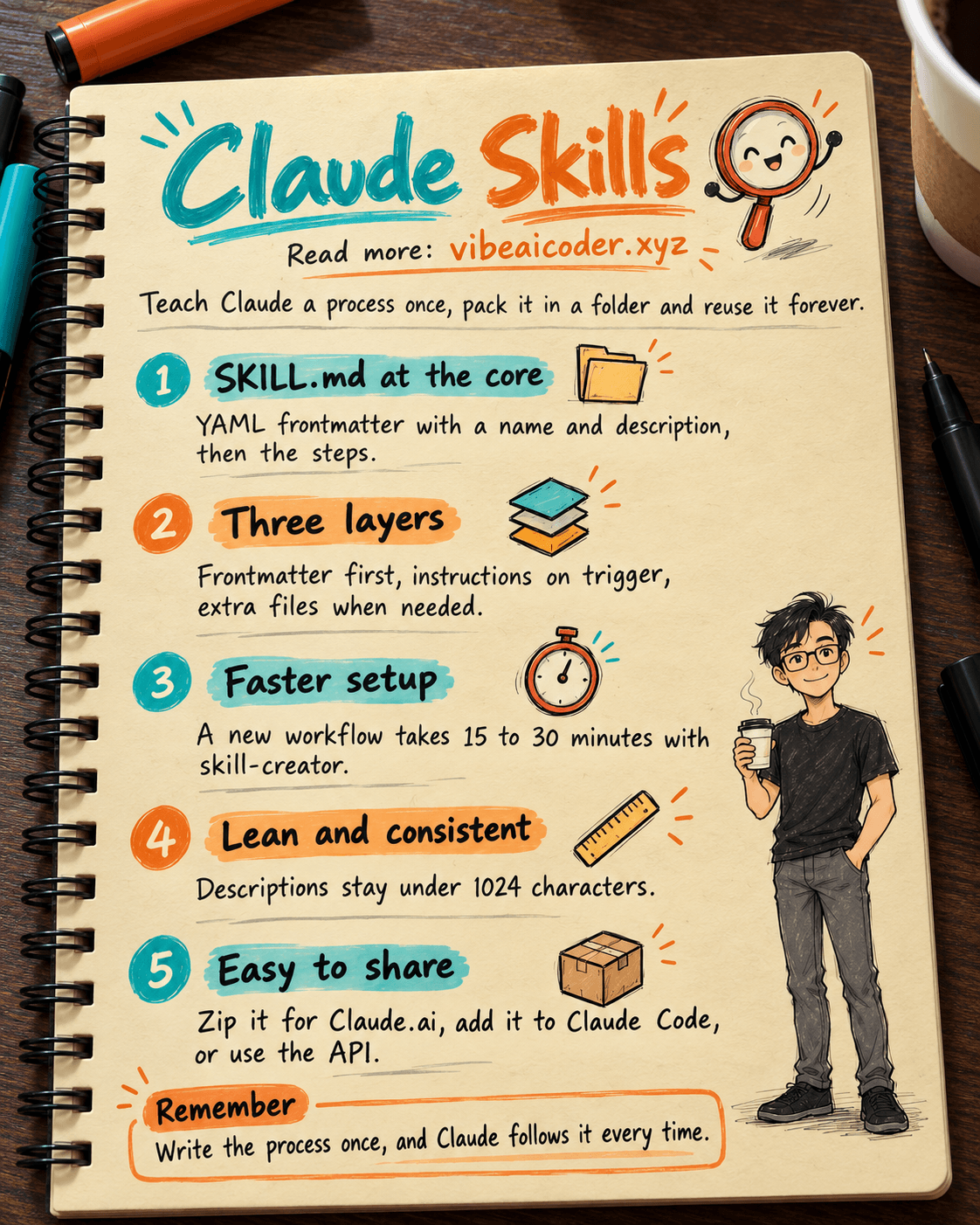
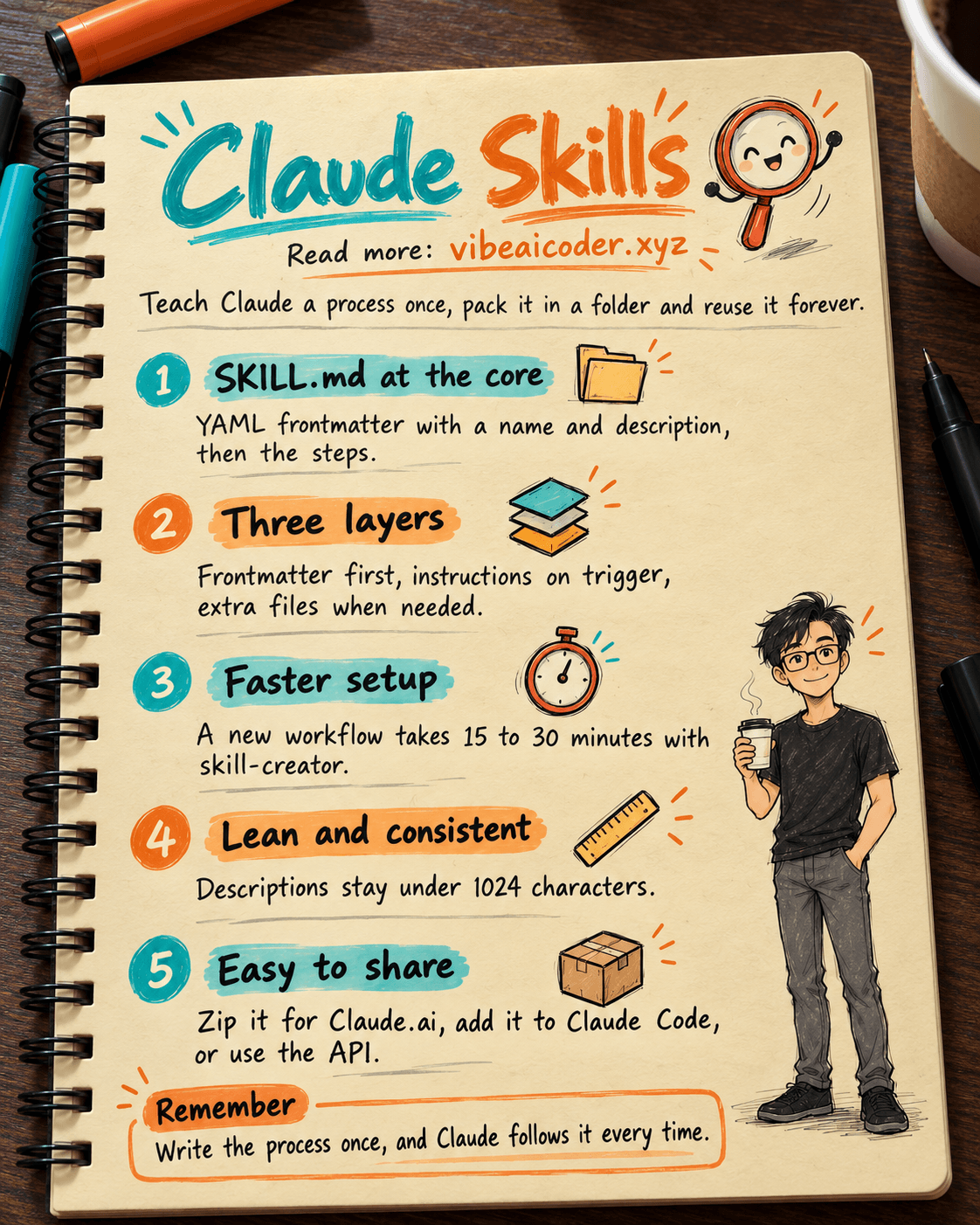
The Skill system is a standardized way to "teach" Claude specialized abilities through instructions packaged inside a folder structure. For product managers and developers, Skills solve the problem of repeating yourself: instead of re-explaining a process, working style, or piece of domain knowledge every time, you teach Claude once and reuse it indefinitely.
The system is built on the principle of progressive disclosure. Rather than loading everything into context at once (which wastes memory), it works in three layers: load lightweight identifying info first (the frontmatter), load the main instructions only when the skill is triggered, and only reach for supporting files when they're actually needed.
Real-world performance and metrics
Adopting the Skill system brings measurable improvements to a workflow:
Faster setup: Setup time for a new workflow drops from hours to 15 to 30 minutes with the help of the skill-creator tool.
Better context efficiency: Memory usage stays lean by capping skill descriptions at under 1024 characters and only activating a skill when the right keywords appear.
Higher accuracy: Complex task completion rates improve through testing that specifically targets triggering behavior and error handling (functional tests).
More consistency: Output (code, documentation) follows the style guide 100% of the time without needing to repeat instructions in every conversation.
How it works under the hood
Technically, a Skill is made up of the following components:
The SKILL.md file: this is the heart of the system, containing a YAML frontmatter block at the top for identification, followed by detailed Markdown instructions.
YAML frontmatter: must include a name field (in kebab-case) and a description. For security, the description must never contain XML tags.
Supporting folder structure: this includes scripts for executable code, references for reference documentation, and assets for templates or images.
Coordination models: Skills support sequential workflows or multi-MCP coordination for more complex, integrated system tasks.
Building and distributing skills
The process from building a skill to using it in practice is streamlined for both individuals and organizations:
Main use cases: generating content assets (code, presentations), automating workflows, and extending the power of MCP servers.
Testing: comparing performance with and without a skill to evaluate token consumption and API call success rates.
Distribution: users can zip up the folder to upload to Claude.ai, or integrate it directly into a Claude Code directory.
Enterprise rollout: skills can be deployed centrally across an entire workspace, or called through the dedicated /v1/skills API for AI agent systems.
Conclusion
Source: compiled from "The Complete Guide to Building Skills for Claude."
More articles

Gemini 4 Argon Reads a 500-Page Chemistry Patent in One Afternoon

Claude Opus 5.5 Codes a Real Money Trading Game in One Day

What Is a Token in AI? Why ChatGPT and Claude Charge by Tokens

What Is Chain of Thought? Why Asking AI to Think Step by Step Works Better

Claude Sonnet 5.5 vs GPT-6.1 Sol: Which AI Model Is Worth Using?

 Claude Opus 5.5 Launches: 30% Faster, 40% Cheaper, Blocks AI Brain Copying