 Claude Design: Turn a Chat Into a Designer-Quality Prototype
Ever wished you had your own personal designer, someone who could turn a rough idea into a polished slide deck, prototype, or one-pager just from a description? On April 17, 2026, Anthropic made that wish real with Claude Design, a brand new tool out of Anthropic Labs.
What is Claude Design, and why is everyone talking about it
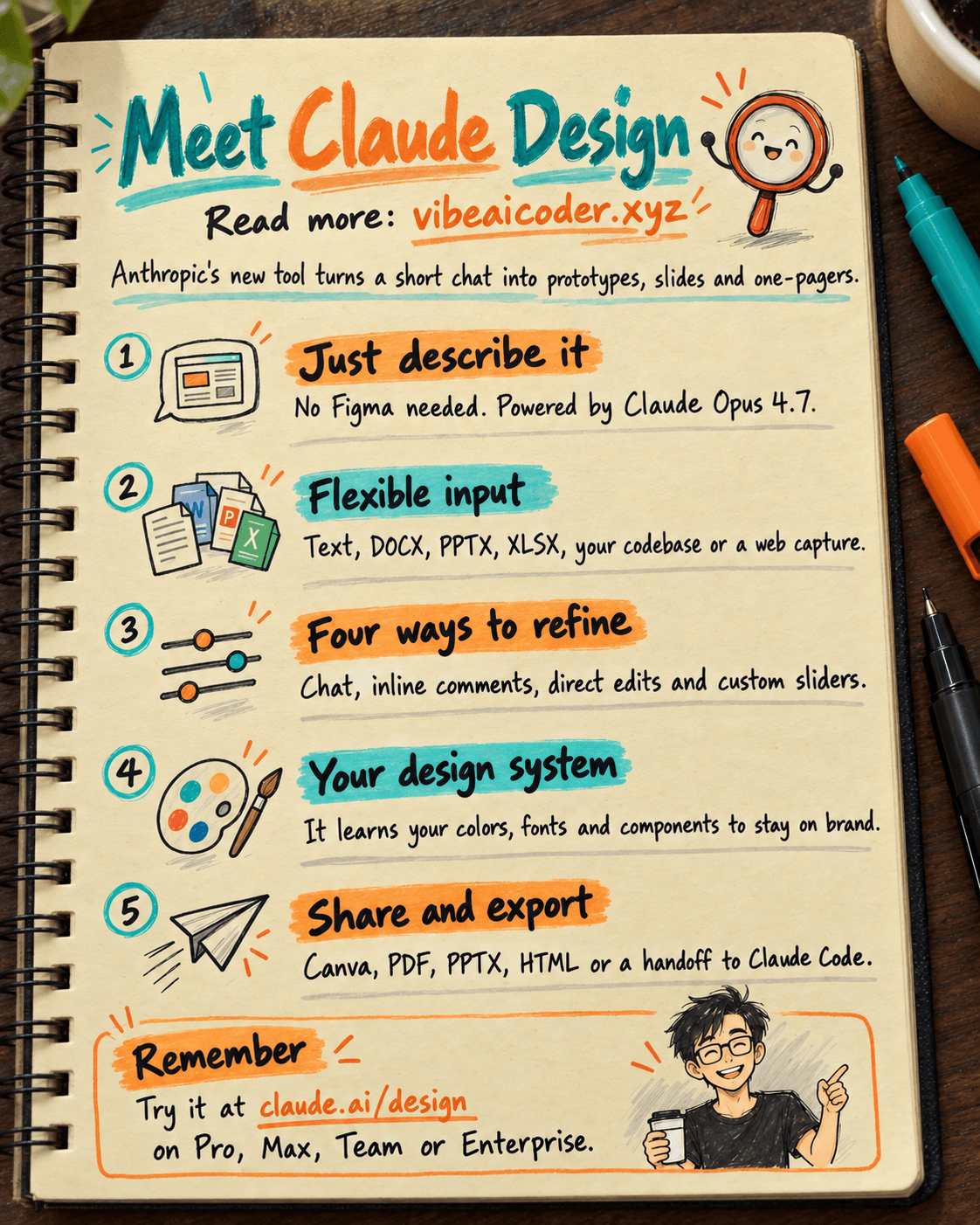
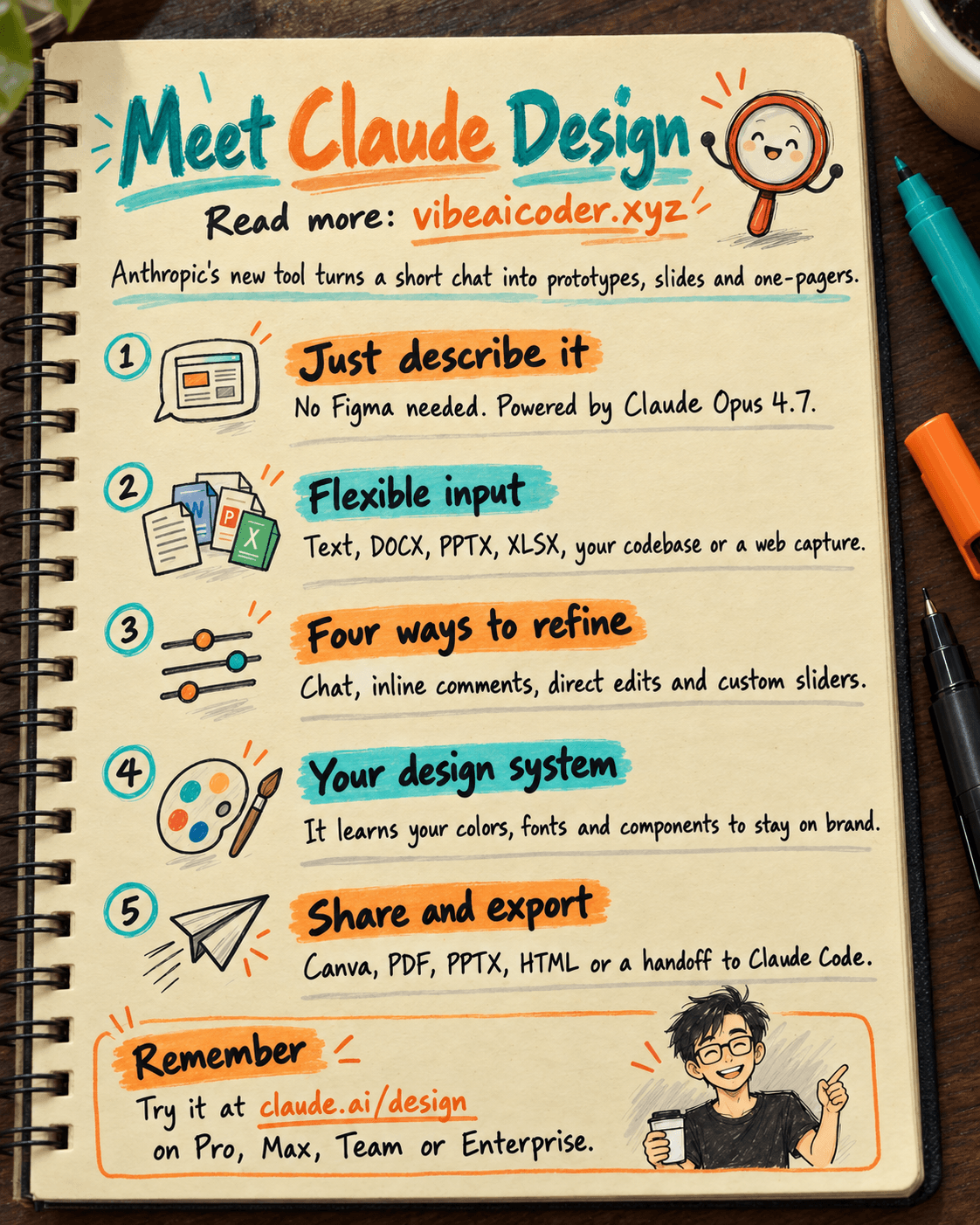
Claude Design lets you build prototypes, presentation slides, and one-pagers just by chatting with Claude. No need to learn Figma, no complicated drag and drop, you simply describe what you want and Claude builds it.
Under the hood sits Claude Opus 4.7, Anthropic's strongest vision model to date. That is why Claude can understand what you are asking for so quickly, from layout and color to the placement of individual elements.
Claude Design is currently in research preview, available on the Pro, Max, Team, and Enterprise plans. You can try it at claude.ai/design. Enterprise admins need to turn it on in Organization settings first.
Input options that are almost too flexible
The best part of Claude Design is how flexible the input is. You can type a text prompt, upload a DOCX, PPTX, or XLSX file, point it straight at your codebase, or use the web capture feature to pull elements from any website.
Claude builds a first draft from your description, and from there you have four easy ways to refine it.
First, keep chatting with Claude like normal. Second, leave inline comments on specific elements. Third, edit the text directly. Fourth, use custom sliders to fine tune spacing, color, and layout exactly the way you want.
Its own design system, so everything stays on brand
This is the standout feature. During setup, Claude reads your existing codebase and design files, then builds a custom design system for you, including your color palette, typography, and components.
Every project you create afterward automatically follows that design system, so everything you make stays on brand without you having to repeat yourself. That is a big win for marketing and dev teams who want to keep their brand identity consistent.
Collaboration and export that punch above their weight
Claude Design supports sharing at the organization level, with view only or edit permissions. You can even open group conversations with Claude so your whole team can discuss and refine a design together in one place.
Export options cover pretty much everything you would need. You can export via your organization's internal URL, or send designs to Canva, PDF, PPTX, or standalone HTML. Best of all is the handoff bundle to Claude Code, triggered with a single command, so developers can pick it up and ship it right away.
Who should try Claude Design right now
This tool fits a huge range of use cases. You can build interactive prototypes for user testing, put together wireframes and mockups to hand off to developers, explore design ideas, create pitch decks for investors, or draft marketing collateral.
Claude Design can even produce code powered prototypes with voice, video, and 3D elements. That means product managers, designers, marketers, and founders can all use it without learning a new tool.
What do you think, could Claude Design replace Figma in your workflow?
More articles

Gemini 4 Argon Reads a 500-Page Chemistry Patent in One Afternoon

Claude Opus 5.5 Codes a Real Money Trading Game in One Day

What Is a Token in AI? Why ChatGPT and Claude Charge by Tokens

What Is Chain of Thought? Why Asking AI to Think Step by Step Works Better

Claude Sonnet 5.5 vs GPT-6.1 Sol: Which AI Model Is Worth Using?

 Claude Opus 5.5 Launches: 30% Faster, 40% Cheaper, Blocks AI Brain Copying