 Claude Code Launches /ultraplan: Plan Your Code on the Web First
Ever let an AI "run wild" editing your code, then had to sit there reverting everything one commit at a time? Claude Code just shipped a feature aimed squarely at that pain, and senior developers are raving about it.
What /ultraplan Is and Why Everyone's Talking About It
Claude Code has officially launched /ultraplan, an advanced implementation planning tool that runs right inside the web interface.
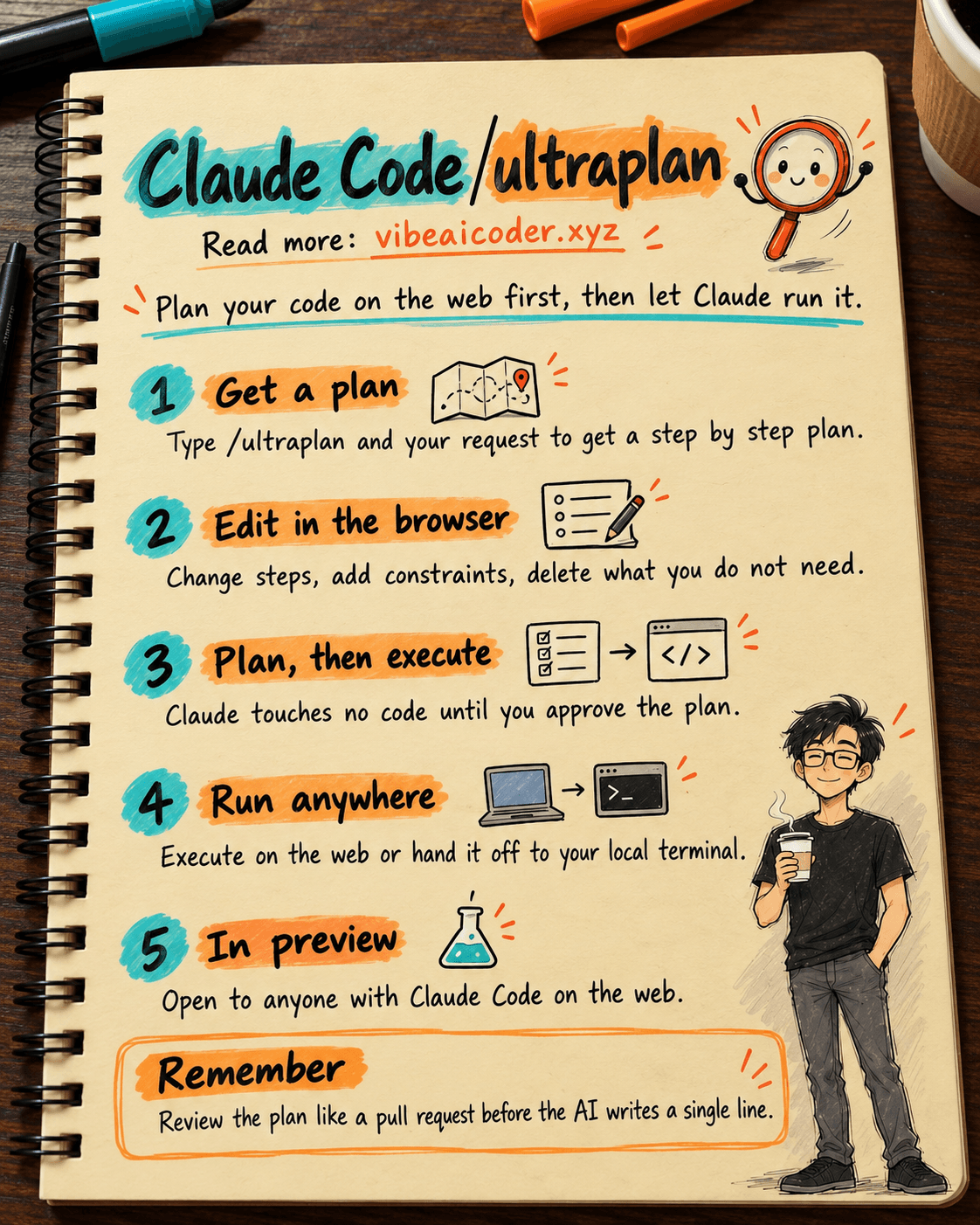
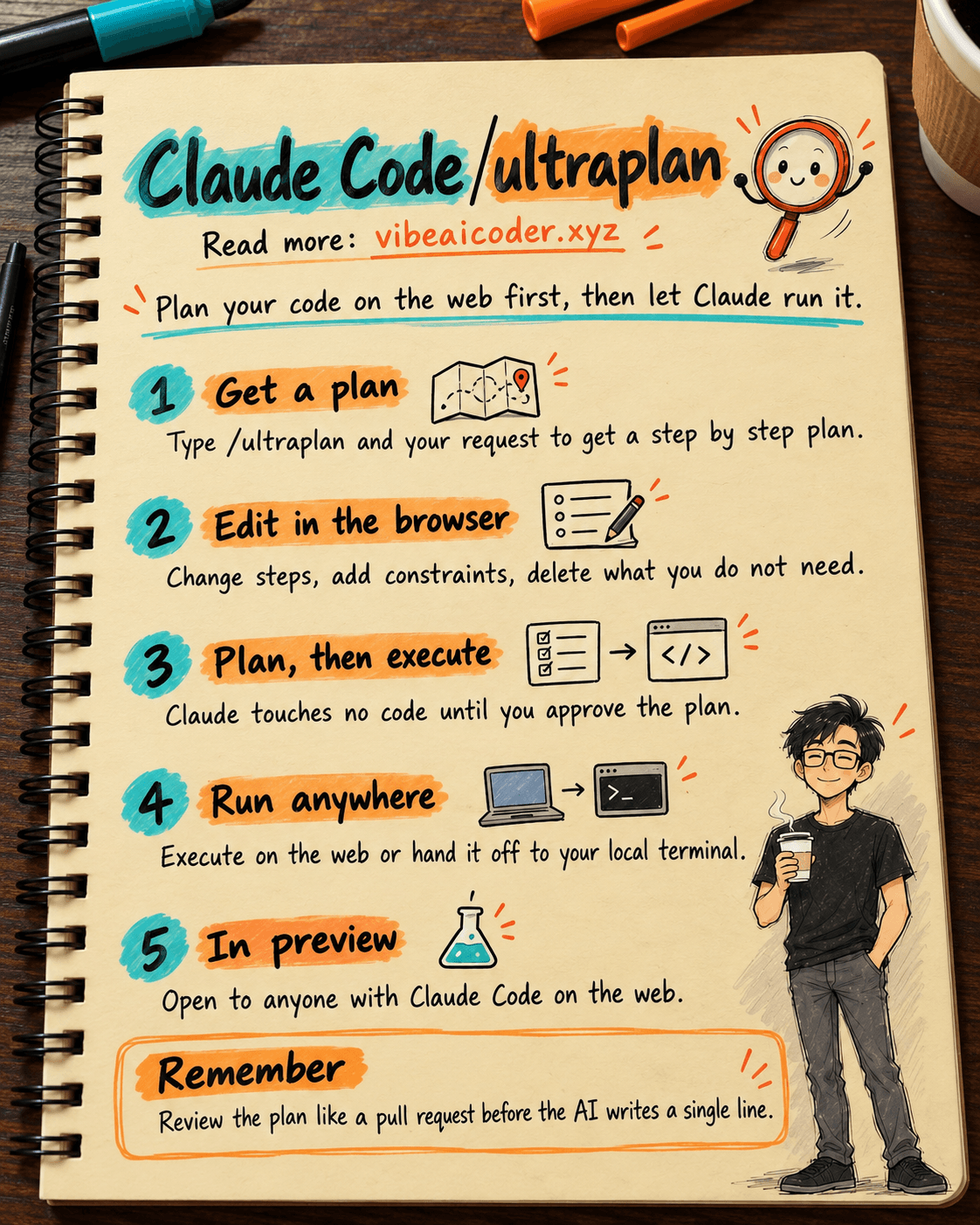
Just type /ultraplan followed by your request, and Claude automatically analyzes the full context and builds a detailed, step by step plan. No more watching an AI jump in and rewrite code at random; you see everything before it happens.
The feature is currently in preview, open to any user with access to Claude Code on the web, so anyone can try it today.
Read, Edit, and Add Constraints Right in the Browser
The best part of /ultraplan is the review step. The plan shows up on the web with a clean, easy to read layout, and you can scroll through each step at your own pace.
See a step that doesn't look right? Edit it directly in the UI. Want to add a constraint like "don't touch the config file" or "keep the existing logic"? Just type it in. Something unnecessary? Delete it outright.
It feels like reviewing a pull request written by the AI itself, before it's allowed to write a single line of code.
Separating "Planning" from "Execution"
This is the most important idea behind it. Instead of letting the AI think and code at the same time like before, /ultraplan splits the process into two distinct phases.
Phase one is planning, where Claude only thinks and proposes, without touching the codebase. Phase two is execution, which only starts once you've approved the plan.
This approach dramatically cuts the risk of the AI heading in the wrong direction, reduces how often you have to run git reset in the middle of the night, and, most importantly, lets you control the context before anything actually changes.
Once You Approve It, Run It Anywhere
Once the plan looks exactly right to you, Claude Code gives you two flexible ways to execute it.
One option is to run it directly on the web, which works well for lighter tasks when you want something quick without opening your local machine. The other is to hand the plan off to your local terminal, so the desktop version of Claude Code can execute it inside your actual dev environment.
This workflow is especially useful if you work across multiple devices: plan on the web from a coffee shop, then get home, open your terminal, and pick up execution without missing a step.
Why Senior Developers Are So Into /ultraplan
For experienced developers, "plan first, code later" isn't a new idea, it's a core principle. /ultraplan is the first time a serious AI coding agent has actually built that philosophy into the product.
You no longer have to hope the AI guesses your intent correctly. You actively write out the constraints, review each logical step, and only then hit execute. This is how experienced developers work, not a game of "vibe coding" roulette.
The result is higher quality code, fewer bugs, and noticeably less time spent debugging.
Have you tried /ultraplan yet? Does reviewing the AI's plan on the web make you trust the process more?
More articles

Gemini 4 Argon Reads a 500-Page Chemistry Patent in One Afternoon

Claude Opus 5.5 Codes a Real Money Trading Game in One Day

What Is a Token in AI? Why ChatGPT and Claude Charge by Tokens

What Is Chain of Thought? Why Asking AI to Think Step by Step Works Better

Claude Sonnet 5.5 vs GPT-6.1 Sol: Which AI Model Is Worth Using?

 Claude Opus 5.5 Launches: 30% Faster, 40% Cheaper, Blocks AI Brain Copying