 Claude Code: Sub-Agents vs Agent Teams, Which Should You Pick?
Want to parallelize your work in Claude Code but feeling torn between Sub-agents and the newly launched Agent Teams? No worries, this post breaks down the A-Z so you can pick the right "weapon" for your project.
 START WITH THE BIG PICTURE
Both are multi-agent models that let you split work into pieces and run them in parallel to save time. However, Sub-agents (stable since early 2025) and Agent Teams (experimental since February 2026, Opus 4.6) have completely different core communication mechanics.
 A CLOSER LOOK AT SUB-AGENTS (focused workers)
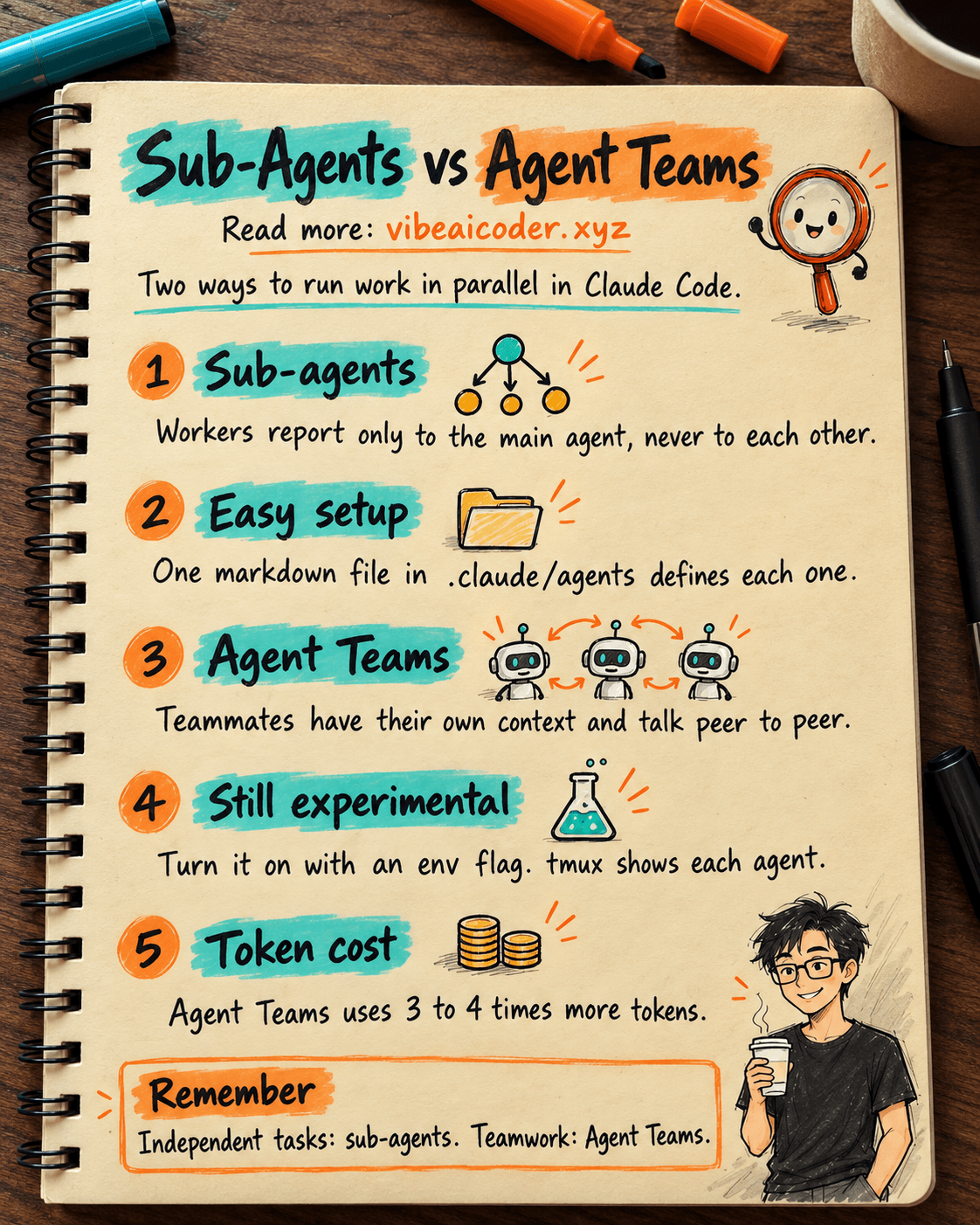
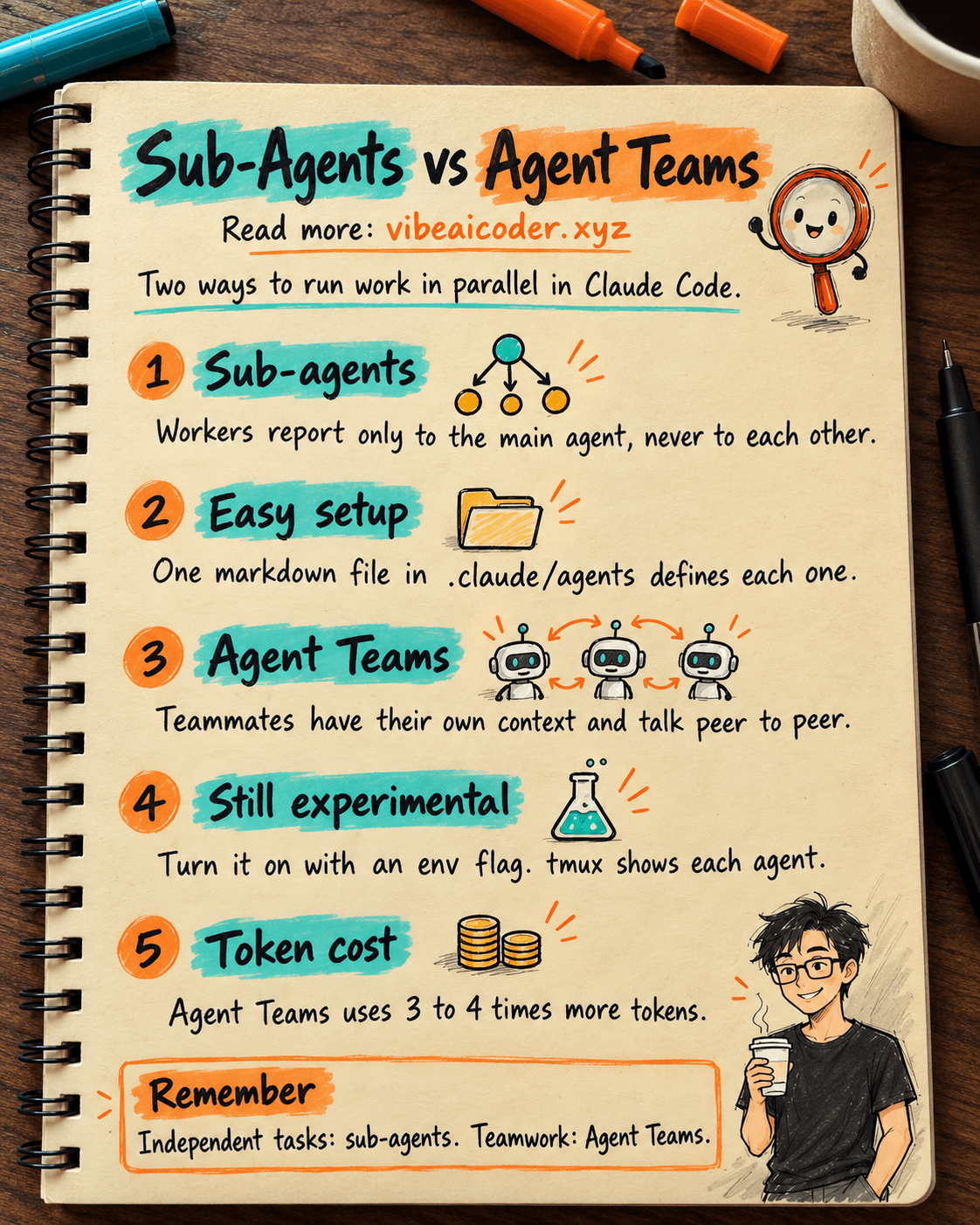
Sub-agents run inside a single session. The main session (the "central AI") acts as the orchestrator, spawning sub-agents to carry out specific tasks.
Communication flows one way: main agent to sub-agent and back to main agent. Sub-agents are completely independent, they don't know about each other and can't talk to one another. They're a great fit when you need fast, focused workers that just need to report results back. This is the better choice for tasks that don't require direct coordination between agents.
Setup: Sub-agents are configured with a markdown definition file (e.g. researcher.md) inside .claude/agents/ (project level, shared with the team) or ~/.claude/agents/ (user level, used across every project). Both inherit context from CLAUDE.md. You control access by adding "permissions" rules in settings.json.
How to use them: From the main session, call a sub-agent in natural language. For example, you could spawn 3 sub-agents in parallel to analyze the API layer, check the database schema, and read the frontend code to identify which components need updating. The Task tool supports three execution modes: parallel, sequential, and background.
 EVERYTHING ABOUT AGENT TEAMS (a real team)
Agent Teams lets you coordinate multiple Claude Code instances working together. One session acts as the team lead, but here's the key difference: teammates operate independently, each in its own context window, and can communicate directly with each other (peer-to-peer) without going through the lead.
The messaging system includes a shared task list (file-backed) and a mailbox system (agents send each other messages as JSON). You need to turn on this experimental feature with export CLAUDE_CODE_EXPERIMENTAL_AGENT_TEAMS=1. Installing tmux lets you watch each agent in its own pane.
A debugging example using the scientific-debate method: spawn 5 agent teammates to research different hypotheses, have them argue to disprove each other's theories, and update a shared doc with the consensus result. Plan requirements: Pro ($20/month) gets you 2 to 3 tasks per day; Max can handle 8 to 10 complex tasks within a 5 hour window.
 WHICH ONE SHOULD YOU USE? AVOID WASTING TOKENS
Use Sub-agents when: the sub-tasks are fully independent and don't need to know about each other. You need fast results at a lower token cost. (e.g. analyzing 5 separate modules, generating tests for multiple files).
Use Agent Teams when: you need parallel exploration that actually adds value (researching multiple angles; teammates challenging each other). You need cross-layer coordination (frontend, backend, and database are all affected). The work has many steps and needs an automated feedback loop: review, revise, review again.
Agent Teams is absolutely NOT a fit for: sequential tasks, edits to the same file, or steps with too many dependencies between them. Agent Teams costs 3 to 4 times more tokens than a single session.
Do you prefer the stability of Sub-agents, or do you want to experience the "peer-to-peer" power of Agent Teams? Share the project you're applying this to in the comments! 👇
More articles

Gemini 4 Argon Reads a 500-Page Chemistry Patent in One Afternoon

Claude Opus 5.5 Codes a Real Money Trading Game in One Day

What Is a Token in AI? Why ChatGPT and Claude Charge by Tokens

What Is Chain of Thought? Why Asking AI to Think Step by Step Works Better

Claude Sonnet 5.5 vs GPT-6.1 Sol: Which AI Model Is Worth Using?

 Claude Opus 5.5 Launches: 30% Faster, 40% Cheaper, Blocks AI Brain Copying